Herman Miller Aeron vs Steelcase Leap: The Definitive Comparison
The two most-recommended premium ergonomic chairs go head-to-head. Here's how to pick the right one for how you actually work.
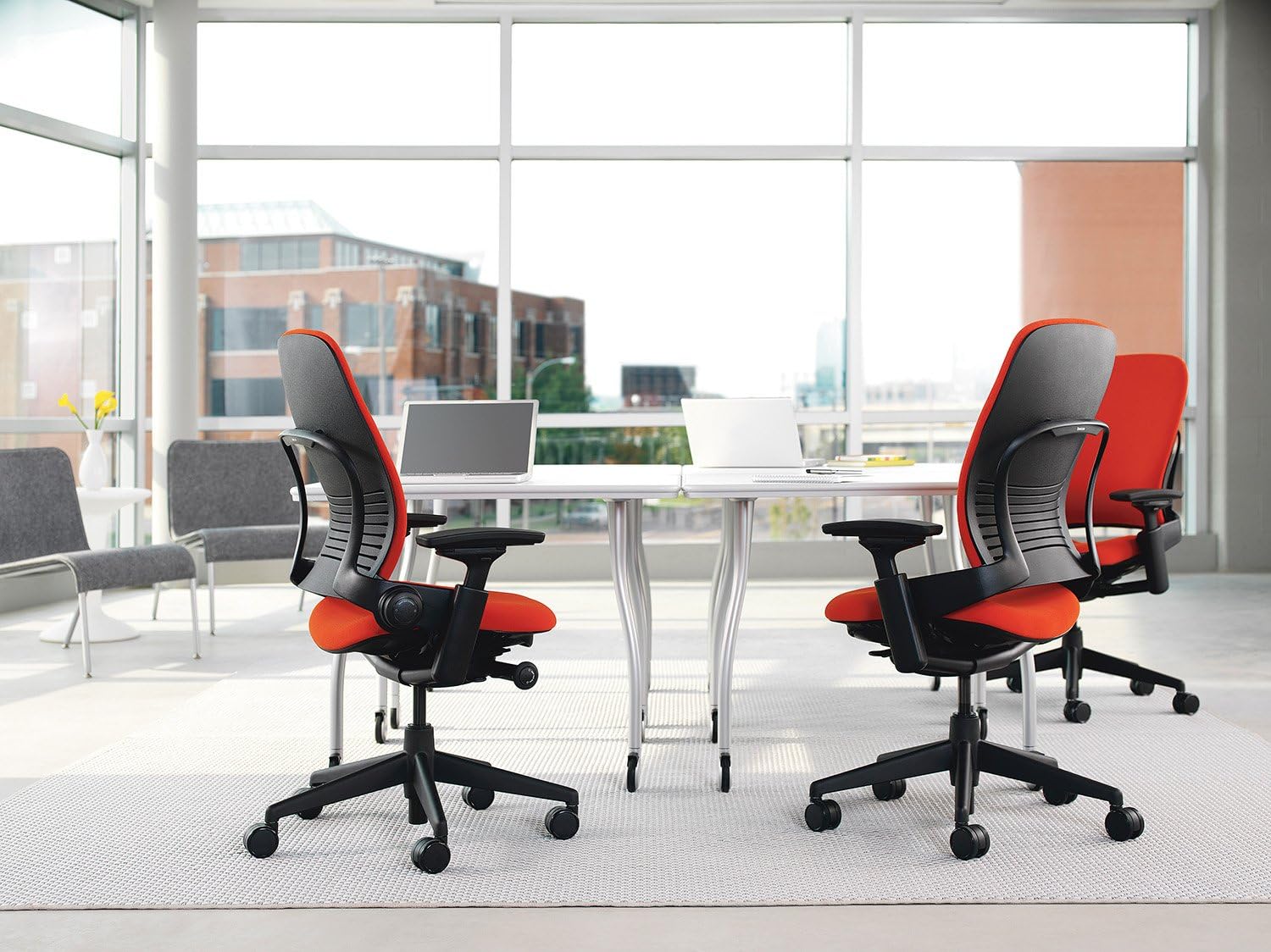
If you’ve spent any time researching ergonomic chairs, you’ve seen these two names repeatedly. The Herman Miller Aeron and the Steelcase Leap V2 are the default recommendations for a reason — both are genuinely excellent chairs. But they suit different people, different bodies, and different work styles.
This comparison will help you figure out which one is actually right for you.
The Core Difference
The Aeron is built around its iconic mesh design — everything from the seat to the back is mesh, keeping you cool and distributing weight evenly. It’s a structured chair: you sit in it, it holds you, and it does its job quietly.
The Leap is built around movement. Steelcase designed it specifically to follow your body as you shift, recline, and change position throughout the day. Where the Aeron is a precision instrument, the Leap is a responsive partner.
Neither philosophy is wrong. They’re just different.
Seat Comfort
Aeron: Mesh All the Way Down
The Aeron’s mesh seat is its most polarizing feature. Some people love it — breathable, pressure-distributing, never gets hot. Others find it uncomfortable over long sessions, particularly people with thinner builds who feel the mesh edge dig in under the thighs.
Herman Miller sizes the Aeron into A, B, and C (small, medium, large). Getting the right size matters more here than with most chairs. A size B fits most people; a size A is genuinely small and intended for petite frames.
Leap: Traditional Foam, Better for Long Days
The Leap uses a padded seat with Steelcase’s Natural Glide system, which allows the seat to move forward slightly as you recline — keeping you close to your work without craning forward. For people who sit 8+ hours a day, many find this more comfortable over marathon sessions than the Aeron’s mesh.
The Leap comes in regular and larger sizes, but there’s less variation than the Aeron’s three-size lineup.
Lumbar and Back Support
Aeron: PostureFit SL
The Aeron’s PostureFit SL system supports both the sacrum and lumbar simultaneously, encouraging a forward pelvic tilt that mirrors standing posture. It works exceptionally well for people with lower back issues. Adjustment is straightforward — two paddles, two settings. It’s not highly customizable, but the default position is well-engineered.
Leap: LiveBack Technology
The Leap’s back flexes and changes shape to match your spine as you move. It doesn’t lock you into one posture — it adapts to whatever you’re doing. The upper and lower back firmness adjust independently, giving you more granular control than the Aeron. If you’re someone who shifts a lot throughout the day, the Leap’s back support will feel more natural.
Adjustability
Both chairs offer extensive adjustability — seat height, armrest height/width/depth/angle, tilt tension, and lumbar. The Leap edges ahead on total number of adjustment points and has better out-of-the-box arm adjustability for most people.
The Aeron’s arms are good but require more deliberate setup. The tilt limiter on the Aeron is simple and effective; the Leap’s recline mechanism feels more natural in motion.
Heat and Breathability
The Aeron wins decisively here. Full mesh means airflow front and back — it’s noticeably cooler than the Leap. If you run warm, work in a hot climate, or don’t have great office air conditioning, the Aeron’s breathability is a meaningful quality-of-life advantage. The Leap’s foam seat will trap more heat.
Aesthetics
The Aeron has one of the most recognizable silhouettes in office furniture. It looks like what people picture when they imagine a “premium ergonomic chair.” If that matters to you — for a home office visible on video calls, for instance — the Aeron is the more distinctive choice.
The Leap is understated by comparison. It looks like a very good office chair. It doesn’t look like a statement.
Price
Both chairs list around $1,400–$1,500 new. Used market pricing is strong for both — a used Aeron from a reputable office furniture reseller is one of the best value plays in ergonomic seating, since the chairs last decades and parts are serviceable.
If buying used, verify the Aeron’s size (A/B/C) before purchasing. The Leap is less size-sensitive.
Who Should Choose the Aeron
- You run warm or work in a hot room
- You have lower back or sacral pain that benefits from the PostureFit SL system
- You want an iconic, immediately recognizable chair
- You’re a smaller or larger person who benefits from proper size matching
- You prefer a more structured, “set it and forget it” ergonomic experience
Who Should Choose the Leap
- You shift positions constantly throughout the day
- You want maximum lumbar customization
- Seat breathability isn’t a priority
- You prefer a chair that actively adapts to movement rather than holding a fixed posture
- You’re buying new and want slightly better armrest adjustability out of the box
The Verdict
There’s no objectively better chair between these two — but there’s probably a better chair for you.
If comfort during dynamic, shifting movement is your priority, get the Leap. If you want superior breathability and a well-engineered fixed ergonomic position, get the Aeron. Either way, you’re buying a chair you’ll use for 10–15 years. Getting the right one matters more than saving $50.
When in doubt: the Aeron is easier to find used in excellent condition, and the used market price is hard to beat.