Anker 655 USB-C Hub (8-in-1)
An 8-in-1 USB-C hub that turns one MacBook port into a full desk's worth of connectivity, wrapped in a faux leather exterior and braided cable.
Price may vary. As an affiliate, we earn from qualifying purchases.
What we like
- 100W passthrough charging keeps a 16-inch MacBook Pro topped up
- 10 Gbps USB-A ports are genuinely fast for external SSDs
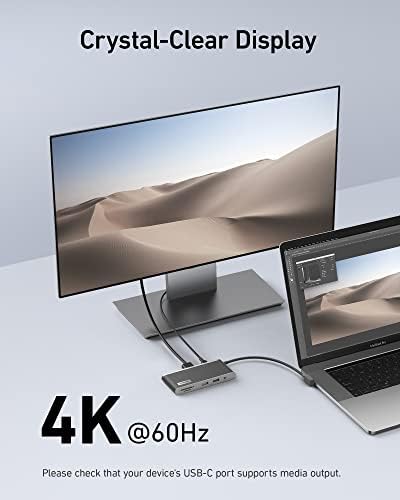
- 4K 60Hz HDMI works with DisplayPort 1.4 laptops
- Braided cable and faux leather body feel premium for the price
Could be better
- Not actually magnetic — it dangles from the USB-C port like any other hub
- HDMI drops to 4K 30Hz on older DisplayPort 1.2 machines
- Runs warm under load, especially with charging plus an external display
Full Review
The Anker 655 is the hub I recommend most often when someone wants a clean single-cable MacBook setup without paying Thunderbolt dock prices. It covers the eight ports most people actually use, charges your laptop, and looks better than any other hub in this price range.
Build and Design
The faux leather wrap is the obvious differentiator. It’s not real leather, but it doesn’t pretend to be — it just gives the hub a softer, less industrial feel than the usual aluminum slab. The braided nylon cable is short (around six inches) and surprisingly stiff, which keeps the hub close to your laptop instead of flopping around. A 90-degree connector tucks into the hub’s own USB-C port for travel, which is a nice touch.
One thing to clear up: despite what some listings imply, the 655 is not magnetic. It plugs into your MacBook’s USB-C port like any other hub. If you specifically want a magnetic snap-on, look at the Hyper HyperDrive Next or wait for one of the newer MagSafe-style accessories.
Connectivity in Daily Use
The two USB-A ports run at 10 Gbps, which is the part most reviews undersell. Plug a Samsung T7 or SanDisk Extreme into one of these and you’ll see real-world transfer speeds north of 900 MB/s — not Thunderbolt territory, but plenty for editing photos or running Lightroom catalogs off an external. The SD and microSD slots both support UHS-I at 104 MB/s, which is enough for offloading mirrorless camera cards without a separate reader.
The HDMI port handles 4K at 60Hz on any MacBook from the M1 generation onward. On older Intel MacBooks with DP 1.2, you’re capped at 4K 30Hz, which is fine for productivity but choppy for cursor movement.
100W Charging and Heat
Pass-through charging delivers up to 100W, minus the 15W or so the hub draws for itself. In practice that means a 16-inch MacBook Pro charges at full speed when idle and keeps pace under moderate load. Push it hard with an external display, fast SSD, and gigabit ethernet all running and the hub gets noticeably warm — not dangerous, but warm enough that I wouldn’t bury it under papers.
Who Should Buy This
Buy the Anker 655 if you have a MacBook Air or Pro and want one cable on your desk that handles charging, an external monitor, ethernet, and a couple of accessories. It’s the right pick at the $50 price point. If you need dual displays, more than 100W of charging, or Thunderbolt speeds, skip the hub category entirely and look at a CalDigit TS5 or Anker Prime dock instead. And if you specifically want a magnetic MacBook hub, this isn’t it — the 655 is a traditional cable-attached design.


