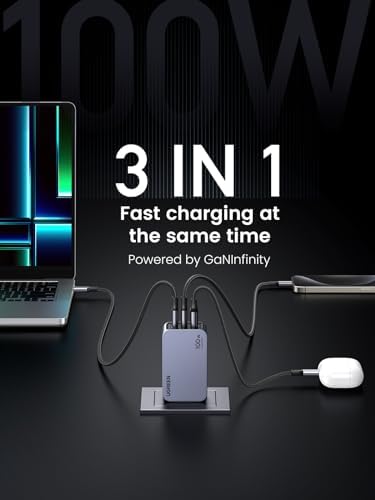
Anker 655 USB-C Hub (8-in-1)
A compact, design-forward 8-in-1 USB-C hub with 100W passthrough, 4K HDMI, Gigabit Ethernet, and 10 Gbps USB-A ports — the cleanest single-cable solution for MacBook Air users.
Price may vary. As an affiliate, we earn from qualifying purchases.
What we like
- 100W Power Delivery keeps your laptop topped up while you work
- 10 Gbps USB-A ports are genuinely fast — not the 5 Gbps throttled ports on cheaper hubs
- Faux leather exterior looks sharp and doesn't scratch your desk
- Gigabit Ethernet is a rare inclusion at this price point
Could be better
- Only two USB-A ports — power users will want more
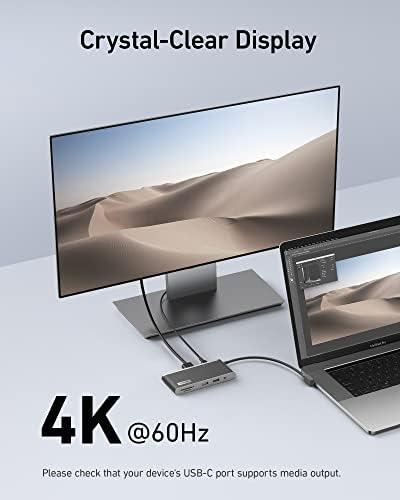
- 4K@60Hz requires a laptop with DP 1.4; otherwise capped at 4K@30Hz
- No USB-C data passthrough port beyond the charging port
Full Review
Most USB-C hubs are forgettable gray dongles you hide behind your monitor. The Anker 655 is the rare one you don’t mind leaving on your desk. The faux leather top panel and matte finish make it look intentional rather than afterthought — a small thing, but noticeable in a clean setup.
Ports That Actually Pull Their Weight
The 655’s lineup covers the daily essentials without padding the spec sheet. The two USB-A ports run at USB 3.2 Gen 2 speeds (10 Gbps), which is double what most similarly priced hubs offer. The SD and microSD slots share bandwidth but hit up to 104 MB/s — fast enough for photography workflows. The 3.5mm AUX is handy if your MacBook Air left you without a headphone jack option on the right side.
Gigabit Ethernet is the standout inclusion. At $55, most competitors skip it. If you work from video calls all day or push large files to a NAS, wired connectivity makes a real difference.
100W Passthrough — With a Caveat
The 100W Power Delivery port charges a MacBook Pro at full speed. With a MacBook Air (30W–35W draw), you’ll have plenty of headroom. One note: Anker rates passthrough at 100W input, meaning your charger needs to supply 100W to deliver full power to the laptop — the hub keeps a small cut for itself. In practice, a 65W charger still works fine for most tasks.
4K Display — Check Your Laptop First
The HDMI port hits 4K@60Hz only if your laptop’s USB-C port supports DisplayPort 1.4. MacBook Air M1/M2 users get this natively. Older Intel MacBooks may be limited to 4K@30Hz, which is noticeably less smooth for desktop use. If you’re on a single monitor and primarily doing text work, 30Hz is tolerable. For anything involving motion or video editing, verify your laptop’s spec before buying.
Who Should Buy This
The Anker 655 is ideal for MacBook Air users who want one cable to handle power, display, Ethernet, and peripherals without a hulking dock on their desk. If you regularly juggle more than two USB-A devices or need dual monitor output, look at something like the CalDigit TS4 instead. But for a clean, portable hub that earns a permanent spot on the desk, this is the one to get.