Anker PowerExpand 13-in-1 USB-C Dock
A feature-dense 13-port USB-C dock with triple-display output and 85W laptop charging — the best value pick for non-Thunderbolt setups.
Price may vary. As an affiliate, we earn from qualifying purchases.
What we like
- Triple external display support (2x HDMI + 1x DisplayPort) on Windows
- 85W passthrough charging keeps most laptops topped off
- SD and microSD slots alongside Gigabit ethernet in one box
- Includes the 135W power brick — no hunting for a charger
Could be better
- macOS mirrors all displays instead of extending them
- 1080p@60Hz cap when running all three monitors simultaneously
- No Thunderbolt — data speeds top out at 10 Gbps USB-C
Full Review
The Anker PowerExpand 13-in-1 is what you buy when your laptop doesn’t have Thunderbolt but you still need a proper docking station. At under $65, it cram-packs more ports than docks twice its price, and it ships with the power brick — a detail Anker’s competitors routinely leave out.
Build and Port Layout
The aluminum shell is dense and runs warm but never hot under load. Port placement is sensible: video outputs and ethernet live on the back, everyday stuff (USB-A, SD, headphone jack, secondary USB-C) sits on the front. The captive 1m USB-C cable is long enough to route behind a monitor without adding an extension.
Display and Charging Performance
Windows users get the full experience — three external displays via MST, each running 1080p@60Hz. If you need 4K, you’re limited to dual displays. The 85W passthrough handles most 13” and 14” ultrabooks at full tilt; heavier 16” workstations will slowly trickle down under sustained load.
macOS is the catch. Apple’s USB-C implementation doesn’t support MST, so all three outputs mirror the same image. If you’re on a MacBook and need extended displays, you’ll need a DisplayLink-based dock or a Thunderbolt unit instead.
Daily Use
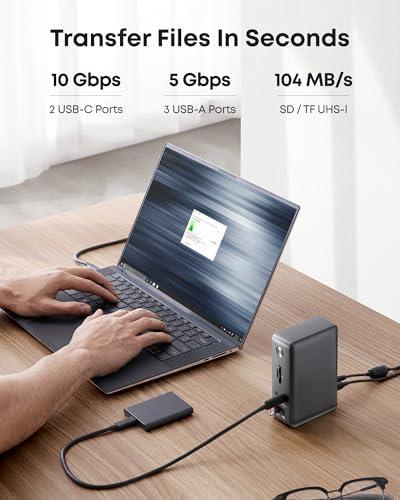
As a single-cable desk solution, it works exactly as advertised. One USB-C connection to the laptop wakes two monitors, ethernet, keyboard, mouse, webcam, SD card reader, and a charging phone. Gigabit ethernet is rock solid. The 10 Gbps USB-C data port is fast enough for external SSDs without feeling like a bottleneck.
Who Should Buy This
Buy this if you run a Windows laptop without Thunderbolt and want a multi-monitor desk without spending $250+. It’s also a solid pick if you want SD/microSD slots and dedicated video outputs in one box. If you’re on a MacBook and need extended (not mirrored) displays, skip this and look at a Thunderbolt dock or a DisplayLink alternative instead.


