Apple Magic Keyboard with Touch ID and Numeric Keypad
Apple's premium full-size keyboard brings Touch ID to the desktop, making it the obvious choice for Mac users who want fast, secure login without lifting a finger.
Price may vary. As an affiliate, we earn from qualifying purchases.
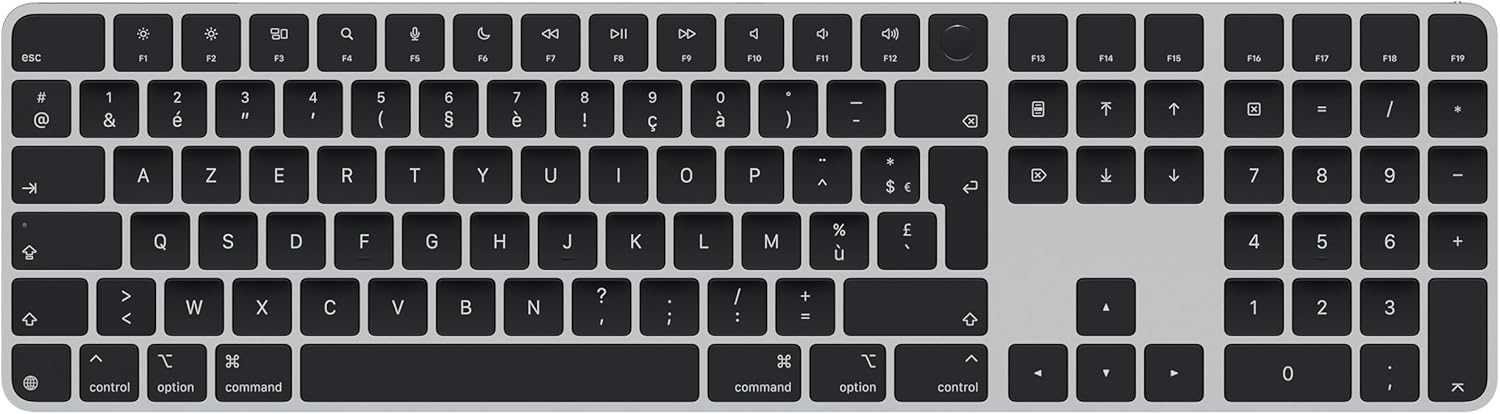
What we like
- Touch ID is genuinely fast and works seamlessly with macOS authentication
- Scissor switches are quiet, low-travel, and consistent — ideal for offices
- Numeric keypad makes this a real productivity tool for spreadsheet and number-heavy work
- Rechargeable via Lightning — battery lasts months on a charge
- Slim, clean design matches any Mac setup
Could be better
- Lightning port in 2026 is an annoyance — USB-C would be better
- Low-travel switches won't satisfy anyone who wants tactile feedback
- Mac-only — useless if you work across platforms
- Expensive for what is essentially a membrane-style keyboard
Full Review
Apple’s Magic Keyboard with Touch ID and Numeric Keypad is the natural default for anyone building an all-Mac desk setup. It’s not trying to compete with mechanical keyboards — it’s trying to disappear into your workflow, and largely succeeds.
Touch ID: The Reason to Buy This Over the Standard Model
The standard Magic Keyboard costs $30 less and looks identical. The difference is Touch ID, and it matters more than you’d expect. Unlocking your Mac, authorizing sudo commands in Terminal, approving App Store purchases, and using Apple Pay all happen instantly with a fingerprint. Once you have it, going back to typing your password feels archaic. If you’re choosing between the two models, spend the extra $30.
Typing Feel
Scissor switches sit somewhere between a laptop keyboard and a proper desktop board. Travel is shallow at roughly 1mm, actuation is light, and the sound is a soft thud rather than any kind of click. If you’re coming from a mechanical keyboard, expect an adjustment period — these won’t give you the feedback you’re used to. If you’re coming from a MacBook keyboard, it’ll feel immediately familiar and slightly better. For writers and anyone doing long typing sessions, the low-force actuation reduces fatigue even if it sacrifices satisfaction.
Build Quality and Design
The aluminum top plate feels solid and matches MacBook and Mac Studio finishes exactly. The keycaps are laser-engraved and have held up without fading through daily use. The numeric keypad layout is standard and well-spaced — nothing clever, nothing annoying. Battery life is exceptional; a full charge lasts several weeks of daily use, and the keyboard charges while connected via the included Lightning to USB-C cable.
The Lightning port is the one thing that ages this keyboard poorly. Every other Apple peripheral has moved to USB-C, and having a lone Lightning cable on your desk in 2026 is a minor but real inconvenience.
Who Should Buy This
Buy this if you’re on an Apple Silicon or T2 Mac and want a clean, reliable keyboard with Touch ID. It’s the right call for anyone who values seamless macOS integration over tactile typing feel. If you want a mechanical experience, look at the Keychron K8 Pro instead — same Mac compatibility, far more satisfying to type on. If you don’t need the numeric keypad, the smaller Magic Keyboard with Touch ID saves $30 and fits tighter desks better.