BenQ ScreenBar Plus Monitor Light with Dial
A monitor-mounted desk lamp with a wired dial controller that nails glare-free task lighting without touching your desk space.
Price may vary. As an affiliate, we earn from qualifying purchases.
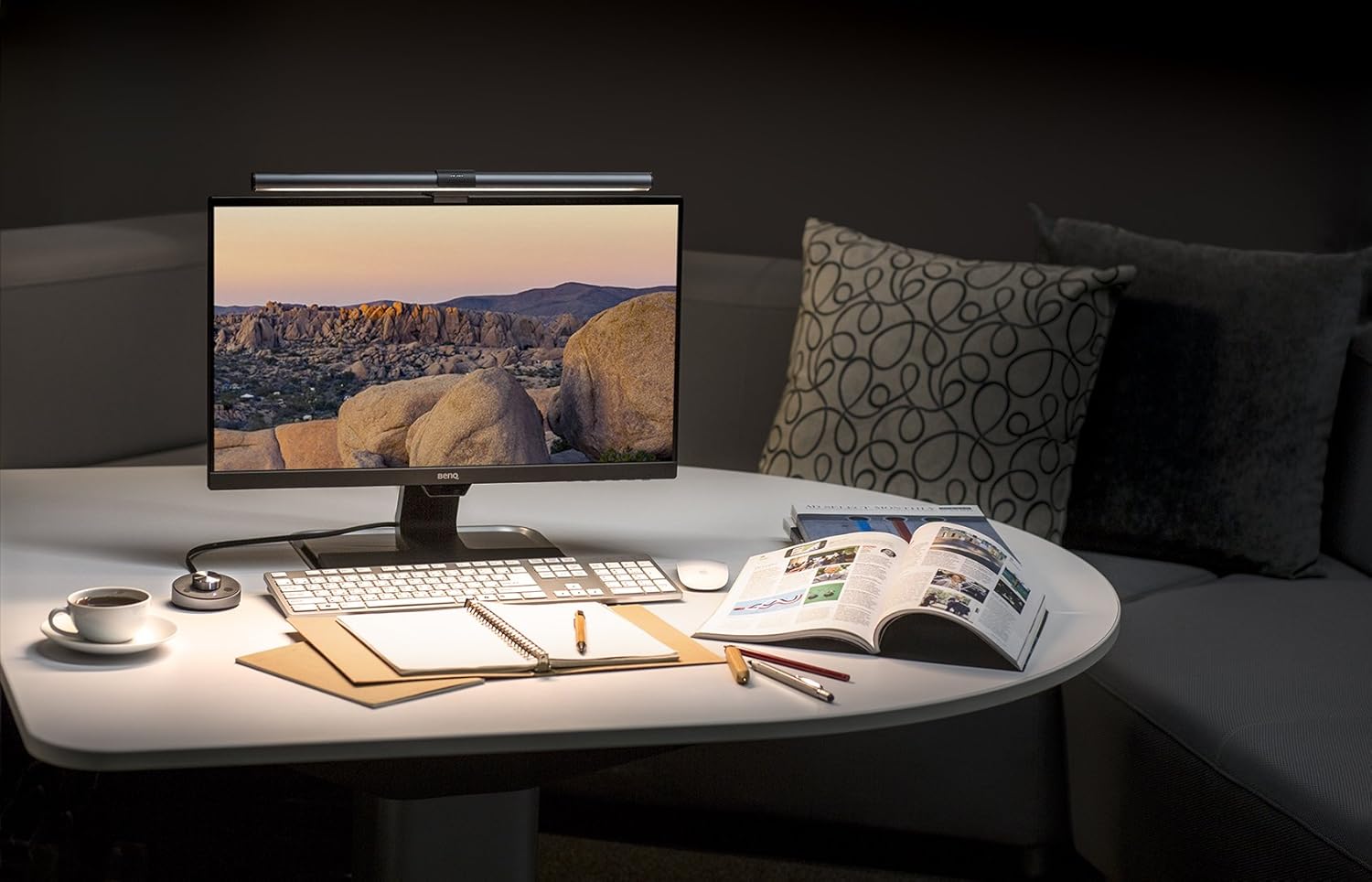
What we like
- Wired dial controller is genuinely useful — adjust brightness and color temp without touching the lamp
- Auto-brightness sensor reads ambient light and adjusts automatically
- Wide 2700K–6500K range covers warm evening work to cool daylight mode
- Asymmetric lens design eliminates screen glare completely
- Clips to any monitor without drilling or clamps
Could be better
- At $179, it's nearly double the base ScreenBar — the dial needs to justify that gap for you
- Dial controller tethers to the lamp with a cable, which some desks can't hide cleanly
- No backlighting like the ScreenBar Halo, so the area behind your monitor stays dark
Full Review
The BenQ ScreenBar Plus sits between the entry-level ScreenBar and the premium ScreenBar Halo. The core lamp is the same — asymmetric optics, USB power, monitor-clip mount — but the Plus adds one meaningful upgrade: a hockey-puck-sized dial controller that sits on your desk and handles everything without you reaching up to tap buttons on the lamp itself.
The Dial Changes How You Use It
This sounds like a small thing. It isn’t. With a basic ScreenBar, adjusting color temp mid-session means standing up and poking at the back of the lamp. With the Plus, you twist the dial to change brightness, press it to toggle color temperature, and forget the lamp exists. The controller also houses the auto-brightness sensor, which samples the ambient light in the room and dims or brightens the lamp to maintain a consistent 500 lux on your desk. It works reliably — better than you’d expect from a passive sensor.
Optics and Color Quality
The asymmetric lens is the real engineering story here. It directs all the light downward onto your desk and keyboard, not at your monitor, which means zero reflection in the screen even with a glossy panel. CRI sits at 95+, which means colors read accurately — useful if you’re doing any photo editing or design work at the desk. The 2700K warm setting is genuinely warm, not the sickly yellow that cheaper lights produce at that end of the range.
Practical Setup
The clip fits flat-back and curved monitors up to 6cm thick without issue. Cable management is the only friction point: the dial connects to the lamp via a fixed cable (roughly 1.5m), so you’re routing it around or under your monitor somehow. On a clean desk setup, that’s a planning problem. The lamp runs off USB-A, so it’ll pull from a monitor’s USB hub or a spare port on a hub — no dedicated power brick needed.
Who Should Buy This
Buy the ScreenBar Plus if you already know you want a monitor light and the dial controller sounds like something you’d actually use. If you’re choosing between the base ScreenBar and the Plus, the $80 price gap buys you the dial and the auto-brightness sensor — worth it if you work across different lighting conditions throughout the day. If you want bias lighting behind the monitor to reduce eye strain during long sessions, step up to the ScreenBar Halo instead. The Plus doesn’t cover that angle.