CalDigit E5 Thunderbolt 5 Element 5 Hub
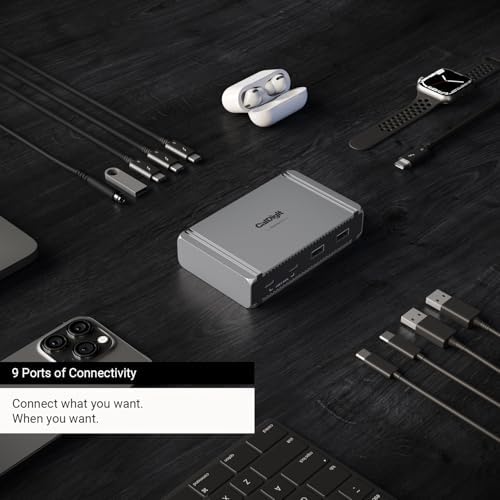
A compact 9-port Thunderbolt 5 hub built for creators who need raw display and storage bandwidth over ethernet and SD slots.
Price may vary. As an affiliate, we earn from qualifying purchases.
What we like
- Four Thunderbolt 5 ports at 80Gb/s (120Gb/s in bandwidth boost mode)
- Drives a single 8K, dual 6K/8K, or dual 4K@240Hz displays
- 90W host charging handles MacBook Pro 14 and most 16 workloads
- Compact aluminum chassis that runs cool and stays quiet
Could be better
- No ethernet, SD card slot, or audio jack — it's a hub, not a dock
- $199 is steep if you don't actually need TB5 bandwidth
- External 180W power brick is large for the hub's footprint
Full Review
The Element 5 is CalDigit’s first Thunderbolt 5 hub, and it’s aimed squarely at people who already know why they want one. Nine ports, four of them TB5 at 80Gb/s, in a chassis barely larger than the original TB4 Element. If you’re plugging in fast NVMe enclosures, a TB5 display, and another TB5 device daisy chain, this is the cleanest way to do it from a single port on a MacBook Pro M4 Pro or Max.
TB5 Hub vs TB4 Dock
The split matters. A dock like the CalDigit TS4 gives you ethernet, SD readers, audio, and a pile of legacy ports — the kitchen-sink approach. The Element 5 strips all of that out and spends the silicon budget on bandwidth. You get four TB5 ports instead of three TB4s, and the host-side pipe is doubled. If you’ve never saturated a TB4 dock, this isn’t the upgrade for you. If you’ve watched a TB4 dock choke when copying to an external SSD while a 4K display is connected, this is the fix.
Real-World Performance
The four TB5 ports each support 64Gb/s PCIe, which translates to roughly 6,200MB/s on fast TB5 SSDs — more than double what TB4 enclosures deliver. Display behavior depends on the host. On macOS you get up to two 6K/8K panels or dual 4K@240Hz; on Windows, three 4K@144Hz panels are possible. The 90W host charging is enough for a MacBook Pro 14, and adequate-but-not-excessive for the 16-inch under sustained load.
Element 5 vs OWC Thunderbolt 5 Hub
OWC’s TB5 hub is the obvious cross-shop. OWC gives you three TB5 ports and an extra USB-C, runs a bit cheaper, and includes a slightly longer host cable. The Element 5 wins on port count (four TB5 ports vs three) and matches OWC on charging. If you’re chaining multiple TB5 SSDs and a display, the extra TB5 port is the deciding factor. If you only need one TB5 device plus a monitor, the OWC saves you money.
Who Should Buy This
Buy the Element 5 if you have a MacBook Pro M4 Pro or Max, you’re running TB5 storage or a TB5 display, and ethernet lives on your router or a separate dongle. It’s also the right pick if you already own a TB4 dock for ethernet and SD duty, and you just need a high-bandwidth pipe for displays and SSDs. Skip it if you need ethernet, audio, or card readers built in — the CalDigit TS4 (or the new TS5 Plus) is the better dock for that workflow. And if you’re on a TB4 Mac, save the money and get the original TB4 Element instead.


