Das Keyboard 4 Professional Mechanical Keyboard
A full-size mechanical keyboard with Cherry MX switches, an aluminum top panel, and dedicated media controls — the gold standard for typists who won't compromise.
Price may vary. As an affiliate, we earn from qualifying purchases.
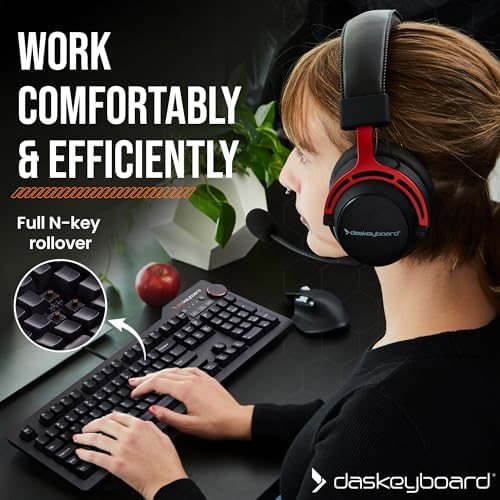
What we like
- Solid aluminum top panel feels genuinely premium
- Cherry MX Brown and Blue switch options for tactile or clicky feedback
- Dedicated media controls with oversized volume knob
- Built-in 2-port USB 3.0 hub
- Satisfying key feel that holds up after years of use
Could be better
- Full-size layout takes up significant desk space
- No RGB or backlighting on the standard model
- Heavy — not practical for travel or hot-desking
Full Review
The Das Keyboard 4 Professional has been the benchmark for serious mechanical keyboards for well over a decade. It doesn’t chase trends — no RGB light show, no hot-swap sockets, no wireless. What it offers instead is a brutally well-built typing machine with no compromises where it counts.
Build Quality That Earns Its Price
The aluminum top panel is the first thing you notice. It’s thick, cold to the touch, and doesn’t flex. Combined with the heavy base, this keyboard does not move around on your desk. The braided cable is a nice touch at this price, and the keycaps use laser-etched legends that won’t fade after a year of heavy use. This is a keyboard you buy once.
Switch Feel and Typing Experience
The Cherry MX Brown version gives you a tactile bump without the sharp click of Blues — still audible in a quiet office, but tolerable in shared spaces. The Blues are louder and snappier, better suited to home offices or anyone who types for a living and loves the feedback. Both options have a decisive, confident feel that budget keyboards never quite replicate. The 104-key layout includes a full numpad, which makes this an easy daily driver for anyone doing spreadsheet work or data entry.
Media Controls and USB Hub
The volume knob alone justifies some of the price premium. It’s large, smooth, and has satisfying resistance — far better than tapping fn + key combos. There’s also a mute button and instant sleep key above the numpad. The two-port USB 3.0 hub on the back is genuinely useful for plugging in a mouse receiver or charging a phone without reaching behind your monitor.
What You’re Giving Up
No backlighting means this keyboard is a non-starter for dim environments. At 2.9 lbs and full-size, it’s also not going anywhere. If your desk is already crowded, the footprint is real — a tenkeyless layout might serve you better. If you want RGB and hot-swap switches at a similar price, the Keychron Q1 or Q3 are worth a look.
Who Should Buy This
The Das Keyboard 4 Professional is for typists who want a no-nonsense, built-to-last keyboard with premium switch feel and practical extras. If you spend most of your day writing or coding, work from a dedicated desk, and don’t need backlighting, this is still one of the best full-size mechanical keyboards you can buy.


