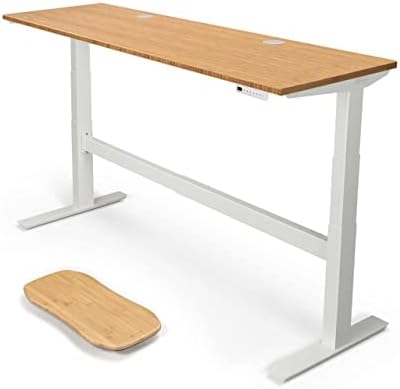
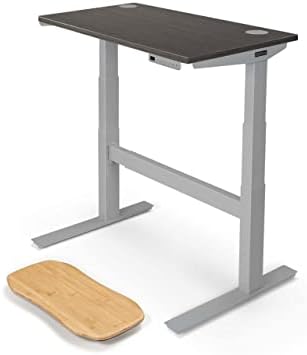
FlexiSpot E8 Standing Desk
FlexiSpot's oval-leg E8 splits the difference between the budget E7 and the premium E7 Pro — cleaner aesthetics, dual motors, and solid stability for around $500.
Price may vary. As an affiliate, we earn from qualifying purchases.
What we like
- Oval legs look noticeably more refined than the standard rectangular E7 frame
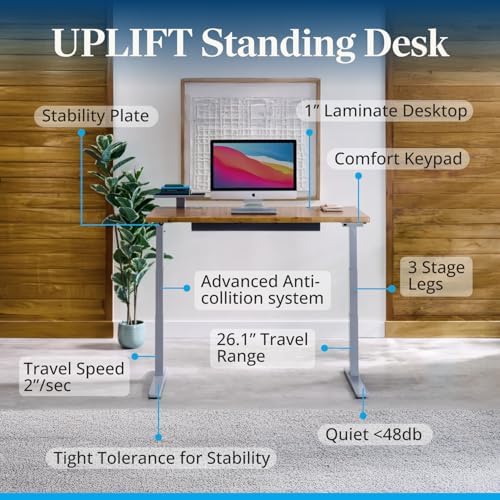
- Dual motor, 3-stage column lifts smoothly to 48.8 inches
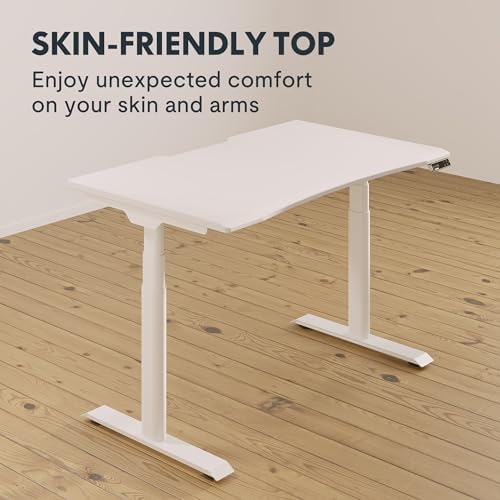
- Whole-piece desktop avoids the seam you get on cheaper segmented tops
- 352 lb weight capacity handles heavy multi-monitor setups
- 15-year frame and motor warranty is best-in-class at this price
Could be better
- Still wobbles slightly at full extension with a heavy load
- Cable management tray is sold separately
- Assembly is a two-person job and takes about an hour
Full Review
The E8 sits in an awkward but useful spot in FlexiSpot’s lineup. The E7 is the workhorse everyone recommends; the E7 Pro adds a C-frame for deeper legroom but costs more. The E8 keeps the standard T-frame geometry of the E7 and swaps the rectangular legs for oval ones. That sounds cosmetic — and it partly is — but it changes more about the desk than you’d expect.
When Oval Legs Actually Matter
Three things change when you go oval. First, aesthetics: the columns look softer and less industrial, which matters if your desk lives in a bedroom or shared space rather than a dedicated office. Second, cable routing: the rounded surface is friendlier to adhesive cable channels and clips that don’t sit flush on sharp 90-degree corners. Third — and this is the one most reviews skip — the oval columns are slightly larger in cross-section than the E7’s, which translates to less front-to-back wobble when you’re standing at maximum height with a monitor arm bolted to the back edge.
Stability and Daily Use
At sitting height the E8 is rock-solid. Standing height with a single monitor and a keyboard tray? Also fine. The wobble shows up when you push past about 45 inches with a heavy load — a 32-inch monitor on an arm, plus a laptop, plus typing aggressively. It’s not unusable, just noticeable. If you’re 6’4” and run a triple-monitor setup, the E7 Pro’s C-frame is worth the upcharge. For everyone else, the E8 is steady enough.
Build Quality and Assembly
The whole-piece desktop is the right call. FlexiSpot’s segmented tops on cheaper desks have a visible seam down the middle that bothers some people; the E8’s top is one continuous piece. Edges are skin-friendly rounded, not sharp. Assembly takes around an hour with two people — the frame is heavy, and flipping the assembled desk upright solo is a recipe for a scratched floor.
E7 vs E8 vs E7 Pro
If you want the cheapest reliable FlexiSpot, get the E7. If you want the cleanest looks at the same footprint, the E8 is worth the small premium. If you need maximum stability or work standing for long stretches with heavy gear, skip both and get the E7 Pro.
Who Should Buy This
The E8 is for people who already decided on a FlexiSpot but care how their desk looks. You’re getting the same proven motor and warranty as the E7 with a noticeably more refined frame for about $50–80 more. If aesthetics are irrelevant and you just want a working standing desk, save the money and buy the E7. If you need the absolute most stable platform FlexiSpot makes, spend up for the E7 Pro instead.