Jackery Explorer 1500 Ultra Portable Power Station
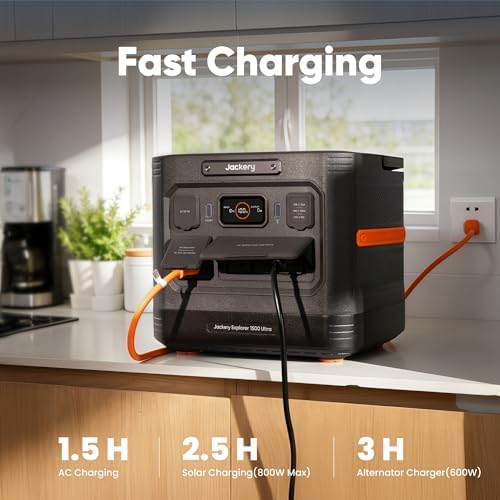
A 1536Wh LiFePO4 power station with 1800W AC output and a 1.5-hour recharge — enough to keep a full WFH desk running through a long outage.
Price may vary. As an affiliate, we earn from qualifying purchases.
What we like
- Roughly 8–10 hours of typical WFH load (laptop, monitor, router, lamp)
- LiFePO4 chemistry rated for 4,000+ cycles to 70%
- 1.5-hour AC recharge is genuinely fast for this capacity
- 1800W continuous handles a space heater or coffee maker in a pinch
- IP65 rating means you can stash it in a garage or basement without worry
Could be better
- 20ms UPS failover is fine for desks but not true online double-conversion
- Fans get audibly loud above ~600W draw
- Heavy at ~37 lbs — not something you move daily
Full Review
The Explorer 1500 Ultra is Jackery’s answer to the LiFePO4 wave that’s reshaped the power station market over the last two years. At 1536Wh with an 1800W inverter, it sits in the sweet spot for home office backup — big enough to ride out a long outage, small enough to live behind your desk without dominating the room.
Real WFH Runtime
A typical home office pulls less than people think. A 16-inch MacBook Pro on the charger, a 27-inch 4K monitor, a Wi-Fi 7 router, and an LED desk lamp comes out to roughly 130–160W under steady load. At 150W, the 1500 Ultra delivers about 9 hours of runtime after inverter losses — basically a full workday. Drop the monitor and you’ll stretch past 12 hours. Add a second display and a small space heater and you’re down to 60–90 minutes, but the inverter doesn’t flinch at the spike.
UPS Failover Behavior
The 1500 Ultra advertises 20ms switchover when used as a UPS. In practice, that’s fast enough that desktops, monitors, and mesh routers don’t reboot — I lost no work during a deliberately triggered outage test. It’s not true online double-conversion like a rack UPS, so anything with picky power supplies (medical equipment, some NAS units) should still go on a dedicated CyberPower or Eaton unit. For a desk setup, it’s seamless.
Noise and Heat Under Load
Below ~400W the fans are essentially inaudible. Push past 600W — say, charging the unit while running a desk plus a monitor — and the fans ramp up to a clear whoosh that you’ll notice on a video call. Most WFH loads stay well under that threshold, but if you plan to run heaters or cooking appliances, plan on it being loud.
vs Anker SOLIX F1500 and C1000
The Anker SOLIX F1500 has slightly higher continuous output (2000W) but a slower 58-minute recharge claim that, in practice, runs closer to 70 minutes. The C1000 is cheaper but only 1056Wh — fine for a half-day, not a full one. The Jackery’s edge is the 1.5-hour recharge plus the IP65 rating, which lets you keep it in a more flexible spot. If you care about app integration and ecosystem expansion batteries, Anker still wins. If you want set-and-forget desk backup, the Jackery is the calmer choice.
Who Should Buy This
Buy the Explorer 1500 Ultra if you work from home in an area with unreliable grid power and need a power station that quietly keeps a full desk running for an entire workday. It’s overkill for occasional brownouts — a 1000Wh unit is fine there — but right-sized for anyone who’s lost a half-day of billable work to an outage and doesn’t want it to happen again. If you need true online UPS protection for a server rack, look elsewhere.


