Kensington SD5700T Thunderbolt 4 Docking Station
A premium Thunderbolt 4 dock with dual 4K output, 90W laptop charging, and 11 ports that handles both Windows and Mac without compromise.
Price may vary. As an affiliate, we earn from qualifying purchases.
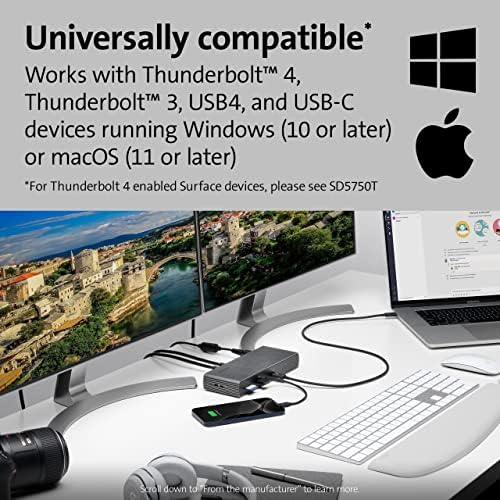
What we like
- True Thunderbolt 4 with 40Gbps bandwidth on all downstream ports
- Dual 4K @ 60Hz over Thunderbolt — no display quality loss
- 90W Power Delivery charges most USB-C laptops at full speed
- UHS-II SD 4.0 card reader — the fastest slot in this price range
- Front-panel USB-A + USB-C for quick peripheral access
Could be better
- No DisplayPort output — display connectivity limited to Thunderbolt/USB-C
- Bulky power brick adds desk clutter
- Runs warm under heavy load
Full Review
The Kensington SD5700T positions itself at the top of the Thunderbolt 4 dock market alongside the CalDigit TS4. It’s purpose-built for users who need full 40Gbps bandwidth at every port and dual 4K without any compromises or adapters. The $250 price tag is competitive, and this is a dock that delivers on its promises.
Port Layout and Daily Use
Eleven ports in total, thoughtfully split front and back. The front panel gives you a USB-A charging port and a USB-C port for quick-connect devices — useful if you’re frequently swapping in drives or headsets. The rear handles permanent connections: three more USB-A ports (all USB 3.2 Gen 2 at 10Gbps), Gigabit Ethernet, the SD card reader, audio jack, and three Thunderbolt 4 downstream ports for displays and accessories.
One notable absence: no HDMI or DisplayPort. Both monitors must connect via Thunderbolt 4 or a Thunderbolt-to-DisplayPort adapter. For most modern monitors this isn’t an issue, but it’s worth knowing before you buy.
Thunderbolt 4 Performance
The full 40Gbps Thunderbolt 4 spec means you can run NVMe enclosures, daisy-chain eGPUs, or stack multiple high-speed accessories without the bandwidth bottlenecks that plague USB-C docks. The UHS-II SD 4.0 reader is a standout — transfer speeds hit close to the card’s theoretical max, which matters if you’re offloading large camera files regularly.
The 90W Power Delivery keeps most 13–16” laptops charged at full wattage. MacBook Pro 14” users get a full charge; the 16” M-series chip users may want the MagSafe cable alongside for sustained intensive workloads.
How It Compares to the CalDigit TS4
The CalDigit TS4 has more total ports (18 vs. 11) and adds a 2.5GbE ethernet port. The SD5700T counters with a faster SD card reader and a slightly more compact footprint. If you run out of ports regularly, the TS4 wins. If you care specifically about SD card speeds and cleaner cable routing, the Kensington earns its place.
Who Should Buy This
The SD5700T is the right dock if you need rock-solid dual 4K Thunderbolt 4 output, fast UHS-II card reads, and 90W laptop charging from a single cable — and you don’t need HDMI out. It’s a strong fit for photographers and video editors running a Mac or Thunderbolt 4 Windows laptop. If you’re on USB-C only or need HDMI, look at the CalDigit TS4 or a USB-C alt-mode dock instead.


