Keychron K8 Pro Wireless Mechanical Keyboard
A hot-swappable, QMK-compatible tenkeyless mechanical keyboard that delivers enthusiast-grade customization at a mainstream price.
Price may vary. As an affiliate, we earn from qualifying purchases.
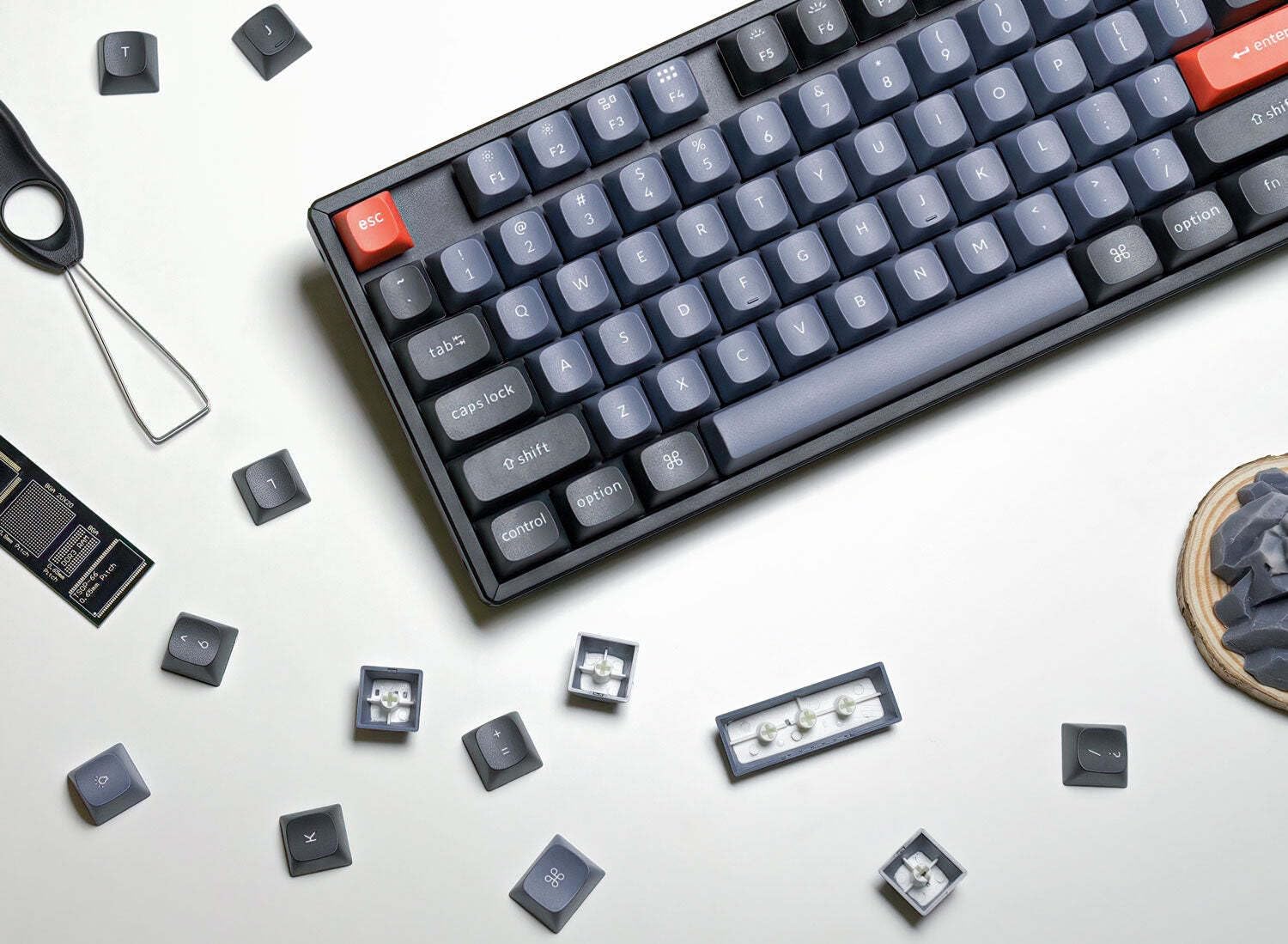
What we like
- QMK/VIA support for deep key remapping and macros
- Hot-swappable switches — no soldering required
- Reliable tri-mode connectivity (Bluetooth, 2.4GHz, USB-C)
- Solid aluminum frame feels premium for the price
- Wide switch variety available at checkout
Could be better
- Battery life is mediocre with RGB on
- Keycap legends are ABS — they'll shine over time
- No wrist rest included
Full Review
The Keychron K8 Pro sits at an interesting crossroads: it’s priced like a mainstream keyboard but spec’d like an enthusiast board. QMK support, hot-swap sockets, and tri-mode wireless in one package used to cost significantly more. At $99, it’s hard to argue with the value.
Build Quality
The aluminum top frame gives the K8 Pro a solidity that most boards in this range lack. It doesn’t flex, doesn’t rattle, and sits flat on a desk without wobbling. The bottom is plastic, which keeps weight reasonable and cost down — a fair tradeoff. At around 800g, it’s light enough to toss in a bag without complaint.
Keycaps are double-shot ABS, which is the one concession to cost. They’re fine out of the box, but ABS develops a greasy shine after months of heavy use. If that bothers you, a set of PBT keycaps is a straightforward upgrade.
Switches and Customization
This is where the K8 Pro earns its price tag. The hot-swap PCB accepts most MX-style switches, so you’re not locked into whatever you ordered. Pull the stock Gaterons, drop in something quieter or heavier — no soldering iron needed. QMK and VIA support means you can remap any key, create layers, and set macros directly in the browser with VIA. It’s the kind of flexibility you normally find on $150+ boards.
RGB is south-facing, which looks clean under PBT keycaps but causes shine-through issues with the ABS stock caps. Functionally it works; aesthetically it’s better once you upgrade the keycaps.
Wireless Performance
Bluetooth 5.1 connects quickly and holds reliably across three devices — useful if you switch between a MacBook, PC, and iPad. The 2.4GHz dongle is there for zero-latency use cases like gaming. USB-C rounds out the options. The 4000mAh battery lasts about a week with RGB off, two to three days with it on at full brightness. Heavy RGB users will be charging every few days, which is the main practical complaint.
Who Should Buy This
The K8 Pro is the right pick for anyone who wants a mechanical keyboard they can actually customize — swappable switches, remappable keys — without spending $150+ to get there. If you’re coming from something like the Logitech MX Keys and want tactile feedback and real programmability, this is the natural upgrade. If you need a numpad, look at the full-size K10 Pro instead. If battery life with RGB on is a dealbreaker, manage expectations or keep it plugged in.