Keychron Q5 Max 96% Wireless Mechanical Keyboard
A CNC aluminum 96% wireless board with QMK/VIA, hot-swap sockets, and a gasket-mounted build that punches well above its price.
Price may vary. As an affiliate, we earn from qualifying purchases.
What we like
- Full CNC aluminum case feels like a custom build, not a mass-market keyboard
- 96% layout keeps a numpad without eating the desk space of a full-size
- QMK/VIA programmable — remap anything, no proprietary software lock-in
- Hot-swap PCB accepts nearly any 3-pin or 5-pin MX switch
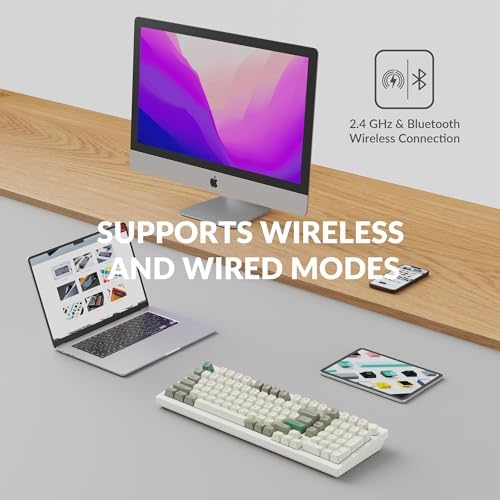
- 2.4 GHz wireless hits 1000 Hz polling, same as wired
Could be better
- Heavy — this is a desk keyboard, not a travel one
- Stock Gateron switches are fine but enthusiasts will want to swap them
- No dedicated macOS/Windows toggle on the case (handled in firmware instead)
Full Review
The Q5 Max is what happens when Keychron takes their popular Q-series custom boards and finally adds wireless. You get the same absurdly solid CNC aluminum chassis, gasket mount, and QMK/VIA programmability — just without the cable tethering you to the PC.
Build Quality
Pick this thing up once and the $229 price tag starts to feel like a bargain. The 6063 aluminum case is thick, cold, and has zero flex. At nearly five pounds it does not move on the desk, and the double-gasket mount gives typing a soft, slightly bouncy feel that’s a world away from plastic boards in this price range. Keyboards that feel this good usually come from group buys that cost twice as much and take six months to ship.
The 96% Layout
This is the reason to buy a Q5 Max over the tenkeyless Q3 Max or the full-size Q6 Max. You get the number row, arrow cluster, and a full numpad, but Keychron squeezes everything together by removing the gap between sections. The result is roughly the footprint of a TKL with a numpad bolted on. If you do any spreadsheet, CAD, or finance work but don’t want to give up desk space, this layout is the sweet spot.
Wireless and Customization
2.4 GHz connectivity runs at 1000 Hz polling, matching the wired experience — a noticeable upgrade over older Keychron boards that dropped to 90 Hz on Bluetooth. QMK/VIA support means every key is remappable through a browser-based configurator, and the hot-swap PCB lets you change switches without a soldering iron. Bluetooth 5.1 handles three additional devices for Mac, iPad, or phone switching.
Who Should Buy This
Buy the Q5 Max if you want a numpad, want wireless, and want a keyboard that feels like a custom build without actually building one. If you never use a numpad, save money and get the Keychron Q3 Max instead. If you want magnetic switches for gaming, look at the Q5 HE. For everyone else writing code, crunching numbers, or just typing all day — this is one of the best pre-built keyboards you can buy under $300.


