Keychron Q6 Ultra 8K Wireless Mechanical Keyboard
Keychron's full-size ZMK flagship pairs an 8000Hz wireless polling rate with a 660-hour battery and an all-metal build — the numpad keyboard for finance and data work.
Price may vary. As an affiliate, we earn from qualifying purchases.
What we like
- 8000Hz polling over 2.4GHz wireless, not just wired
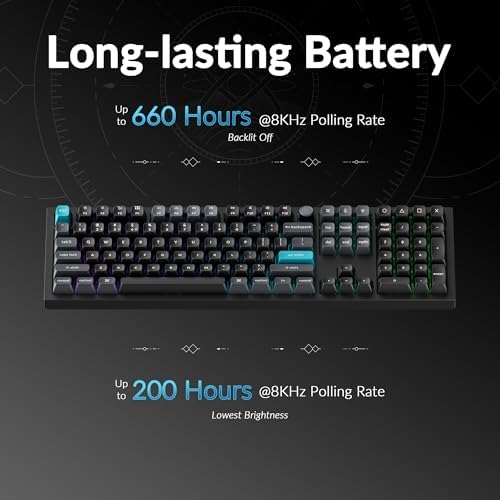
- Up to 660 hours of battery life with RGB off
- Genuine full-size layout with a proper numpad
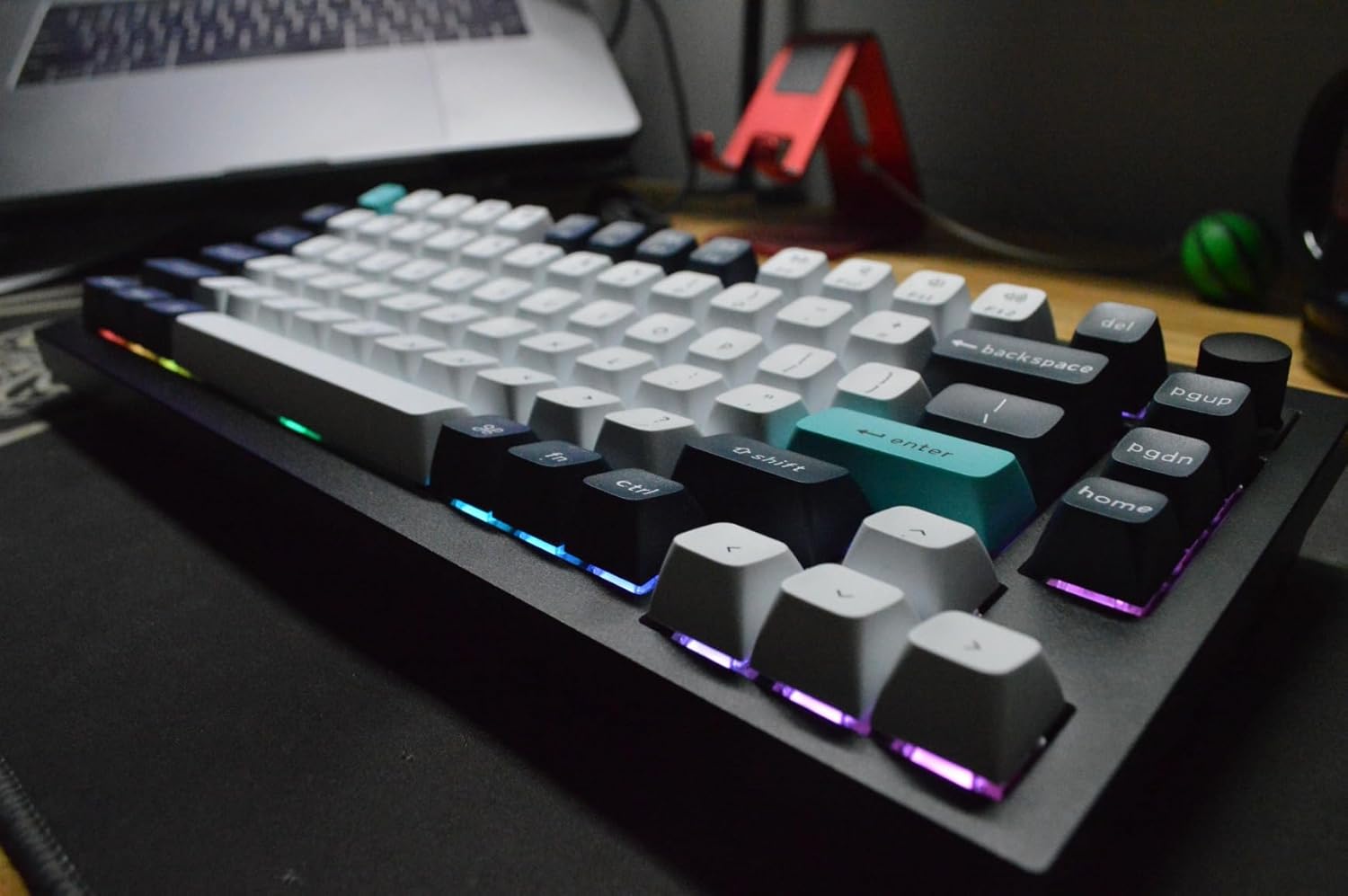
- Solid all-aluminum case with excellent typing feel
- Hot-swappable, pre-lubed Silk POM Banana switches
Could be better
- ZMK is newer than QMK/VIA — some power-user features still maturing
- Heavy (over 5 lbs); not a keyboard you'll move around
- Numpad makes it wide, pushing the mouse further right
Full Review
Keychron launched the Q Ultra 8K lineup at CES 2026, and the Q6 Ultra is the full-size flagship of the family. It’s also notable as one of Keychron’s first production keyboards running ZMK instead of QMK/VIA. If you live in spreadsheets and actually use a numpad, this is the one in the lineup built for you.
The Full-Size Case for a Reason
Most enthusiast keyboards these days are 75% or TKL, which means no dedicated numpad. For finance, accounting, and data-entry work, that’s a dealbreaker — ten-key speed matters when you’re punching numbers all day. The Q6 Ultra keeps the full 104-key layout with a real numpad, so you’re not reaching for a separate keypad or fumbling with a function layer.
The trade-off is footprint. This is a wide, heavy board (over five pounds of CNC aluminum), and the numpad pushes your mouse further right than a TKL would. If your desk is tight or you want a more neutral shoulder position, a TKL is healthier ergonomically. But for number-heavy work, the numpad earns its space.
8000Hz Wireless and the Battery That Makes It Usable
The headline spec is the 8000Hz polling rate, and crucially it works over 2.4GHz wireless — not just wired. Most high-polling boards force you into a cable to hit those numbers. In daily office use you won’t perceive 8000Hz versus 1000Hz, but it future-proofs the board for gaming and keeps cursor-adjacent input feeling instant.
What actually matters more day to day is the 660-hour battery rating (RGB off). That’s the difference between a keyboard you charge monthly and one you charge constantly. High polling rates normally murder battery life, so Keychron pairing the two is the real achievement here.
ZMK Instead of QMK/VIA
The older Q6 Max runs QMK/VIA, the mature, deeply customizable firmware enthusiasts have used for years. The Q Ultra series moves to ZMK with configuration through the Keychron Launcher web app. ZMK is more modern and better suited to wireless, but it’s newer — a handful of advanced power-user features are still catching up to QMK. For most people, remapping keys, building macros, and tuning per-key RGB in the browser is more than enough.
Build quality is classic Keychron: gasket-mounted, pre-lubed Silk POM Banana switches, and a typing sound that’s deep and satisfying out of the box. Compared to the Logitech MX Mechanical Full Size, the Q6 Ultra is in a different class — heavier, better built, far more customizable, and hot-swappable. The MX Mechanical wins only on price and slimness.
Who Should Buy This
Buy the Q6 Ultra 8K if you need a full numpad for finance or data work and want a premium, hot-swappable wireless board with a battery that lasts. If you don’t use a numpad, save desk space with a TKL or 75% Ultra model. If you specifically need QMK/VIA’s deeper customization today, the older Q6 Max still makes sense. And if you just want a quiet, affordable office board, the Logitech MX Mechanical is the cheaper, lighter pick.