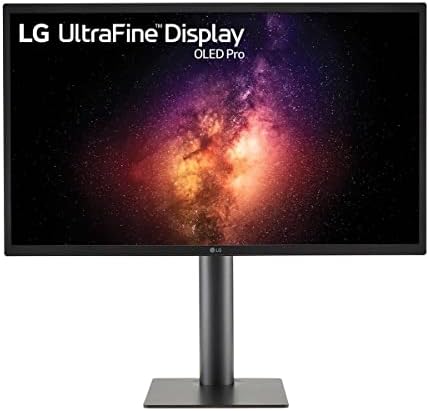
LG UltraFine OLED Pro 27" 4K Monitor (27EQ850)
A reference-grade 4K OLED for color-critical work — Adobe RGB 99%, DCI-P3 99%, hardware calibration, and USB-C 90W in a 27-inch panel built for photo and video pros.
Price may vary. As an affiliate, we earn from qualifying purchases.
What we like
- True 10-bit OLED with Adobe RGB 99% and DCI-P3 99% coverage
- Hardware calibration with LG's Calibration Studio LUT support
- 1,000,000:1 contrast — actual blacks for grading and retouching
- USB-C with 90W power delivery handles a single-cable MacBook Pro setup
- Multi-interface: HDMI, DisplayPort, USB-C, and a built-in USB hub
Could be better
- Burn-in risk is real for static UI work — not a fit for stock traders or coders
- $2,000 is a serious premium over an excellent IPS like the Dell U3225QE
- 60Hz panel — no help for motion-heavy editing or any gaming
- Glossy finish needs a controlled lighting environment to perform
Full Review
The LG UltraFine OLED Pro 27EQ850 is the monitor you buy when color accuracy pays your bills. At $2,000 it costs roughly three times what a solid 4K IPS like the Dell U3225QE runs, and the question isn’t whether it’s better — it obviously is — but whether OLED’s specific advantages justify the spread for the kind of work you do.
Color and Calibration
The 27EQ850 delivers Adobe RGB 99% and DCI-P3 99% out of the box, with true 10-bit color and a 1,000,000:1 contrast ratio that no IPS panel can touch. Shadow detail in dark scenes is the killer feature for video colorists — IPS glow and elevated blacks disappear entirely. Hardware calibration through LG’s Calibration Studio writes LUTs directly to the panel, so calibration survives across machines and OSes.
OLED for Pro Work — Burn-In Reality Check
This is the conversation nobody wants to have. WOLED panels like this one are more burn-in resistant than QD-OLED, and LG bakes in pixel-shifting and pixel-refresh routines, but static UI elements over thousands of hours will eventually leave traces. If your day is editing in Lightroom, Premiere, or DaVinci Resolve where the canvas dominates, you’re fine. If you’re a coder staring at a fixed Vim layout for ten hours a day, buy an IPS. The panel comes with a 2-year warranty that covers burn-in, which tells you LG takes the risk seriously.
WOLED vs QD-OLED for Creative Use
The Alienware AW3225QF and Samsung’s QD-OLED panels look more saturated in marketing demos, but for professional grading you actually want the LG WOLED panel here. QD-OLED’s color volume swings with brightness in ways that complicate calibration, while WOLED holds reference values more predictably. For gaming and HDR media, QD-OLED wins. For graded output that needs to match a print or a broadcast standard, this is the panel.
Build, Connectivity, and Daily Use
USB-C with 90W charging cleans up a MacBook Pro desk to a single cable. The stand is full ergonomic — tilt, height, pivot — and the matte-glossy hybrid coating handles ambient light better than full-gloss reference monitors. The 60Hz refresh is a real limitation if you also game, but for the target audience that’s a non-issue.
Who Should Buy This
Photographers, video editors, colorists, and motion designers who need reference-grade color and can’t get there with IPS. If your output is paid work that depends on accurate color — print proofs, broadcast deliverables, client-approved grades — the 27EQ850 earns its price quickly. If you’re a developer, writer, or general creative who just wants a “really nice” monitor, the Dell U3225QE at a third the price is the smarter buy. And if your priority is HDR gaming or media consumption, the Alienware AW3225QF QD-OLED is the right tool instead.


