Logitech Ergo K860 Wireless Split Keyboard
The best mass-market ergonomic keyboard — split layout, built-in wrist rest, and wireless flexibility in one polished package.
Price may vary. As an affiliate, we earn from qualifying purchases.
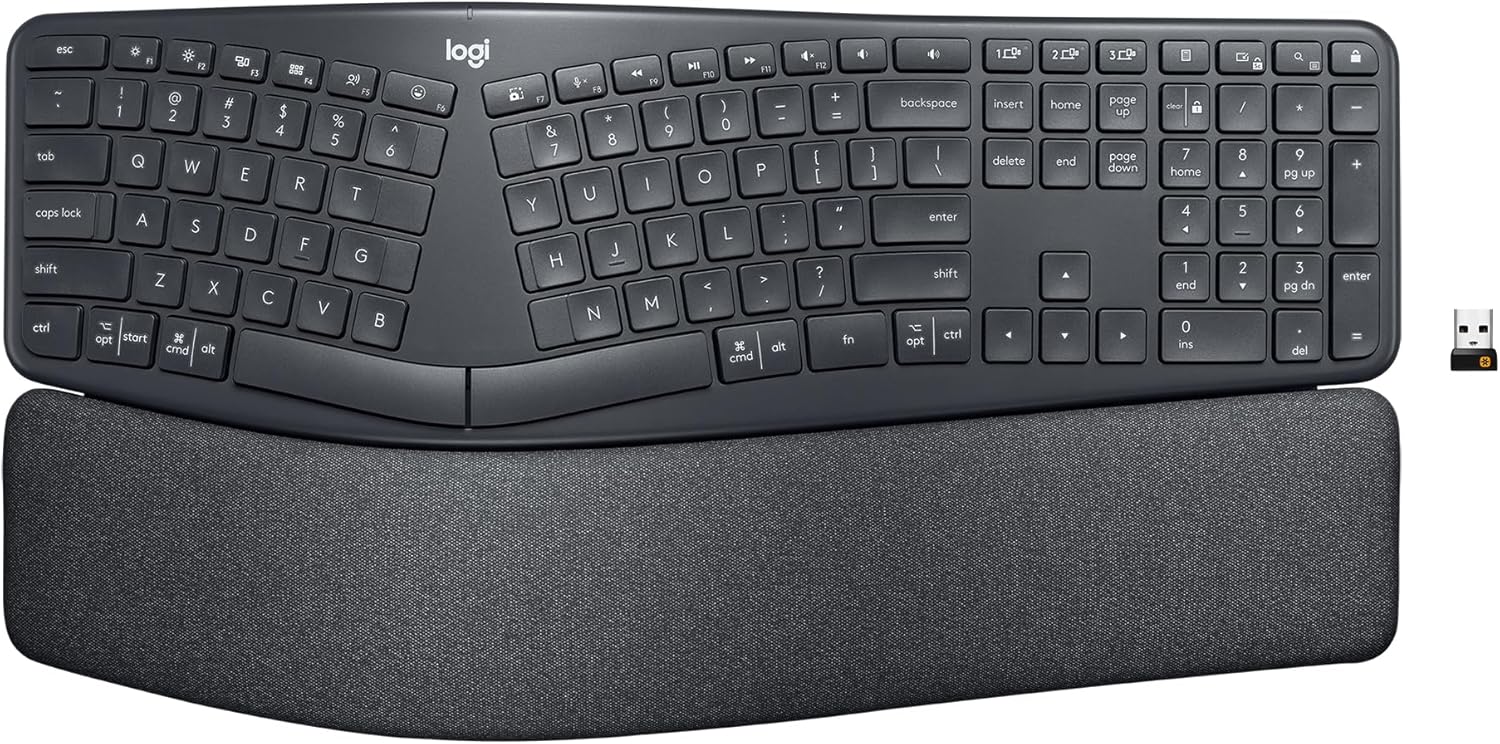
What we like
- Split curved layout dramatically reduces wrist and forearm strain
- Built-in cushioned wrist rest is thick, firm, and actually useful
- Works via Logi Bolt USB receiver or Bluetooth — easy multi-device switching
- Full-size layout with numpad, F-keys, and media controls
- Long battery life (up to 2 years on AAA batteries)
Could be better
- Large footprint — takes up significant desk real estate
- Fixed tilt angle; negative tilt isn't adjustable beyond the built-in curve
- Scissor switches feel mushy compared to mechanical alternatives
- No backlight option
Full Review
Most ergonomic keyboards ask you to compromise — either you get a split layout with no wrist rest, a wrist rest with no wireless, or wireless with no real ergonomics. The Logitech Ergo K860 is the rare keyboard that packages all three into something you can buy at Best Buy for $130.
Ergonomics That Actually Work
The K860’s defining feature is its curved split layout. The keys arc upward toward the center, which naturally reduces wrist pronation — the inward rotation that causes long-term strain. Combined with the 4-degree negative tilt (the back is lower than the front), your wrists sit in a more neutral position than on any flat keyboard. The built-in wrist rest is firm and wide, which is exactly what you want. Soft, thin wrist rests compress immediately and stop helping; this one holds its shape.
After a week of adjustment, most people report noticeably less forearm fatigue. The learning curve is real — expect 3–5 days before your typing speed recovers — but it’s shorter than with fully split ortholinear keyboards.
Wireless Done Right
The K860 supports both Logi Bolt (Logitech’s proprietary low-latency USB receiver) and Bluetooth. You can pair up to three devices and switch between them with dedicated keys. The Bluetooth connection is stable enough for daily work; Logi Bolt is marginally more reliable and worth using if you have the receiver slot to spare. Battery life is rated at two years on a pair of AAAs, which is believable — this thing sips power.
Typing Feel and Layout
The scissor switches are quiet and low-travel. They’re not satisfying to type on in the way a mechanical keyboard is, but they’re consistent and fatigue-resistant over long sessions. Key feedback is similar to a good laptop keyboard. The full-size layout with numpad, dedicated media controls, and a full F-key row means nothing is missing for productivity work. If you use the numpad daily, this beats any tenkeyless ergonomic option.
Who Should Buy This
The K860 is the right choice if you’re experiencing wrist or forearm discomfort from long typing sessions and want a single purchase that solves it without a steep adjustment period or a DIY setup. It’s not for you if you need backlighting for dim environments, prefer mechanical key feel, or work at a small desk where its footprint will be a problem. If you’re already committed to mechanical switches, look at the Kinesis Freestyle2 or a custom split build instead.