Logitech G305 LIGHTSPEED Wireless Gaming Mouse
A budget wireless gaming mouse with a 250-hour AA battery and flagship HERO sensor — and quietly one of the best productivity mice under $50.
Price may vary. As an affiliate, we earn from qualifying purchases.
What we like
- 250-hour battery life on a single AA — goes most of a year between swaps
- HERO sensor tracks flawlessly on every desk surface I tested
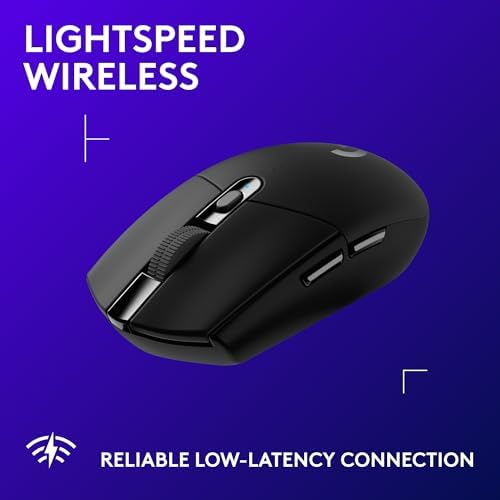
- LIGHTSPEED 2.4GHz wireless feels as responsive as wired
- Under 100g with the battery installed — no wrist fatigue
- Tiny USB receiver tucks inside the mouse for travel
Could be better
- Basic notched scroll wheel — no free-spin, no horizontal tilt
- Symmetrical shape is comfortable but uninspired after using an MX Master
- No Bluetooth — the USB receiver is your only connection option
- AA battery adds a rattle if you shake it
Full Review
The G305 is marketed as a gaming mouse, but it might be the most underrated productivity mouse Logitech sells. At $49.99, it uses the same HERO sensor as the $150 G Pro X Superlight, runs for 250 hours on a single AA, and weighs less than a deck of cards. For a home office, that combination is hard to beat.
Battery Life That Ruins Other Mice
The AA battery is the G305’s secret weapon. I put one in at the start of a project and didn’t think about the mouse again for seven months. Compare that to the MX Anywhere 3S or MX Master 3S, where you’re hunting for a USB-C cable every four to six weeks. If you hate charging things, the G305 is the answer.
The Sensor Punches Way Above the Price
The HERO sensor is overkill for spreadsheets and Figma, and that’s the point. It tracks perfectly on glass desks, fabric pads, cheap plywood — surfaces that make optical sensors stutter. DPI runs from 200 all the way to 12,000, and Logitech G HUB lets you set two or three presets cycled by a button behind the scroll wheel.
Where It Falls Short for Productivity
The scroll wheel is the compromise. It’s a standard notched wheel — no MagSpeed free-spin, no horizontal tilt, no middle-click gestures. If you live in long documents or giant codebases, you’ll miss the MX Anywhere 3S scroll experience. The symmetrical shell is also less comfortable for all-day use than a contoured ergonomic mouse, though it’s lighter and better for travel.
Who Should Buy This
Buy the G305 if you want a wireless mouse that disappears for months at a time, travels well, and tracks perfectly on any surface. It’s ideal for laptop users, frequent travelers, and anyone tired of charging peripherals. If you want a premium scroll wheel and sculpted desk comfort, spend the same $49 on the MX Anywhere 3S instead — you’ll give up eight months of battery life but gain a far better everyday scrolling experience.


