Logitech Litra Glow Premium LED Streaming Light
A clip-on monitor light with TrueSoft LED panel that delivers natural skin tones on video calls without the streamer-grade price tag of Elgato's Key Lights.
Price may vary. As an affiliate, we earn from qualifying purchases.
What we like
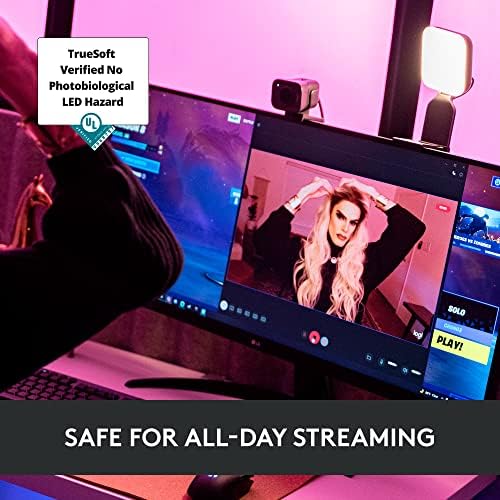
- TrueSoft LED panel renders skin tones accurately without that washed-out webcam look
- Clips directly to a monitor — no separate stand or desk clamp to find space for
- USB-powered, so one less wall wart
- Physical brightness and color temp buttons on the unit itself
- Logi Options+ app lets you save presets per app
Could be better
- Lower max brightness than Elgato Key Light Air (250 vs 1400 lumens)
- Monitor clip can wobble on very thin OLED panels
- Frameless diffuser is plastic and feels less premium than the price suggests
Full Review
The Litra Glow is Logitech’s answer to a question most desk workers didn’t realize they had: what does a video-call light look like when it isn’t designed for Twitch? It clips to the top of a monitor, plugs into USB, and gives your face the kind of even, warm light that overhead office fluorescents actively destroy.
Build and Setup
Setup is genuinely a 60-second job. The clip mount has a soft-grip pad that grabs the top of any normal-bezel monitor — I tested it on a 27” 4K panel and a curved 34” ultrawide with no slippage. The arm pivots and tilts independently, so you can angle the light down at your face without it casting on the wall behind you. The included USB-A cable is short, which is fine if your monitor has a USB hub and annoying if it doesn’t.
The TrueSoft Panel
This is the part that justifies the $60. Most cheap ring lights and panel lights run cool, blue-heavy LEDs that make your skin look gray on camera. Logitech tuned the Litra Glow’s diodes for a high CRI and natural rendering, and the difference on a Zoom call is obvious — warmer cheeks, no green tint, no harsh shadow under the chin. It’s not a stage light. It’s a face light, and it does that job well.
Controls and App
The two buttons on top cycle brightness and color temperature in steps. That’s enough for most people. If you want presets — say, warm 4500K for morning standups and cooler 5600K for afternoon recordings — the Logi Options+ app saves them and switches with one click. App is Mac and Windows only; no mobile control.
Litra Glow vs Elgato Key Light Air
This is the comparison most buyers actually want. The Key Light Air is brighter (1400 lumens vs 250), mounts on a separate desk clamp, and costs $130. If you stream, record YouTube, or shoot tutorial videos, the Key Light Air’s extra output matters. If you’re on Zoom four hours a day and want to look like a human, the Litra Glow at $60 gets you 80% of the result for half the money and half the desk footprint.
Who Should Buy This
Hybrid workers and remote employees who spend a lot of time on camera but don’t stream. If your goal is “look professional on Zoom” rather than “broadcast to 5,000 viewers,” the Litra Glow is the right tool. Streamers and content creators should still spend up on the Elgato Key Light or Key Light Air.