Logitech MX Keys Mini Wireless Keyboard
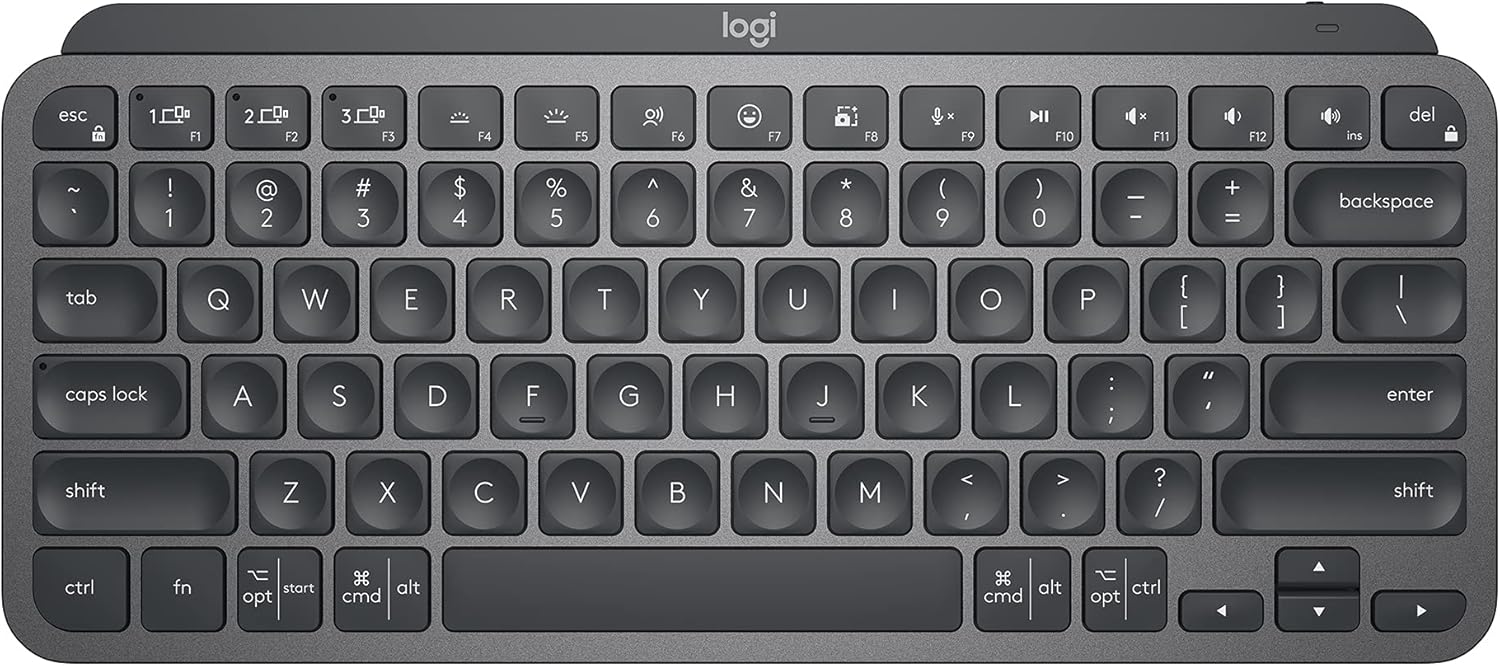
A compact, well-built wireless keyboard with premium sculpted keys and smart backlighting — ideal for anyone who wants the MX Keys experience without sacrificing desk space to a numpad.
Price may vary. As an affiliate, we earn from qualifying purchases.
What we like
- Sculpted keycaps feel exceptional and reduce finger fatigue over long sessions
- Smart backlight adjusts to ambient light and activates only when your hands approach
- Connects to up to three devices via Bluetooth with easy switching
- Compact footprint frees up real estate for a larger mousepad or secondary monitor
- USB-C charging with multi-week battery life
Could be better
- No numpad — a dealbreaker if you enter numbers frequently
- Function row requires Fn key for media/brightness controls by default
- Typing feel is good but not great for mechanical keyboard enthusiasts
Full Review
The MX Keys Mini is essentially the MX Keys S with the numpad sawed off — and for most desk workers, that’s a straight upgrade. You get the same refined typing experience in a package that stops hogging the right side of your desk.
Keys That Actually Feel Good
Logitech’s sculpted keycaps are the headline feature, and they hold up. Each key has a slight dish that your fingertip naturally settles into, which reduces the micro-adjustments you’d make on flat keycaps. The actuation is tactile without being loud — comfortable for open offices. If you’re coming from a mechanical keyboard, the feel won’t convert you, but it’s noticeably better than most membrane boards at this price.
Smart Backlight Without the Battery Drain
The proximity sensor is a genuinely useful feature: the backlight activates when your hands move toward the keyboard and dims when you step away. It’s not a gimmick — it extends battery life significantly and removes the annoyance of manually toggling the light. With backlight on, you’ll charge once a week or so via USB-C. With it off, the keyboard disappears for months.
Multi-Device Switching
Three Bluetooth profiles, instant switching via dedicated keys (F1–F3). Pair it to your work laptop, personal MacBook, and iPad, and you can cycle between them without a second keyboard. Logi Bolt is available if you need a more stable wireless connection or work in a congested Bluetooth environment — the USB receiver is sold separately, though, which is a mild annoyance at this price.
Compact Without Compromise (Mostly)
The tenkeyless layout gives back roughly three inches of desk width compared to a full-size board. That matters when you’re running a wide mousepad or a compact desk setup. The trade-off is obvious: no numpad. If you work in finance, accounting, or anything spreadsheet-heavy, this isn’t your keyboard. If you mostly type prose or code, you’ll never miss it.
Who Should Buy This
The MX Keys Mini is the right call for remote workers and writers who want a premium wireless typing experience and value desk space over number entry. If you need a numpad, get the full-size MX Keys S instead. If you want something more tactile and don’t mind a cable, a budget mechanical keyboard will serve you better — but for wireless convenience and daily comfort, this is hard to beat under $100.


