Logitech MX Keys S for Mac Wireless Keyboard
A Mac-tuned version of Logitech's flagship low-profile keyboard, with Apple-matching finishes, a proper Mac layout, and Easy-Switch across three devices.
Price may vary. As an affiliate, we earn from qualifying purchases.
What we like
- Space Grey and Pale Grey colorways genuinely match modern Mac hardware
- Mac-specific layout with proper Option, Command, and media keys — no relabeling required
- Easy-Switch button hops between three Apple devices instantly
- Smart backlighting that lights up as your hands approach
- USB-C rechargeable with weeks of battery life on a charge
Could be better
- No Touch ID, unlike Apple's own Magic Keyboard
- At 810g it's heavier and less travel-friendly than Apple's keyboard
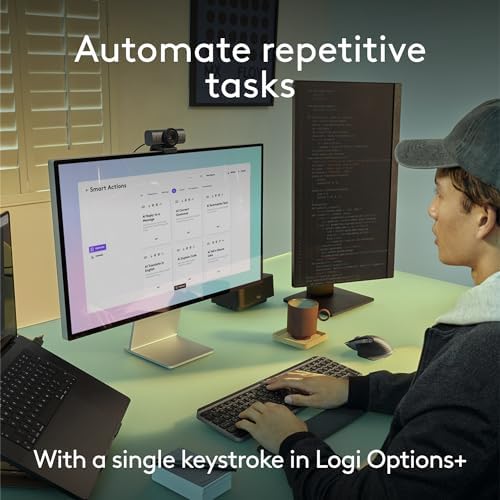
- Logi Options+ software is required to unlock Smart Actions and per-app customization
Full Review
The MX Keys S for Mac is what Apple’s Magic Keyboard would be if Logitech designed it for power users. Same low-profile silhouette, same scissor-switch feel, but with a real numpad, smarter backlighting, and the ability to flip between your MacBook, iPad, and iMac with a single button press.
Build and Feel
The Space Grey aluminum top plate is dead-on for a Space Black MacBook Pro, and the Pale Grey version pairs cleanly with an iMac or Studio Display. The keys are spherically dished — slightly concave under your fingertips — which makes touch typing noticeably more accurate than the flat caps on Apple’s Magic Keyboard. Travel is short and quiet, but with a more defined bottom-out than Apple’s mushier feel.
At 810g, this is a desk keyboard, not a travel keyboard. It does not slide around, and the rear feet give a comfortable typing angle without needing a wrist rest.
The Mac-Specific Layout Matters
This is the part most “Mac-compatible” keyboards get wrong. The MX Keys S for Mac ships with proper macOS legends — Option, Command, the correct media keys, dedicated Mission Control and Launchpad keys, even an Emoji key and a dictation key. There is no F-key remapping confusion and no taped-over Windows logo.
The Easy-Switch row at the top lets you assign three Apple devices and bounce between them instantly. Typing a Slack message on your iMac, then mid-sentence switching to reply to a text on your iPad, takes about half a second.
Smart Backlighting and Battery
A proximity sensor lights the keys as your hands approach and dims them as you walk away, which sounds gimmicky but materially extends battery life. Logitech rates it at 10 days with backlighting on, or up to five months with it off. USB-C charges fully in a couple of hours.
MX Keys S vs Apple Magic Keyboard with Touch ID
If you live and die by Touch ID for unlocking your Mac and 1Password autofill, the Magic Keyboard still wins — Apple does not license Touch ID to third parties. For everything else, the MX Keys S is the better keyboard. Better typing feel, better layout, multi-device switching, backlighting, and a Logi Options+ app that lets you assign Smart Actions to F-keys (open Safari + Notes + Calendar with one press, for example).
Who Should Buy This
Buy this if you have multiple Apple devices on your desk, type for a living, and want a keyboard that looks like it belongs next to your Mac without giving up power-user features. If you want Touch ID or you only ever use one Mac, save the difference and stick with Apple’s Magic Keyboard.


