Keyboards & Mice · Review
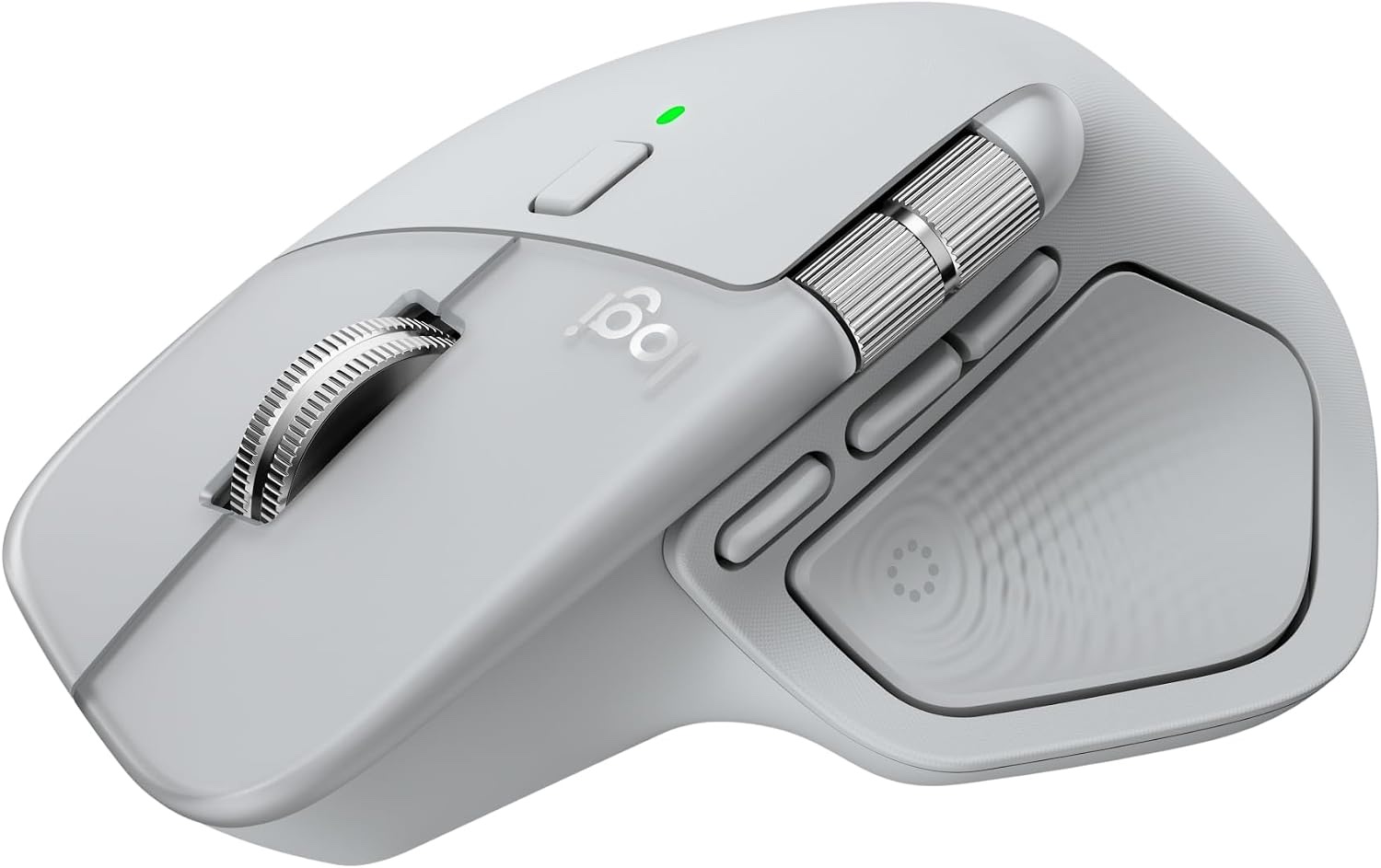
Logitech MX Master 4 Adobe Edition
The MX Master 4 is a polished, quiet productivity mouse with useful haptics. The bundled Adobe Creative Cloud month only matters if you'd pay for it anyway.
Published
Our verdict
4.3 / 5
Price at time of review
$119.99
Prices change. As an affiliate, we earn from qualifying purchases — it never decides the verdict.
What we like
- MagSpeed scroll wheel is fast, quiet and precise, with a ratchet mode and a free-spin mode
- Actions Ring puts app-specific shortcuts at the cursor, which speeds up brush, layer and filter switching in Adobe apps
- Quiet Clicks cut click noise a lot, which suits shared rooms and calls
- Dark-field sensor tracks up to 8,000 DPI and works on glass
- USB-C dongle or Bluetooth connection, with a battery rated up to 70 days
Could be better
- Hardware matches the standard MX Master 4 at the same price, so the Adobe month is the only difference
- Reviewers note it is heavier than the MX Master 3S and has lost some of its rubberized grip surface
- Actions Ring support in third-party apps is inconsistent, and haptics can be a gimmick for some people
- The Adobe offer is a one-month subscription, so it is a small perk for anyone outside Creative Cloud
Full Review
Build and Ergonomics
The MX Master 4 keeps the sculpted, tilted shape that has defined this line. It suits a palm grip and supports your hand well through a long day. The thumb wheel and side buttons sit where your thumb rests.
Logitech uses recycled plastics and a recycled-cobalt battery, and says stain resistance has improved. Some reviewers don’t like that it weighs more than the 3S and has less rubberized grip. If you want something lighter, consider the Logitech Ergo M575S. It’s a trackball and a very different shape.
Actions Ring and Haptics
The Actions Ring is the reason to pick this version. A button press opens an overlay at your cursor with shortcuts that change by app. In Photoshop and Lightroom that means brush size, layer actions and common adjustments without reaching for the keyboard.
The haptic panel adds feedback you can feel on certain actions. It’s subtle and customizable, and you can turn it off. It’s a nice extra but not essential. Support outside the big creative apps is more mixed, so check that your main tools are covered before you buy.
Scrolling, Clicks and Connection
MagSpeed is still the best part of this mouse. It switches between precise ratcheted scrolling and a fast free spin, which is useful in long timelines and documents. The clicks are quiet, with Logitech claiming 90% less noise.
Connection is a USB-C dongle or Bluetooth, and the battery is rated for up to 70 days. Expect less if you use the haptics heavily.
The Adobe Edition Question
The hardware is identical to the standard MX Master 4, and it costs the same $119.99. You get one month of Creative Cloud with purchase. That’s worth having if you were about to subscribe anyway, but it isn’t a reason to buy the mouse on its own. If you use Affinity, DaVinci Resolve or other non-Adobe tools, the bundle is worthless to you and you should buy whichever version is cheaper. Mac users who prefer minimalism might look at the Apple Magic Mouse, though it’s far less ergonomic.
Who Should Buy This
Buy it if you’re starting or restarting a Creative Cloud subscription and want a productivity mouse with strong scrolling, quiet clicks and app-aware shortcuts. Photoshop and Lightroom users will get the most from the Actions Ring.
Skip it if you don’t use Adobe software, since you’d be paying for a perk you can’t use. Also skip it if you want a light mouse or a gaming-style shape. For a lighter pick, the Logitech G Pro X Superlight 2 is the better direction.