OWC Thunderbolt 4 Hub
A clean, well-built 5-port Thunderbolt 4 hub that multiplies your bandwidth without the bulk of a full dock — ideal for adding Thunderbolt expansion to any TB4 or USB4 machine.
Price may vary. As an affiliate, we earn from qualifying purchases.
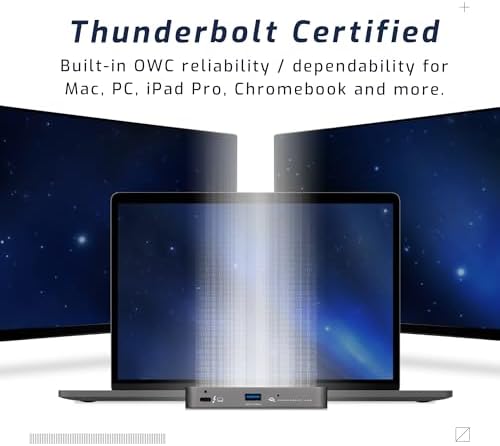
What we like
- Full 40 Gb/s Thunderbolt 4 on all three downstream ports
- 60W pass-through charging to host laptop
- Compact aluminum build that looks at home on any desk
- Daisy-chain support for adding more Thunderbolt peripherals
Could be better
- No USB-A hub, Ethernet, SD card, or display outputs
- Pricey for a device that only adds ports, not peripherals
- Requires host machine with Thunderbolt 4 or USB4 — won't unlock full speeds on TB3
Full Review
The OWC Thunderbolt 4 Hub is not a dock. There’s no Ethernet jack, no SD slot, no HDMI port. What you get is three full-bandwidth Thunderbolt 4 ports and a USB-A port in a compact aluminum enclosure. If that’s what you need, it’s excellent. If you need more, look elsewhere.
What It Does Well
Every downstream port runs a full 40 Gb/s — not shared, not throttled. That matters when you’re running a fast NVMe enclosure, a Thunderbolt display, and a second hub off the same machine. OWC doesn’t cut corners here: this is a proper TB4-certified hub, not a USB-C splitter wearing Thunderbolt branding. Daisy-chaining works reliably, and the 60W host charging handles most laptops without needing a separate power brick.
Build Quality
The enclosure is solid anodized aluminum — the same material language as Apple’s own accessories. It runs warm under load but never hot. The single status LED is subtle enough to not be distracting on a desk. At roughly the size of a deck of cards, it disappears under a monitor or behind a laptop stand without fuss.
Where It Falls Short
At $149.99, you’re paying a premium for Thunderbolt certification and bandwidth purity. The CalDigit TS4 costs more but gives you a full dock with Ethernet, SD, multiple USB-A ports, and display outputs. If you’re already missing any of those peripherals, the OWC hub will leave you wanting. It’s also worth noting that connecting a USB-C (non-Thunderbolt) device to one of the downstream ports caps that port at USB speeds — the bandwidth is only unlocked with actual Thunderbolt peripherals.
Who Should Buy This
Buy the OWC Thunderbolt 4 Hub if you have a single Thunderbolt port on your laptop and need to run multiple Thunderbolt peripherals — like a fast external SSD, a Thunderbolt display, and a second hub — without a full docking station. It’s the right tool for a Thunderbolt-first setup where you already have USB-A ports covered elsewhere. If you need Ethernet, SD, or display outputs, step up to the CalDigit TS4 or OWC’s own Thunderbolt dock instead.


