OWC Thunderbolt 5 Hub (5-Port)
The cheapest legitimate Thunderbolt 5 expansion option in 2026 — three downstream TB5 ports, 140W charging, and triple 8K display support in a compact fanless box.
Price may vary. As an affiliate, we earn from qualifying purchases.
What we like
- Three downstream TB5 ports at full 80Gb/s bandwidth
- 140W host charging handles M4 Max MacBook Pros without throttling
- Fanless aluminum chassis stays silent and cool on a desk
- $10 cheaper and noticeably smaller than the CalDigit Element 5
Could be better
- Only one USB-A port — heavy USB-A users still need a secondary hub
- No SD card reader, Ethernet, or audio jack (it's a hub, not a dock)
- TB5 cables and peripherals are still expensive in 2026
Full Review
If you bought a MacBook Pro or Mac mini with Thunderbolt 5 and immediately ran out of ports, this is the hub to get. OWC has been making Thunderbolt expansion gear longer than anyone, and their TB5 hub is the cheapest legitimate way to turn one host port into four.
Build and Footprint
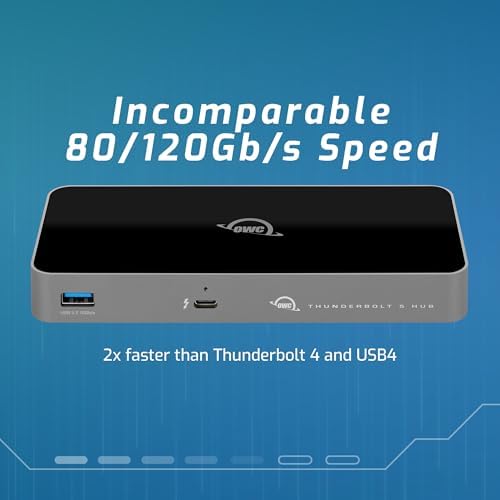
The chassis is a small aluminum slab — roughly the size of a deck of cards stood on end. It’s noticeably smaller than the CalDigit Element 5 and disappears behind a monitor stand. There’s no fan, which means no whine, but the case does get warm under sustained load. That’s normal for TB5 silicon and not something to worry about.
The included Thunderbolt 5 cable is a nice touch given that decent TB5 cables still run $30-50 on their own.
Performance and Daily Use
Three downstream TB5 ports at full 80Gb/s is the headline. In practice that means you can run a TB5 SSD at 6,000+ MB/s while simultaneously driving an 8K display and charging your laptop without anything backing off. The 140W passthrough is enough to keep an M4 Max MacBook Pro 16” topped up under sustained CPU load, which is something the old 96W TB4 hubs simply could not do.
Triple 8K display support is real but mostly theoretical for now — most people will use this to drive two 4K or 5K displays with bandwidth to spare for storage. The hub handles mixed display chains (TB5 monitor → TB4 display → USB-C dock) without the cascading dropouts that plagued early TB4 hubs.
Where It Falls Short
The single USB-A port is the obvious compromise. If you have a wired mouse, keyboard, webcam, and external drive, you’ll still need a secondary USB hub downstream. This is a hub, not a dock — there’s no Ethernet, no SD reader, no audio jack. If you need those, OWC’s own 11-Port Thunderbolt 5 Docking Station is the upgrade, but it’s nearly double the price and considerably larger.
OWC vs CalDigit Element 5
The CalDigit Element 5 is the obvious competitor at $199. Functionally they’re nearly identical — same port count, same 140W charging, same fanless design. The OWC wins on price ($10 less), size (smaller footprint), and the included TB5 cable. CalDigit wins on warranty length and slightly nicer industrial design. For most people, the OWC is the better buy.
Who Should Buy This
This is the right upgrade for anyone with a single-port MacBook Air, a Mac mini, or an M4 MacBook Pro who has outgrown a basic USB-C hub and wants real Thunderbolt 5 bandwidth without spending dock money. If you mainly need legacy ports (USB-A, Ethernet, SD), buy a dock instead. If you need raw TB5 expansion at the lowest legitimate price, this is it.


