Keyboards & Mice · Review
Razer Basilisk V3 Pro 35K
A heavy, comfortable right-handed wireless mouse with 13 programmable buttons and a tilt wheel. Built for gamers, it's also a credible MX Master alternative for RGB fans.
Published
Our verdict
4.3 / 5
Price at time of review
$129.99
Prices change. As an affiliate, we earn from qualifying purchases — it never decides the verdict.
What we like
- Sculpted right-handed shape with a thumb rest that suits palm and claw grips
- HyperScroll tilt wheel switches between ratcheted and free-spin scrolling, with an auto Smart-Reel mode
- 13 programmable controls, including a multi-function trigger, make it easy to build a custom workflow
- Up to 140 hours of battery on 2.4GHz, with Bluetooth as a second connection option
- Focus Pro 35K Gen-2 sensor tracks reliably on a wide range of surfaces, including glass
Could be better
- At 112 g it's heavy, and fatiguing if you prefer lightweight mice
- The design is identical to the previous Basilisk V3 Pro, so the sensor is the only real upgrade
- Full 8000 Hz polling needs a dock or dongle sold separately
- At $129.99 it costs more than most productivity-focused mice, and Synapse is a heavier install than many users want
Full Review
Build and Ergonomics
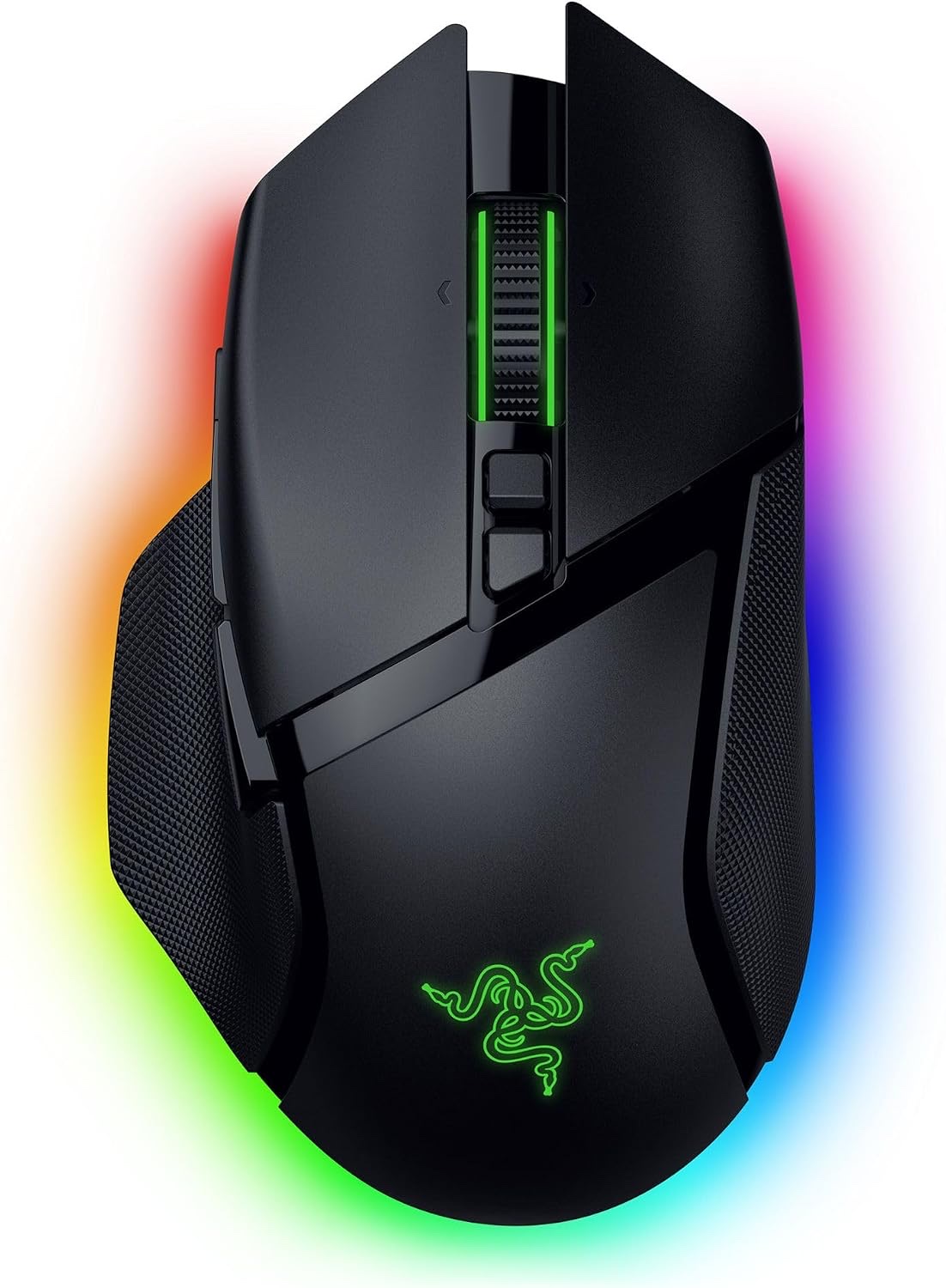
The Basilisk V3 Pro 35K is a big, right-handed mouse with a deep thumb rest and a contoured hump. It sits closer to the Logitech MX Master 3S in feel than to a flat, low-profile gaming mouse. Palm grip is the natural fit, and claw works fine for larger hands.
It weighs 112 g, so it feels planted, not featherweight. That suits desk work, where you’re gliding across a spreadsheet and not flicking at a headshot. If you want something light and fast, the Logitech G Pro X Superlight 2 is the better pick. The Glorious Model O 2 Pro is another.
Scroll Wheel and Buttons
The HyperScroll tilt wheel is the best feature here. You can set it to tactile steps for precise list navigation, switch it to free-spin for long documents, or let Smart-Reel switch automatically based on how fast you scroll. That’s the same idea as the MX Master’s MagSpeed wheel, with more manual control.
There are 13 programmable controls, including a multi-function trigger under the thumb. Everything is remappable in Synapse, so you can assign shortcuts, app launchers or macros. Gamers will use these for push-to-talk and pings. Non-gamers can set them up for copy, paste, window management or video-editing shortcuts.
Sensor and Daily Use
The Focus Pro 35K Gen-2 sensor is overkill for office work. Its 35,000 DPI ceiling and 750 IPS tracking speed matter far more to competitive players. For everyone else, the practical gains are 1-DPI step adjustment and reliable tracking on surfaces like glass.
Battery life is up to 140 hours on 2.4GHz, which means weeks between charges for most people. The 13-zone Chroma lighting with underglow is easy to dial back, or to push to full rainbow if that’s your thing. Just know that this is a gaming mouse in styling and software.
The main downside is that the shape and weight haven’t changed from the previous V3 Pro. If you already own that model, the sensor update alone probably doesn’t justify upgrading. Compared with a productivity mouse like the Logitech Ergo M575S, this one is bigger, heavier and costlier, though far more customizable.
Who Should Buy This
Buy it if you’re a gamer with medium to large hands who wants a comfortable wireless mouse with plenty of buttons. It also suits desk workers who want an MX Master alternative with RGB, extra weight and deep customization.
Skip it if you prefer lightweight mice, have small hands, or want a quiet, minimal office mouse. If you already own the earlier V3 Pro, the sensor upgrade alone isn’t worth $129.99.