Razer DeathAdder V4 Pro Wireless Mouse
The most-loved ergonomic mouse shape ever made, rebuilt at 56g with Razer's fastest wireless and a 45K sensor — productivity comfort without the productivity-mouse bloat.
Price may vary. As an affiliate, we earn from qualifying purchases.
What we like
- Classic DeathAdder ergonomic shape fits medium and large hands beautifully
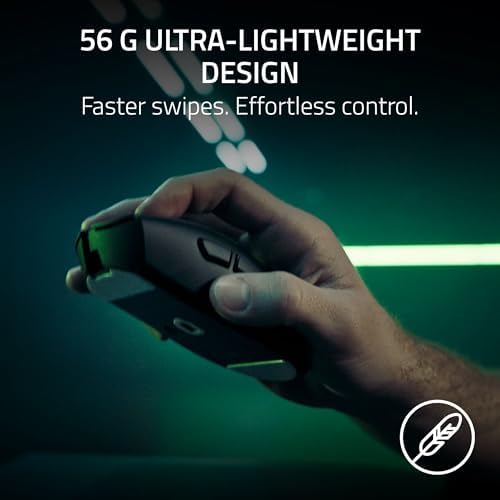
- 56g weight feels effortless during 8-hour workdays
- HyperSpeed Wireless Gen-2 is rock-solid with no perceptible latency
- Up to 150 hours of battery means you almost never think about charging
- Gen-4 optical switches eliminate double-click issues entirely
Could be better
- No horizontal scroll or extra side gestures like the MX Master 4
- Right-handed only — lefties need to look elsewhere
- $169 is steep if you don't care about the gaming-grade sensor and polling
Full Review
The DeathAdder is a gaming mouse, but pretending it’s only a gaming mouse misses the point. The shape — that gently humped right-handed silhouette Razer first shipped in 2006 — is one of the most ergonomic profiles ever put into mass production. The V4 Pro takes that shape, drops it to 56 grams, and packs in the best wireless tech on the market. For a lot of desk workers, that’s the actual pitch.
The Shape Is Why You Buy This
If you have medium or large hands and palm or hybrid claw-grip your mouse, the DeathAdder fits like it was molded around your hand. The hump sits right under your palm, the thumb rest is in the correct place, and the slight flare on the right side keeps your ring and pinky fingers from dragging on the desk. Eight hours of spreadsheets and code editing feels noticeably less fatiguing than on a flatter, symmetrical mouse like the Logitech G Pro X Superlight.
Wireless That Disappears
HyperSpeed Wireless Gen-2 is genuinely indistinguishable from wired. Cursor tracking is locked in, scroll inputs land instantly, and there’s no jitter when you’re moving across three monitors. The 150-hour battery claim holds up in practice — at 1000Hz polling you’ll go weeks between charges. USB-C top-ups give you hours of use in minutes.
Build Quality and Switches
The Gen-4 optical switches are the real upgrade for productivity buyers. Mechanical switches develop double-click problems after a year or two of heavy use; optical switches don’t. After 100 million clicks of rated lifespan, you’ll replace this mouse for other reasons long before the buttons fail. The scroll wheel is also optical, which means no scratchy step degradation over time.
DeathAdder V4 Pro vs MX Master 4
These mice solve different problems. The MX Master 4 is a feature mouse — horizontal scroll wheel, app-specific button profiles, multi-device pairing, and a sculpted shape designed for slow precision work. The DeathAdder V4 Pro is a responsiveness mouse — lighter, faster, with a far better sensor and zero input lag. If you live in Figma, Excel, and a code editor and value how the mouse feels under your hand more than how many shortcuts it triggers, the DeathAdder wins. If you want one mouse that bridges three computers and remaps buttons per app, the MX Master is the right call.
Who Should Buy This
Buy the DeathAdder V4 Pro if you have medium or large hands, you spend most of your day mousing, and you’ve been frustrated by either bulky productivity mice or twitchy ambidextrous esports mice. It’s a premium price for a premium shape executed at 56 grams — and the optical switches mean it’ll outlast every other mouse on your desk. Skip it if you need horizontal scroll, multi-device pairing, or you’re left-handed.


