Satechi Thunderbolt 5 CubeDock
A Mac mini-shaped Thunderbolt 5 dock with a built-in NVMe SSD bay, 140W charging, and dual 8K display support.
Price may vary. As an affiliate, we earn from qualifying purchases.
What we like
- Built-in M.2 NVMe enclosure handles up to 8TB at PCIe 4x4 speeds
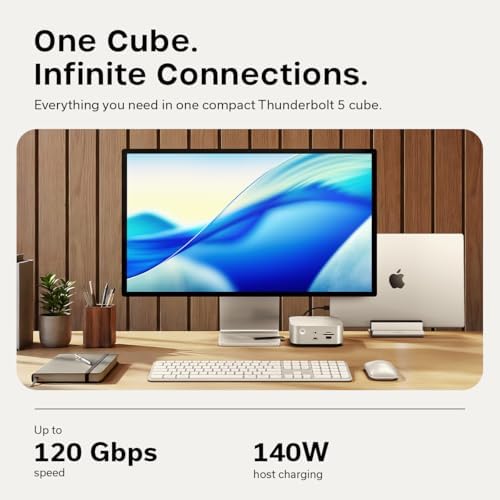
- Full 120Gbps Thunderbolt 5 bandwidth with USB4 v2 compatibility
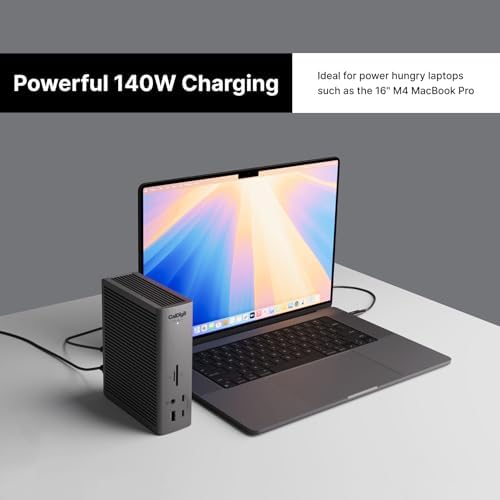
- 140W host charging easily powers a 16-inch MacBook Pro under load
- Cube form factor stacks perfectly with an M4 Mac mini
Could be better
- Fewer downstream ports than competing TB5 docks at this price
- SSD is not included — budget another $200-500 for a quality 4TB drive
- Active fan is audible under sustained storage workloads
Full Review
The Satechi CubeDock is the first Thunderbolt 5 dock built around a specific aesthetic decision: it’s shaped exactly like an M4 Mac mini. Stack the two and you get a tidy two-tier cube that looks intentional instead of accidental. That alone won’t justify $400, but the integrated NVMe bay might.
Thunderbolt 5 Performance
The 80/120Gbps link is the real reason to upgrade from a TB4 dock. With a TB5-capable Mac (currently the M4 Pro and M4 Max MacBook Pros), you get the headroom to drive dual 6K displays plus the internal SSD plus a 2.5GbE connection without any of them choking. Bandwidth tests on a TB5 MacBook Pro show the dock comfortably hitting 60Gbps+ of usable throughput, which is roughly double what a TB4 dock can sustain.
For Windows users on the same TB5 silicon, the dock will push dual 8K 120Hz, which is more display bandwidth than most people will ever use but nice to know is there.
The NVMe Bay
This is the standout feature. The internal M.2 slot runs at PCIe 4x4 and tops out around 6000MB/s — meaningfully faster than any external Thunderbolt SSD enclosure you’d otherwise bolt to your desk. Drop in a 4TB Samsung 990 Pro and you’ve got a near-internal-speed scratch disk for video editing, with no extra cable. The screwdriver and thermal pads are included; installation takes about three minutes.
The catch: Satechi doesn’t bundle a drive. Plan on spending another $200-500 for storage that actually justifies the bay.
Port Selection vs. the Competition
Here’s where the CubeDock is weaker. The CalDigit TS5 Plus costs about the same and gives you 19 ports including more downstream Thunderbolt 5 outputs and a front USB-C with higher PD. The Plugable TBT-UDT3 is significantly cheaper if you don’t care about NVMe.
The CubeDock’s port count is adequate but not generous: one upstream TB5, three downstream TB5, USB-A and USB-C 10Gbps, 2.5GbE, SD/microSD, and a 30W front USB-C for charging a phone or tablet. If you need five downstream USB-A ports for legacy peripherals, look elsewhere.
Who Should Buy This
Buy the CubeDock if you own a Mac mini and want the matching-cube look, or if the integrated NVMe bay solves a real problem (video editors, anyone shuttling large project files). If you just want maximum ports and don’t care about the SSD slot, the CalDigit TS5 Plus is the smarter buy at the same price. If you’re still on a TB4 Mac, there’s no point paying the TB5 premium yet — wait until your next machine.