Steelcase Gesture Chair
Steelcase's most versatile task chair, built around the way we actually work across laptops, tablets, and phones.
Price may vary. As an affiliate, we earn from qualifying purchases.
What we like
- 360-degree arms follow your body through nine different postures
- 3D LiveBack flexes with your spine as you shift and lean
- Supports up to 400 lbs with a 12-year warranty
- All adjustments sit within arm's reach on the right side
Could be better
- Price is hard to stomach next to a Herman Miller Aeron or Embody
- Heavy and awkward to move between rooms
- Headrest and lumbar support are extra-cost upgrades
Full Review
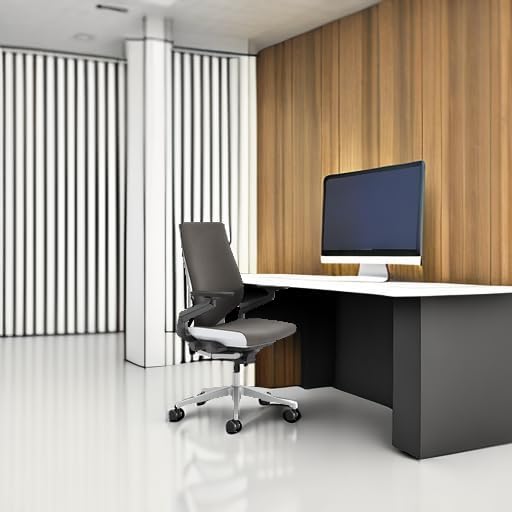
Steelcase designed the Gesture after studying how people actually sit when they use phones, tablets, and laptops — not just desktops. The result is a chair that bends and moves in ways most office chairs simply don’t, which matters more than it sounds if you split your day between a monitor and a smaller screen in your lap.
The Arms Are the Point
The 4D arms are the Gesture’s signature feature, and they earn the attention. They pivot 360 degrees, slide in and out, move up and down, and rotate independently, letting you support your forearms whether you’re typing at the desk, holding a phone close to your face, or cradling a laptop at an angle. On a Leap or an Aeron, you’d drop your elbows. On the Gesture, the arms come with you.
Back and Seat
The 3D LiveBack is a flexible shell that mirrors your spine’s movement rather than pushing against it. Combined with the deep synchronized recline, it keeps you supported whether you’re leaning forward to focus or kicked back on a call. The seat cushion is firm without being hard, and the adjustable seat depth accommodates taller users who usually bottom out on cheaper chairs.
The Price Problem
At nearly $1,400, the Gesture is a serious commitment. The Herman Miller Aeron sits at a similar price with a mesh back some people prefer, and the Embody is even pricier. What the Gesture offers over both is mobility — it’s built for people whose posture changes through the day, not just those who sit upright at a desk. If you work mostly on a single monitor in one position, you may not need this much chair.
Who Should Buy This
Buy the Gesture if you swap between a laptop, tablet, and desktop through the day and want arms that actually keep up with you. It’s also the right pick if you’re tall, heavy, or have struggled to find a chair that supports multiple postures without compromise. If you’re mostly desk-bound and price-sensitive, a Steelcase Leap or a used Aeron will save you several hundred dollars and cover 90% of what the Gesture does.