Anker 778 Thunderbolt 4 Docking Station
A 12-in-1 Thunderbolt 4 dock that delivers CalDigit-tier performance — 40 Gbps, 100W charging, and 8K display support — for around $100 less, as long as you're not on an M1 or M2 Mac.
Price may vary. As an affiliate, we earn from qualifying purchases.
What we like
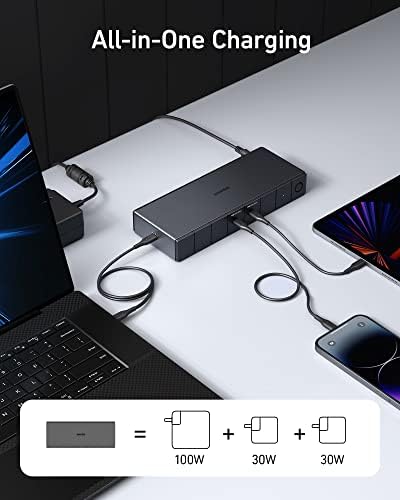
- Full 40 Gbps Thunderbolt 4 bandwidth with 100W laptop charging
- Drives a single 8K display or four 4K monitors simultaneously
- Six USB ports including 10 Gbps USB-C and 2.5 Gbps Ethernet
- Roughly $100 cheaper than the CalDigit TS4 with similar port count
Could be better
- Not compatible with M1 or M2 Macs — major dealbreaker for Apple Silicon users
- Included Thunderbolt 4 cable is only 2.3 feet
- Plastic chassis feels less premium than CalDigit's aluminum build
Full Review
The Anker 778 sits in an awkward but useful spot in the Thunderbolt 4 dock market: it does almost everything the $400 CalDigit TS4 does for $250, and it does it better than the $300 Kensington SD5700T. The catch is a compatibility quirk that Apple Silicon owners need to understand before buying.
Performance and Display Support
The 778 hits the full 40 Gbps Thunderbolt 4 ceiling, which means you can run an 8K monitor at 30Hz or push four 4K displays at 60Hz simultaneously. In practice, most people will use the dual DisplayPort outputs plus the HDMI 2.1 port for a triple-monitor setup, with bandwidth left over for fast NVMe enclosures on the downstream Thunderbolt port.
External SSD speeds match what we measured on the CalDigit TS4 — around 2,800 MB/s sustained on a Thunderbolt 4 NVMe drive. There’s no performance penalty for picking the cheaper dock.
The M1/M2 Mac Problem
This is the most important thing to know: the Anker 778 does not work properly with M1 or M2 MacBooks. Apple Silicon Macs from those generations only support a single external display over Thunderbolt regardless of what the dock advertises, and the 778’s display routing causes additional issues that Anker has acknowledged but not resolved. M3 and M4 MacBook Pros work fine. If you’re on an M1 or M2 Mac, buy the Kensington SD5700T or the CalDigit TS4 instead.
Anker 778 vs CalDigit TS4 vs Kensington SD5700T
The CalDigit TS4 has more ports (18 vs 12), an aluminum chassis, and 98W charging — and it costs $150 more. For most Windows users, those extras don’t justify the price. The Kensington SD5700T is the safe Mac choice but only delivers 90W charging and fewer USB-A ports. If you’re on a Windows or Linux laptop with Thunderbolt 4, the Anker 778 is the rational pick.
Build and Daily Use
The plastic chassis is the most obvious cost-cutting decision, and it does feel cheaper than the CalDigit. It’s not flimsy — just plain. The 180W power brick is large, the included 2.3-foot Thunderbolt 4 cable is too short for most desks, and you’ll probably want to budget another $30 for a longer one.
Who Should Buy This
Buy the Anker 778 if you’re a Windows or Linux power user with a Thunderbolt 4 laptop, want CalDigit-class performance, and don’t need 18 ports or premium aluminum. Skip it if you’re on an M1 or M2 MacBook — the compatibility issues aren’t worth saving $100. M3/M4 MacBook owners can buy with confidence.


