Anker MagGo 8-in-1 Qi2 Charging Station Power Strip
A 3-AC, 4-USB power strip with a built-in 15W Qi2 magnetic stand and 67W USB-C port — the desk-cleaning hero for one-cable Mac and iPhone setups.
Price may vary. As an affiliate, we earn from qualifying purchases.
What we like
- Qi2-certified 15W magnetic stand replaces a separate MagSafe puck
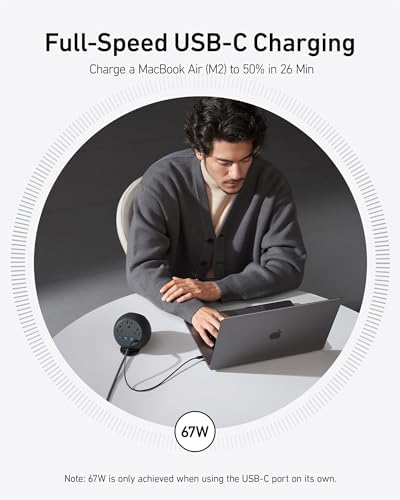
- 67W USB-C port fast-charges a MacBook Air or 14-inch MacBook Pro
- Three AC outlets and four USB ports handle a full desk in one device
- HomePod-mini-sized footprint hides cables and a wall wart in one move
Could be better
- $110 is a real premium over a basic surge strip plus a MagSafe puck
- 67W is enough for most Macs but won't full-speed a 16-inch MacBook Pro
- Magnetic stand angle is fixed — no tilt adjustment for FaceTime height
Full Review
Look at your desk right now. Count the bricks: phone charger, laptop charger, surge strip, maybe a USB hub. The Anker MagGo 8-in-1 collapses all of that into one cylinder the size of a HomePod mini, and after a month with it on my desk, the cable count under the surface dropped from seven to two.
What It Replaces
The pitch is genuinely “throw out three things.” The 15W Qi2 stand kills your MagSafe puck. The 67W USB-C port kills your MacBook charger. The three rear-facing AC outlets and four USB ports kill the cheap power strip you bought in 2019. Everything runs through the single AC cable coming out the back, which routes cleanly behind the desk.
The Qi2 certification matters more than the spec sheet suggests. Pre-Qi2 magnetic chargers from third parties topped out at 7.5W — half the speed of real MagSafe. This one hits the full 15W on an iPhone 15 or later, so it’s no longer a compromise.
Daily Use
The magnetic stand sits at a fixed angle that’s roughly correct for desk-height FaceTime and StandBy mode, but you can’t tilt it. Snap on an iPhone and it lands in the right spot every time without fumbling. The 67W USB-C port charged my M2 MacBook Air from 20% to 80% in about 40 minutes — close to what a standalone Anker brick does.
The hidden AC outlets on the back are the underrated feature. A monitor, a desk lamp, and a Stream Deck dock all plug in without a single cable showing from the front. There’s enough spacing between outlets for two wall warts if you’re careful.
Where It Falls Short
Sixty-seven watts is plenty for a 13- or 14-inch MacBook, but a 16-inch Pro under load will trickle-charge. If you have one of those, keep your 96W brick around. The price also stings — you’re paying about $40 more than buying a basic strip plus a 15W MagSafe puck separately. The premium buys you cable-elimination and the single power button, not raw watts.
Who Should Buy This
This is for Mac and iPhone users who care about how their desk looks and are willing to spend $110 to make three devices disappear into one. If you have a 13- or 14-inch MacBook and a recent iPhone, it’s close to perfect. If you’re on a 16-inch MacBook Pro or you don’t care about cable clutter, a basic surge strip and a separate Anker MagGo 3-in-1 foldable will save you money.


