Anker 555 USB-C Hub (8-in-1)
A compact, reliable 8-in-1 USB-C hub with 4K HDMI, Gigabit Ethernet, and 85W pass-through charging — a solid budget pick for MacBook users.
Price may vary. As an affiliate, we earn from qualifying purchases.
What we like
- 4K 60Hz HDMI output for flicker-free external display use
- Gigabit Ethernet built in for stable wired connections
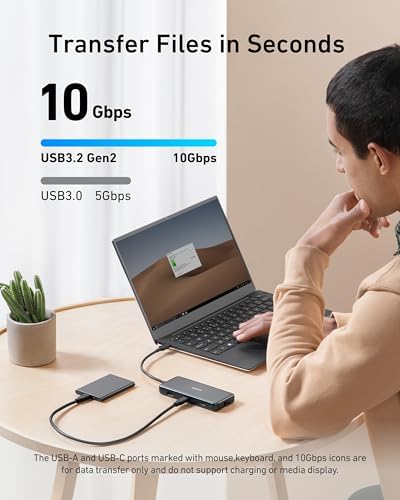
- 10 Gbps USB-A and USB-C data ports
- SD and microSD card slots for photographers
- Slim, pocketable aluminum chassis at 4.4 oz
Could be better
- 85W pass-through (not 100W) — loses ~15W for hub operation
- Short captive USB-C cable limits placement flexibility
- Can run warm under heavy load
Full Review
The Anker 555 is the hub I recommend when someone asks for “just something that works” with their MacBook Air. It doesn’t try to be a dock — it’s a travel-friendly 8-in-1 that covers the ports Apple stripped out, and it does so without the dropouts and flakiness that plague cheaper dongles on Amazon.
Build and Portability
The aluminum shell is thin enough to slide into a laptop sleeve pocket without a bulge. At 4.4 oz, you forget it’s in your bag. The captive USB-C cable is short — maybe 5 inches — which keeps things tidy on a desk but means the hub has to sit close to your laptop. If you want a longer leash, the CalDigit or OWC docks are a better fit, but they cost 3-4x more.
Display and Data Performance
The HDMI port drives a single 4K display at a true 60Hz, which is the spec that matters. Plenty of budget hubs cap out at 30Hz and turn mouse movement into a slideshow — the 555 doesn’t. The USB-C and USB-A data ports all run at 10 Gbps, so external SSDs hit their rated speeds. Ethernet is a full Gigabit, useful in offices with spotty Wi-Fi or for anyone doing video calls off a wired connection.
Power Delivery Caveat
Anker calls this 85W pass-through, but about 15W goes to running the hub itself, so a 16” MacBook Pro under load may charge slightly slower than direct. For a MacBook Air or 14” Pro, it’s a non-issue. If you need true 100W+, look at the OWC Thunderbolt 4 hub instead.
Daily Use
I’ve used similar Anker hubs for over two years with no failures — the 555 inherits that reliability. SD card transfers are fast enough for offloading shoots, and the hub stays cool during normal web-and-video workflows. It only runs warm when simultaneously charging, driving a 4K display, and moving large files across USB.
Who Should Buy This
Buy the Anker 555 if you have a MacBook Air, 13”/14” MacBook Pro, or recent iPad Pro and need a single dongle that handles HDMI, Ethernet, card readers, and a couple of USB ports. It’s the right call for hybrid workers, students, and photographers on a budget. If you need 100W+ charging, dual displays, or a permanent desk dock, step up to the OWC Thunderbolt 4 Hub — but you’ll pay four times as much for features most people never use.


