Elgato Facecam MK.2
The best 1080p webcam you can buy — Sony STARVIS sensor, HDR, and PTZ control without paying the 4K tax.
Price may vary. As an affiliate, we earn from qualifying purchases.
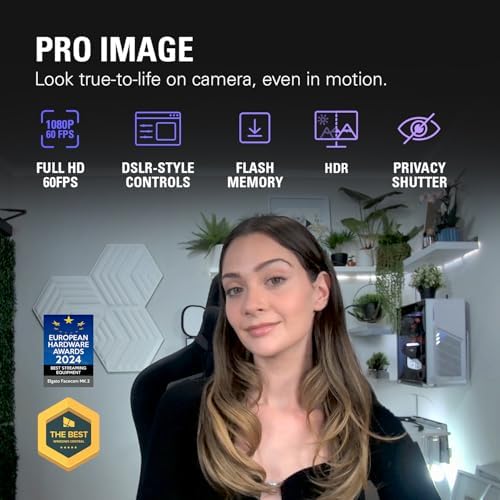
What we like
- Sony STARVIS sensor handles low light better than any C920
- HDR keeps backlit windows from blowing out your face
- PTZ control via Camera Hub means you can frame perfectly without moving the cam
- Uncompressed 1080p60 USB-C output for crisp motion
- Built-in privacy shutter
Could be better
- Fixed focus — lean too close and you go soft
- Camera Hub software is mandatory for the good settings
- No built-in microphone
Full Review
The pitch for 4K webcams falls apart the second you check what your meeting software actually does with the signal. Zoom caps most users at 720p. Teams and Meet hover around 1080p on a good day. You are paying $200+ extra for resolution that gets thrown away before it leaves your machine.
The Facecam MK.2 is the answer for people who did that math. It commits to 1080p60 and spends the budget on the parts that actually show up in calls — sensor, lens, HDR, and software control.
Image Quality
The Sony STARVIS sensor is the headline. It is the same sensor family Sony puts in security cameras specifically because it eats low light for breakfast. In a normal office at 4pm with one window, the Facecam MK.2 produces a clean, color-accurate image where a Logitech C920s would already be smearing noise across your forehead.
HDR is the other unlock. If you sit with a window behind you, most webcams force a choice — either you are a silhouette or the window is a white blob. The Facecam MK.2 holds both. It is not magic, but it is the difference between looking professional and looking like a hostage video.
PTZ and Camera Hub
Pan, tilt, and zoom are software-driven, which sounds gimmicky until you use it. You frame your shot once in Camera Hub, save it as a preset, and never touch the camera again. Want a tighter crop for one-on-ones and a wider one for standups? Two clicks.
Camera Hub also exposes ISO, shutter, white balance, and contrast — DSLR-style controls that almost no other webcam in this price range gives you. The catch is that you need the software running to use any of it. Plug-and-play works, but you are leaving most of the value on the table.
Compared to the Alternatives
The Logitech Brio 500 is the obvious competitor at a similar price. It has autofocus, which the Facecam MK.2 does not, but its sensor is noticeably weaker in low light and its software is worse. If you have controlled lighting, the Brio 500 is fine. If your lighting changes, the Facecam MK.2 wins.
The C920s remains the budget pick. It is half the price and good enough for casual calls. But the gap in image quality is real, and if you are on camera for a living, you will see it every day.
If you want 4K for content creation that lives outside of video calls, the Facecam 4K exists. For everyone else, that is money lit on fire.
Who Should Buy This
Anyone who spends serious time on Zoom, Teams, or Meet and wants to look noticeably better without overpaying for resolution that gets compressed away. The Facecam MK.2 is the sensible-premium pick — it nails the parts that matter (sensor, HDR, software control) and skips the parts that do not (4K marketing). If you have a window behind you or work in mixed lighting, it is the easiest upgrade you can make to your setup.


