Elgato Stream Deck Pedal
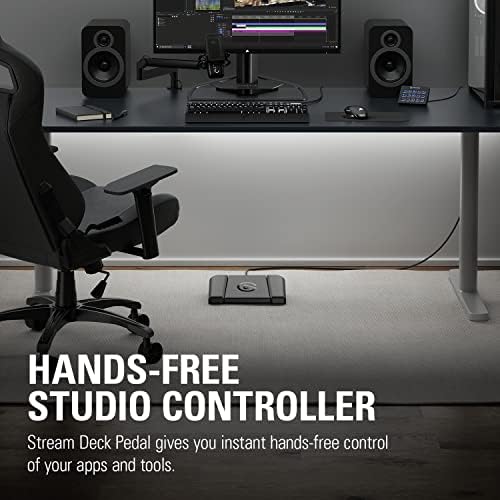
A 3-button foot pedal that triggers macros, mute, and shortcuts hands-free — surprisingly useful for remote workers, not just streamers.
Price may vary. As an affiliate, we earn from qualifying purchases.
What we like
- Three fully programmable pedals with adjustable spring tension
- Uses the same Stream Deck software as every other Elgato controller
- Heavy 2.1 lb chassis with rubber feet — stays put under the desk
- Perfect for push-to-talk and mute toggles on Zoom and Teams
Could be better
- Only 3 buttons — limited compared to a Stream Deck MK.2
- Requires Stream Deck software running in the background
- USB-A cable is hardwired (no USB-C)
Full Review
The Stream Deck Pedal looks like a niche streamer accessory, but it has quietly become one of the more useful additions to a remote-work desk. Three pedals, fully programmable, sitting under your desk waiting to do whatever you tell them. Once you stop reaching for the mute button mid-sentence, it is hard to go back.
Build and Tension Tuning
The chassis is heavy. At over two pounds with a wide rubber base, it does not slide when you press a pedal — a real problem with cheaper foot switches. Each pedal ships with a default spring, and the box includes soft, medium, and hard springs plus stoppers if you want to disable a pedal entirely. Swapping springs takes about 30 seconds with a coin and lets you set a deliberate, weighty press for the center pedal and lighter taps for the outer two.
Software and Setup
It runs on Elgato’s Stream Deck software, the same app that drives the MK.2 and Neo. That means every plugin, profile, and multi-action you have already built is available to your feet. Bind a pedal to mute Zoom, hold-to-talk in Discord, toggle a Hue light, or trigger a build script in your IDE. Profiles can switch automatically based on the active app, so the same pedal can mute Teams during work hours and skip Spotify tracks afterward.
Pedal vs MK.2 vs Neo
If you want a deep shortcut launcher with screen labels, get the Stream Deck MK.2. If you want something quieter and more subtle on the desk, look at the Neo. The Pedal is not a replacement for either — it is a complement. The killer use case is anything you want to trigger while your hands are busy: muting yourself the instant a dog barks, push-to-talk during meetings, or running a compile while staying on the keyboard. Programmers in particular tend to map run/build/test to the three pedals and never look back.
Configuring for Calls
For Zoom, the cleanest setup is push-to-talk on the center pedal — Zoom unmutes while held, mutes when released. Teams works the same way through its global keyboard shortcuts. Add a hard spring to the center pedal so you do not trigger it by accident when shifting in your chair, and you have a setup that is more reliable than the on-screen mute button.
Who Should Buy This
Buy the Stream Deck Pedal if you spend hours on calls, do live audio or streaming work, or want hands-free triggers for code, music, or lighting. It is not the right pick if you want dozens of shortcuts at a glance — that is what the MK.2 is for. But as a focused, hands-free add-on that lives under the desk, it earns its space quickly.


