Ergotron LX Dual Stacking Arm Monitor Mount
Ergotron's premium vertical stacking dual arm — two independent gas spring arms on a single pole for a true over-under monitor layout.
Price may vary. As an affiliate, we earn from qualifying purchases.
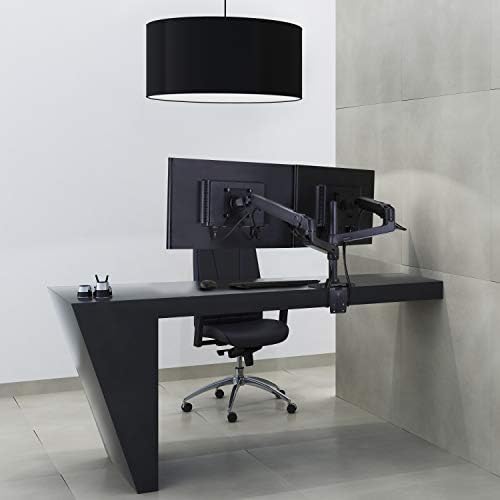
What we like
- Independent gas spring arms lift, tilt, and rotate each monitor separately
- Vertical stacking saves desk width and recovers wall space behind the desk
- Rock-solid build with Ergotron's 10-year warranty
- Integrated cable management through the arm channels
Could be better
- Expensive compared to generic stacking arms
- Stock pole tops out around 24-inch monitors — taller ones need the tall-pole variant
- Heavy; requires a sturdy desk and a real clamp edge
Full Review
The single-arm Ergotron LX is already one of our most-recommended monitor mounts, and the LX Dual Stacking Arm is the logical next step for anyone running two identical displays. Unlike the side-by-side LX Dual, this version stacks one monitor directly above the other on a shared pole. It is a niche setup — but for the right workflow, nothing else feels correct.
Stacking vs Side-by-Side
Most dual-monitor arms splay two screens outward across your desk. That works fine for spreadsheets and reference docs, but it eats horizontal space and forces you to turn your head constantly. A vertical stack keeps both displays directly in front of you. Your primary monitor sits at eye level; the secondary sits above for logs, chat, documentation, or a reference browser. Neck movement stays vertical instead of horizontal, which most people find less fatiguing over an eight-hour day.
The tradeoff is ceiling height. If your desk sits under a low shelf, the top monitor may not clear. Measure before you buy.
Build and Motion
Each arm is a full LX gas spring — the same mechanism as the single arm, just doubled on one pole. That means genuine fingertip adjustment, not the stiff friction-joint feel of cheaper stacking arms. Both monitors articulate independently: you can tilt the top one downward slightly, rotate the bottom into portrait for code, and reposition either without disturbing the other.
Cable management runs through the arms themselves with removable covers. It is not as tidy as a monitor arm with internal channels end-to-end, but it is a significant upgrade over a bare pole.
Who Benefits from Vertical Dual
Developers reading log output or test results while coding. Writers who want a research monitor above their drafting monitor. Traders watching a ticker feed above a trade terminal. Anyone on a narrow desk — 48 inches or less — where two side-by-side 24-inch monitors simply will not fit without crowding the keyboard. If your work pattern is “primary screen plus glance screen,” stacking is objectively better than side-by-side.
Who Should Buy This
Buy the LX Dual Stacking Arm if you have two matched monitors, 24 inches or smaller, and a workflow where one screen is clearly primary. The $290 price is steep, but you are paying for Ergotron’s gas springs, warranty, and build — all of which pay off over the decade you will own it. If your monitors are larger than 24 inches, get the Tall Pole variant instead. If you want them side by side, the regular LX Dual is the better pick.


