Insta360 Link 2 PTZ 4K Webcam
A 4K webcam with a real two-axis gimbal that physically tracks you around the room, pairing creator-grade AI features with a usable 1/2" sensor.
Price may vary. As an affiliate, we earn from qualifying purchases.
What we like
- True two-axis motorized gimbal pans and tilts to follow you
- 1/2" sensor delivers a clear step up over typical 1/2.8" webcams
- HDR handles backlit windows without blowing out your face
- Gesture controls for zoom, tracking, and whiteboard mode actually work
- Auto-privacy: tilts down when your computer locks
Could be better
- 1/2" sensor still trails the Link 2 Pro and MX Brio in dim rooms
- Insta360's desktop software is required to unlock most features
- Tall body looks bulky perched on a slim laptop lid
Full Review
The original Insta360 Link made a lot of noise in 2022 by sticking a real motorized gimbal onto a webcam. The Link 2 keeps the gimbal — and that’s still the headline feature — but bumps the sensor to 1/2”, adds proper HDR, and refines the AI tracking enough that it finally feels like a tool instead of a gimmick.
The Gimbal Is Still the Point
Almost every other “AI tracking” webcam fakes it by digitally cropping into a wider sensor. The Link 2 actually moves. The two-axis gimbal smoothly pans and tilts to follow you as you stand up, walk to a whiteboard, or lean across your desk. It’s quiet, the motion is dampened well enough that it doesn’t look twitchy on the other end, and the tracking holds up in mixed lighting. For hybrid meetings where you actually move around — or creators who present standing up — there’s nothing else in this price range that does it.
Image Quality vs. the Competition
The 1/2” sensor is the same size as the original Link, but the processing pipeline is much better. HDR is the most obvious upgrade: sit in front of a window and your face stays exposed instead of turning into a silhouette. Color is neutral, skin tones are reasonable out of the box, and 4K30 looks genuinely sharp.
That said, the Logitech MX Brio uses the same 1/2” class sensor without a gimbal, and the Elgato Facecam Pro pushes a true 4K60 stream with a slightly larger sensor. If you sit still and obsess over low-light noise, the MX Brio is the safer pick. If you move, the Link 2 wins by default.
Gesture Control and Software
You can raise a palm to start tracking, make an “L” with your fingers to zoom, or trigger whiteboard and DeskView modes hands-free. They work — but only with Insta360’s Link Controller app running. The app is also where you tweak exposure, manage presets, and route the gimbal in OBS. It’s a real install, not a driver, and that’s worth knowing if you’re locked-down on a work laptop.
Audio and Mounting
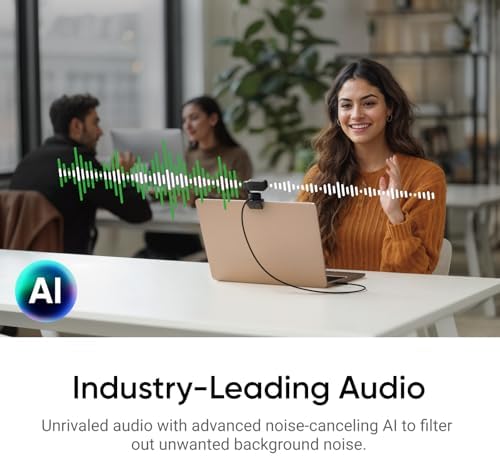
The dual mics with AI noise cancellation are fine for a backup, but if you care about audio you should pair this with a real USB mic — a Rode PodMic USB or Shure MV7+ is a meaningful upgrade. The magnetic mount snaps cleanly onto the included monitor clip, and there’s a 1/4”-20 thread on the bottom for tripods or arms.
Who Should Buy This
Buy the Link 2 if you move during calls, present from a standing desk, or shoot product demos where you need the camera to follow your hands. The gimbal is the one feature you can’t replicate in software. If you sit perfectly still in a well-lit room, save money with the Logitech MX Brio or step up to the Link 2 Pro for the larger 1/1.3” sensor. For everyone in between — especially hybrid workers who actually use their whole desk — this is the most interesting webcam at $200.


