Kensington Orbit Trackball with Scroll Ring
The cheapest way to try a trackball — ambidextrous design, scroll ring, and zero wrist movement for under $55.
Price may vary. As an affiliate, we earn from qualifying purchases.
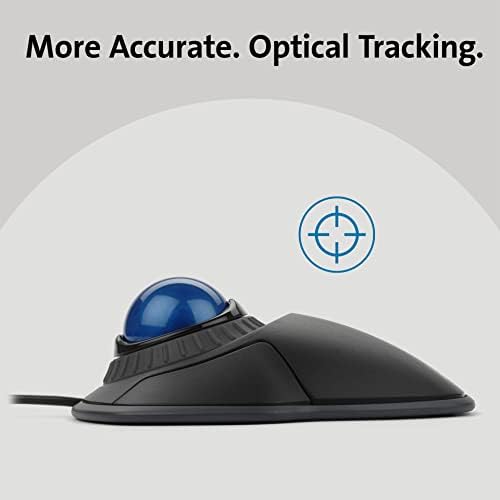
What we like
- Affordable entry point into trackballs
- Ambidextrous — works for left or right hand
- Scroll ring around the ball is genuinely useful
- Removable wrist rest included
- Plug-and-play USB, no drivers needed
Could be better
- Only two buttons — no forward/back
- Ball can collect dust and needs occasional cleaning
- Wired only at this price point
Full Review
If you’ve been curious about trackballs but don’t want to drop $100+ on a Logitech MX Ergo or Kensington Expert, the Orbit is where you start. It’s been around for years, hasn’t really changed, and still sells well — because it does one thing and does it cheaply.
The Learning Curve Is Real
Switching from a regular mouse to a trackball takes about a week. Your thumb or fingers do the work instead of your arm, and the muscle memory feels wrong at first. After that, your wrist just stops hurting — which is the whole point. The Orbit uses your fingers (not thumb) to move the ball, which most people find more precise than thumb-driven trackballs.
The Scroll Ring Is the Star
The ring around the ball spins freely and handles scrolling without any clicking or wheel-flicking. It sounds gimmicky until you use it for a few hours — scrolling through long documents or web pages becomes effortless. It’s the feature Kensington stuck with across the entire Orbit lineup, and it’s genuinely better than a scroll wheel for long reading sessions.
Where It Falls Short
Two buttons. That’s it. No forward, no back, no customizable side buttons. If you live in a browser or a file explorer, you’ll miss them. The ball also picks up skin oil and dust, so plan to pop it out and wipe it down every month or so. And it’s wired — if you want wireless, you’re stepping up to the K70992 at nearly double the price.
Who Should Buy This
Buy the Orbit if you’re trackball-curious and want to test the waters without committing. It’s also a solid pick for a secondary workstation or a shared desk. If you already know you want a trackball and plan to use it daily for real work, skip this and get the Logitech MX Ergo or Kensington Expert — the extra buttons and tilt adjustment are worth the upgrade.


