Goldtouch V2 Adjustable Ergonomic Keyboard
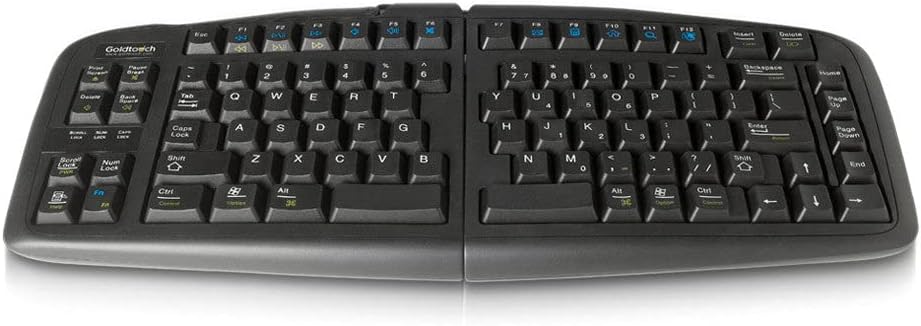
A split, tenting ergonomic keyboard that adjusts independently on both halves with no software required.
Price may vary. As an affiliate, we earn from qualifying purchases.
What we like
- Independent split and tent adjustment from 0–30°
- Locking ball-and-socket joint holds position firmly
- Plug-and-play on Mac and PC with no drivers
- Low-force membrane keys reduce finger strain
Could be better
- Membrane switches feel mushy compared to mechanical boards
- Heavy and not portable
- No backlighting or programmable keys
Full Review
The Goldtouch V2 has been the default recommendation for adjustable ergonomic keyboards for over a decade, and it earns that spot. It splits down the middle and tents up to 30 degrees on each side independently, letting you dial in a position that matches your shoulder width and forearm angle. There is no software, no firmware, and no learning curve — you plug it in and start typing.
Build and Adjustment
The two halves are connected by a ball-and-socket joint with a locking lever underneath. Loosen the lever, push the halves into the angle you want, then lock it down. The mechanism holds firmly once tightened — no drift even after months of daily use. The chassis is plastic but heavy enough to stay planted on the desk without rubber-feet shuffling.
Typing Feel
This is where opinions split. The V2 uses low-force membrane switches, not mechanical. They are quiet, light, and easy on the fingers for long sessions, but they lack the tactile snap mechanical typists expect. If you are coming from a Cherry MX board or a Keychron, the first hour feels mushy. After a week, most people stop noticing.
Software-Free Operation
No drivers, no companion app, no cloud account. It works the same on a locked-down work laptop as it does on your home Mac. For anyone in regulated industries or shared-device environments, that matters more than RGB lighting ever will.
Comparison to Alternatives
If you want a similar split layout with mechanical switches, the Kinesis Freestyle Edge RGB is the upgrade path — but it costs more than double and requires software for full functionality. The Logitech Ergo K860 is cheaper and curved, but it does not actually split, so your shoulder width is fixed.
Who Should Buy This
Buy the Goldtouch V2 if you want genuine split-and-tent ergonomics without committing to a programmable mechanical board, or if you work on locked-down hardware where software installs are restricted. Skip it if you need mechanical key feel, wireless connectivity, or a portable keyboard for travel.


