Keychron K2 HE Hall Effect Wireless Keyboard
A 75% wireless Hall Effect board with rapid trigger and QMK — the keyboard that finally lets you stop owning two.
Price may vary. As an affiliate, we earn from qualifying purchases.
What we like
- Hall Effect switches with adjustable 0.2–3.8mm actuation and rapid trigger
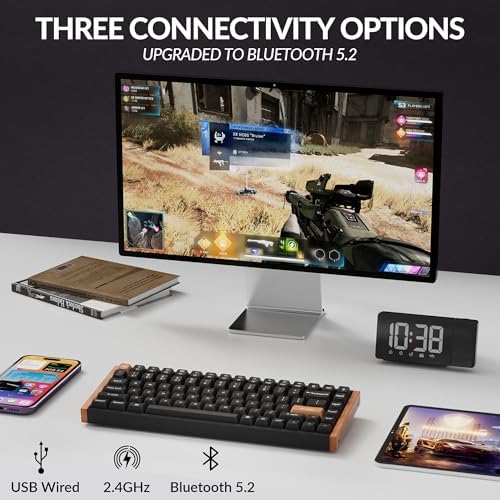
- Triple connectivity — 2.4GHz, Bluetooth 5.2, and USB-C wired
- QMK/VIA support via the Keychron Launcher web configurator
- Aluminum frame with real rosewood siding looks like a $300 board
- 75% layout keeps arrow keys and function row without eating desk space
Could be better
- Heavier than the K3 HE — not a board you toss in a bag
- No knob or display, unlike the Q1 HE Special Edition
- Default keycaps are PBT but the legends are shine-through ABS overlays
Full Review
The K2 HE is Keychron answering a question most people didn’t realize they were asking: why do I need a separate “work keyboard” and “gaming keyboard”? It’s a 75% wireless board with Hall Effect switches, QMK firmware, and a build that looks at home on either a developer’s desk or a tournament setup. At $159 it undercuts almost every other Hall Effect board with real wireless support.
Build and Feel
The aluminum frame with rosewood side panels is the headline. It’s heavy in a reassuring way — around 2.1 lbs — and the wood isn’t a veneer sticker, it’s actual wood with visible grain variation between units. The PBT keycaps feel grippy and resist shine, though the shine-through legends are an overlay rather than double-shot, which is the only build cue that reminds you it’s $159 and not $250.
Typing is closer to a linear mechanical than to the mushy magnetic boards from a few years ago. The Gateron Double-Rail switches eliminate the wobble that used to plague Hall Effect designs.
The Hall Effect Difference
You can set actuation anywhere from 0.2mm to 3.8mm, in 0.1mm steps, per key. The trick most people will actually use is rapid trigger — the key resets the instant you start lifting, which makes counter-strafing in shooters and quick double-taps in editors feel almost telepathic. Set WASD to a 0.4mm trigger and ESDF (or your text-editing cluster) to 2mm and you get a keyboard that’s twitchy for gaming and deliberate for writing.
The Keychron Launcher runs in the browser — no installer, no account. It’s QMK underneath, so layers, macros, and tap-dance all work the way you’d expect.
K3 HE vs K2 HE vs Q1 HE
If you want low-profile and ultra-portable, the K3 HE is the pick. If you want a gasket-mounted, knob-equipped flagship and don’t care about wireless, the Q1 HE is the upgrade. The K2 HE sits in the middle and wins on the spec most people actually care about: wireless plus Hall Effect plus a normal-feeling typing experience, all under $200.
Who Should Buy This
Buy the K2 HE if you split your time between deep work and gaming and don’t want two keyboards on your desk. It’s also the right call if you’ve been eyeing a Wooting 60HE but want arrow keys, a function row, and wireless. Skip it if you need a numpad (look at the K4 HE), if you want low-profile keys (K3 HE), or if you’re a pure gamer who never leaves the desk — a wired Q1 HE gives you more board for the money.


