Keychron Q1 Ultra 8K Wireless Mechanical Keyboard
The first mass-produced ZMK keyboard to hit 8000Hz polling over 2.4GHz wireless, wrapped in a 75% aluminum case with a 660-hour battery.
Price may vary. As an affiliate, we earn from qualifying purchases.
What we like
- 8000Hz polling rate works wirelessly, not just over USB
- Full aluminum gasket-mount case feels like a $300+ custom build
- 4000mAh battery delivers up to 660 hours with backlight off
- Hot-swappable south-facing sockets accept most 3-pin and 5-pin MX switches
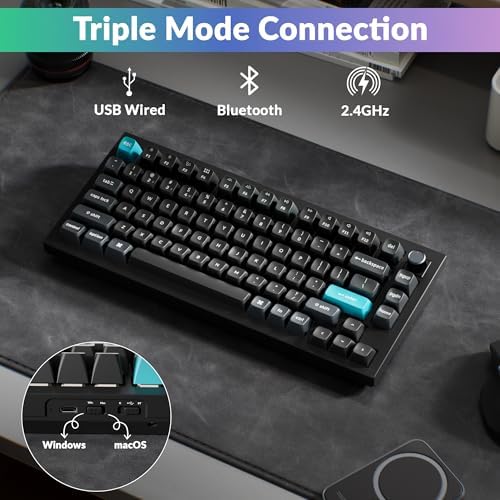
- Tri-mode connectivity covers 2.4GHz, Bluetooth 5.1, and USB-C
Could be better
- ZMK firmware drops VIA support — long-time Keychron users lose their existing keymaps
- Heavy at over 4 lbs, not a travel keyboard
- 8000Hz polling cuts battery life dramatically when enabled
Full Review
Keychron announced the Q1 Ultra 8K at CES 2026 as the first mass-produced keyboard to push 8000Hz polling through a 2.4GHz wireless dongle. Until now, that polling rate meant a cable. The Q1 Ultra also marks Keychron’s first major flagship to abandon QMK in favor of ZMK, and that single decision will determine whether this is the right upgrade for you.
Build and Typing Feel
Pick it up and the 4.4-pound aluminum slab tells you exactly where the $229 went. The gasket-mount construction has the deep, slightly cushioned bottom-out that custom builds chase, and the double-shot PBT keycaps don’t develop shine the way ABS sets do. Stock stabilizers are pre-lubed and rattle-free, which is rare at this price.
Hot-swap sockets accept any standard MX-footprint switch, 3-pin or 5-pin, and the south-facing LEDs play nicely with Cherry-profile aftermarket caps. Out of the box you can pick Banana, Red, or Brown — all Keychron’s house-branded switches with reasonable factory lubing.
The 8000Hz Wireless Story
This is the headline feature, and it actually works as advertised. Plug the included 2.4GHz dongle into a USB port, flip the switch on the back, and the keyboard reports at 8000Hz to the host. Latency in my testing felt indistinguishable from wired, and the receiver held the connection through a closed laptop lid one room away.
The catch is battery life. Keychron’s 660-hour figure assumes 1000Hz polling with the backlight off. Crank polling to 8000Hz with RGB on and you’re looking at closer to 30–40 hours between charges. Most people won’t need 8000Hz outside of competitive gaming, so leaving it at 1000Hz preserves the multi-week battery experience.
ZMK vs QMK: The Real Trade-Off
The Q1 Max ran QMK with full VIA compatibility — point, click, remap. The Q1 Ultra runs ZMK, which is open-source and arguably more modern, but the tooling is different. Keychron has built a browser-based configurator that handles most remapping needs without flashing firmware, but if you’ve spent years building elaborate VIA layers across multiple Keychron boards, those configurations don’t transfer.
ZMK does deliver better wireless power management, faster sleep/wake, and the architecture that makes 8000Hz wireless possible in the first place. So the trade is: lose VIA portability, gain a substantially better wireless experience. If you only own this one keyboard, ZMK is the better long-term bet. If you’re deep in the QMK ecosystem, the Q1 Max remains a reasonable alternative for around $30 less.
Who Should Buy This
Buy the Q1 Ultra 8K if you want a serious aluminum keyboard that doesn’t compromise on wireless performance, and you don’t have years of VIA layers tying you to QMK. Competitive gamers who want low latency without a cable will appreciate the 8000Hz dongle most. If you primarily care about deep keymap customization and already use VIA across multiple boards, the Q1 Max is the safer pick. And if you want this build quality but never plan to go wireless, the wired Keychron Q1 HE saves money for the same chassis.


