Keychron Q3 Max Wireless Mechanical Keyboard
A tenkeyless enthusiast board in a full CNC aluminum case — wireless, hot-swappable, QMK/VIA, and tuned with Keychron's double-gasket mount for a deep, controlled typing sound.
Price may vary. As an affiliate, we earn from qualifying purchases.
What we like
- Full 6063 aluminum CNC case feels genuinely premium at this price
- Double-gasket mount produces a deep, muted sound signature out of the box
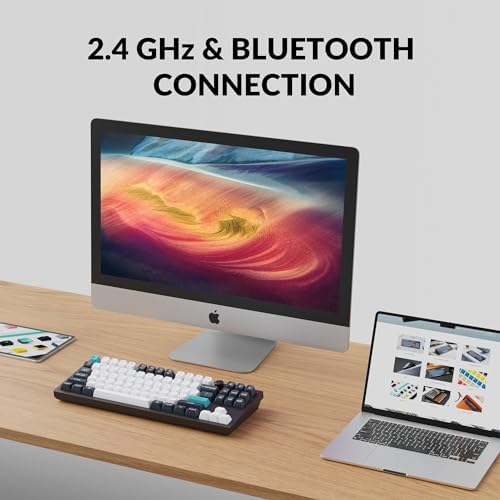
- Tri-mode connectivity: 2.4GHz (1000Hz polling), Bluetooth 5.1, and USB-C
- Hot-swappable south-facing PCB accepts nearly any 3-pin or 5-pin MX switch
- QMK/VIA support means per-key remapping without vendor software lock-in
Could be better
- Heavy — roughly 4.4 lbs, so this is not a keyboard you'll toss in a backpack
- Polling drops to 90Hz over Bluetooth, which competitive gamers will notice
- Stock Gateron Jupiter switches are fine but many buyers swap them anyway
Full Review
The Q3 Max is Keychron’s tenkeyless entry in the Max line, and it slots neatly between the Q1 Max at 75% and the Q5 Max at 96%. Same machined aluminum shell, same double-gasket mount, same tri-mode wireless — just in the layout a lot of working programmers actually prefer.
TKL vs 75% vs Full-Size
If you’re comparing Keychron’s Max lineup, this is the real decision. The Q1 Max’s 75% layout is compact and handsome on a desk, but it scrunches the arrow cluster and function row into a single block, which trips up anyone who relies on muscle memory for Home/End/PgUp/PgDn. The Q5 Max goes the other direction with a full numpad, which is great for accountants and spreadsheet power users but eats a huge amount of desk real estate and pushes your mouse further from your shoulder.
TKL is the sweet spot. You keep a dedicated function row, a proper navigation cluster, and standard arrow keys, but you ditch the numpad most developers never touch. On a compact standing desk, that reclaimed six inches matters — it’s the difference between a cramped mouse zone and a comfortable one.
The Double-Gasket Sound
This is what separates the Max line from Keychron’s cheaper V and K series. The Q3 Max mounts the plate on silicone gaskets both top and bottom, and the case is packed with foam layers between the PCB, plate, and bottom. The result is a deep, controlled “thock” with almost no pinging or case hollow — exactly what enthusiast builders chase on custom boards that cost two to three times as much.
Compared to the Q1 Pro (the previous generation), the Max version tightens the bottom-out and reduces high-frequency rattle. Side by side the Q3 Max, Q1 Max, and Q5 Max all sound nearly identical, which is a credit to how consistent Keychron has made the line.
Daily Use and Software
QMK/VIA is the real reason to spend $219 on this over a $120 board. Open VIA in the browser, drag keys around, save layers, build macros — no driver install, no cloud account, no nag screens. Battery life has been strong in testing: about two weeks of eight-hour days with the backlight off, or roughly four days with RGB at medium brightness.
The 1000Hz polling over 2.4GHz is the setting you want for responsiveness. Bluetooth drops to 90Hz, which is fine for writing code but noticeably laggy if you jump into a twitchy shooter. Wired mode is flawless.
Who Should Buy This
Buy the Q3 Max if you’re a developer or writer who wants one premium mechanical keyboard for the next five years and doesn’t need a numpad. It’s the layout sweet spot, the build is genuinely top-tier, and QMK support means you’ll never outgrow it. If you want something smaller for a minimal desk setup, look at the Q1 Max. If you live in spreadsheets, get the Q5 Max. For everyone in between — which is most programmers — the Q3 Max is the one to buy.


