Keychron Q3 Ultra 8K Wireless Mechanical Keyboard
The TKL companion to the Q1 Ultra brings 8KHz wireless polling and a 660-hour battery to the most practical desk layout there is.
Price may vary. As an affiliate, we earn from qualifying purchases.
What we like
- 8KHz wireless polling matches wired latency for most people
- Up to 660-hour battery life thanks to ZMK firmware
- Full-weight all-aluminum case with zero deck flex
- Pre-lubed Silk POM switches feel great out of the box and are hot-swappable
Could be better
- $229 is steep for a board with no knob and no numpad
- ZMK customization has a steeper learning curve than QMK/VIA
- 8KHz polling only matters if you also run a high-refresh monitor
Full Review
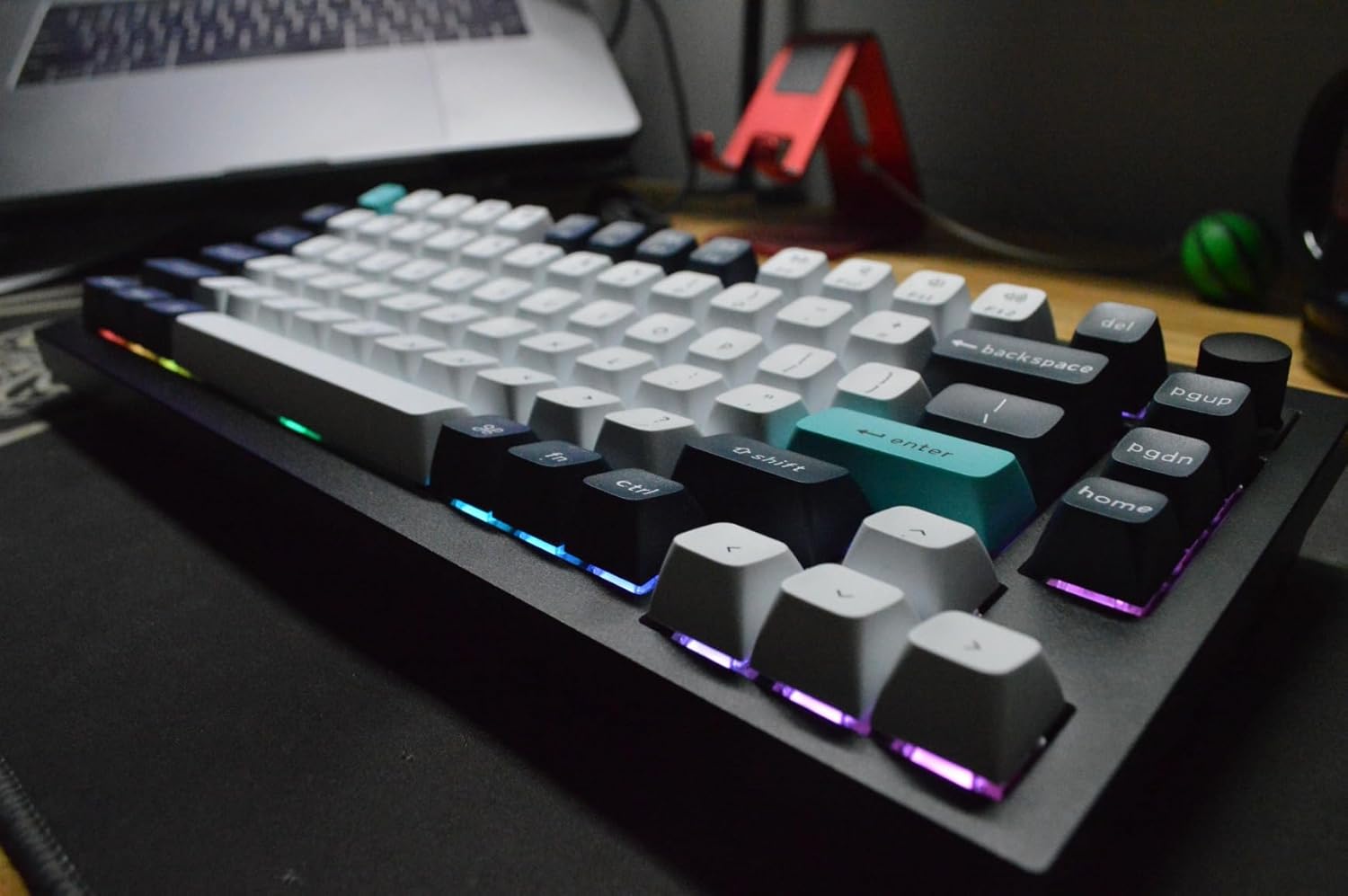
Keychron took the Q1 Ultra 8K formula and chopped the numpad off it. That’s the short version, and for a lot of people it’s the right move. The Q3 Ultra is a tenkeyless board with the same 8KHz wireless engine, the same ZMK-powered 660-hour battery, and the same slab-of-aluminum build — just in a footprint that leaves room for your mouse.
The TKL Layout Is the Real Argument
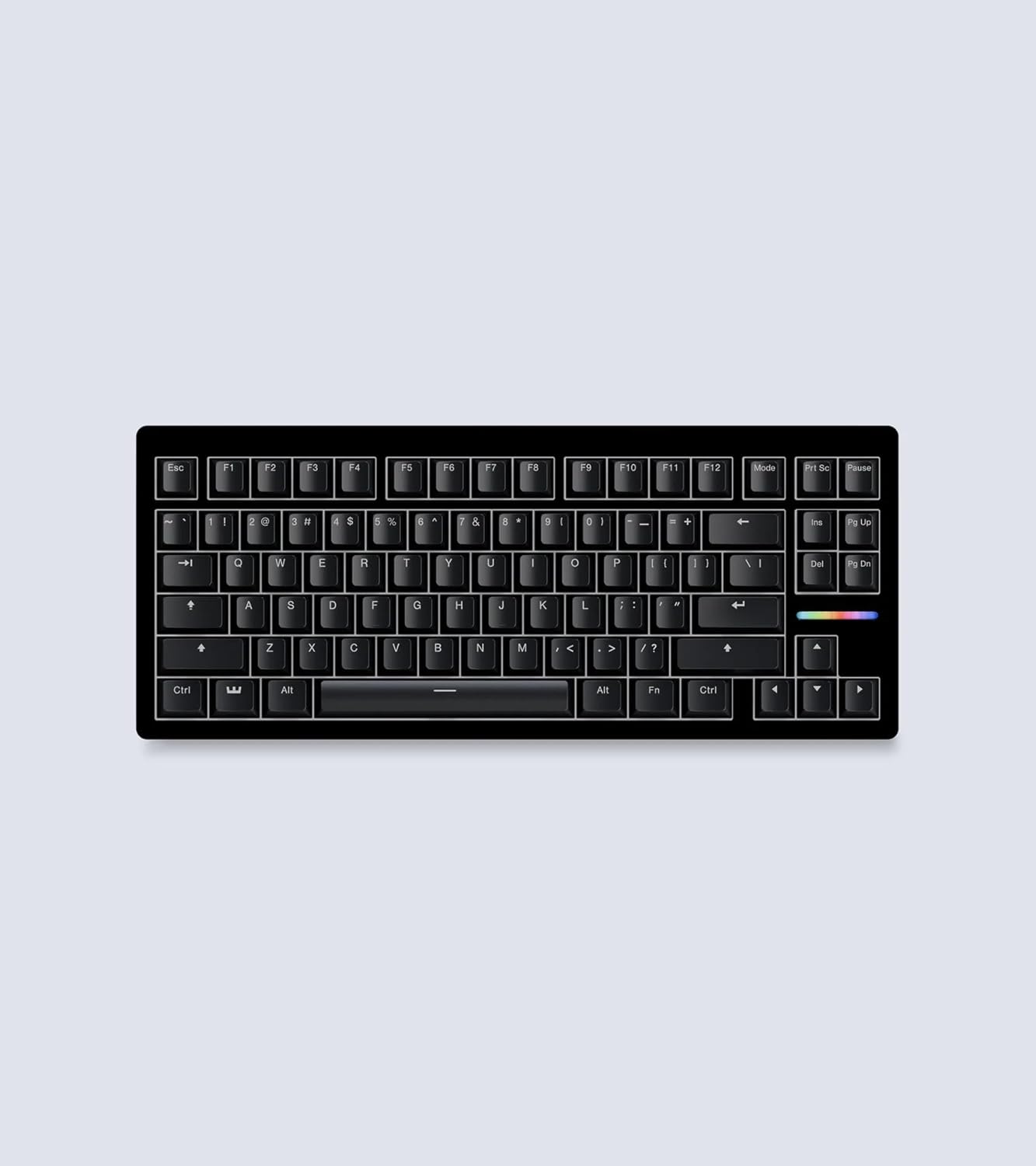
The 75% Q1 Ultra is compact, but it crams the nav keys into a tight column and drops dedicated spacing. The Q3’s TKL layout gives you a proper inverted-T arrow cluster and a full Home/End/Page block with breathing room. If you write, code, or edit spreadsheets all day, that nav cluster is worth more than a numpad you rarely touch.
Compared directly to our Q1 Ultra 8K review, the typing experience is identical — same gasket mount, same Silk POM switches, same dense thock. You’re choosing purely on form factor. Want maximum desk space, get the Q1. Want the keys spaced like a normal keyboard, get the Q3.
Wireless That Actually Performs
The headline is 8KHz polling over 2.4GHz, and it delivers — input feels indistinguishable from wired. The bigger story is battery. ZMK firmware pushes runtime to 660 hours with the backlight off, which means you charge this thing a few times a year instead of weekly. That’s a genuine upgrade over the older Q3 Pro SE, which ran QMK/VIA at 1KHz and needed far more frequent top-ups.
The tradeoff is the firmware itself. ZMK is powerful but configured through code and config files, not the friendly VIA web app. If you live in the keymap editor, expect a learning curve.
Build and Daily Use
It’s an all-aluminum case with zero flex, a satisfying weight that won’t slide, and a Mac/Windows toggle on the back. Switches are hot-swappable, so you can swap the pre-lubed Silk POMs for tactiles or clickies without a soldering iron. The Silk POMs ship feeling smooth enough that most people won’t bother.
Who Should Buy This
Buy the Q3 Ultra if you want a no-compromise wireless TKL with absurd battery life and don’t need a numpad. It’s the productivity sweet spot in Keychron’s Ultra line. If you want the same board smaller, get the Q1 Ultra 8K instead; if you don’t care about 8KHz polling and want easier VIA customization on a budget, the older Q3 Pro SE still gets the job done for less.