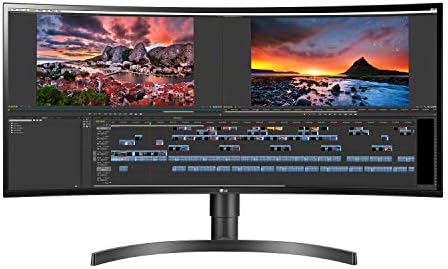
LG 34WN80C-B 34" Ultrawide Monitor
A 34-inch curved WQHD ultrawide with 60W USB-C charging — the sensible pick for anyone who wants more screen without jumping to 5K2K pricing.
Price may vary. As an affiliate, we earn from qualifying purchases.
What we like
- 60W USB-C charging handles most laptops with a single cable
- 3440x1440 IPS panel with 99% sRGB looks great for work
- Gentle curve feels natural at desk distance
- Height and tilt adjustable stand included
Could be better
- 60Hz refresh rate — not a gaming monitor
- HDR10 support is more badge than benefit
- Built-in KVM is missing
Full Review
The LG 34WN80C-B has been the default “first ultrawide” recommendation for a few years now, and it still holds up. At around $399, it sits in the sweet spot between entry-level 2560x1080 ultrawides that feel cramped and 5K2K panels that cost twice as much. For a home office built around a laptop, it’s hard to do better for the money.
The USB-C Connection Is the Killer Feature
This monitor’s headline spec isn’t the panel — it’s the 60W USB-C port. One cable from your laptop handles video in, peripherals through the built-in USB hub, and charging. That’s enough to power a MacBook Air indefinitely and keep a MacBook Pro 14” topped up under normal workloads. For anyone tired of dock sprawl, this alone justifies the price.
The Panel Is Honest 34-Inch Ultrawide
The 3440x1440 IPS panel covers 99% sRGB, looks sharp at typical viewing distance, and has enough vertical real estate to put two full documents side by side. The 1900R curve is mild — you stop noticing it within a day — and colors hold up well off-axis. HDR10 is listed but don’t buy this for HDR; the panel doesn’t have the brightness or local dimming to do anything meaningful with it.
Not for Gamers
The 60Hz refresh rate is the obvious limitation. If you want ultrawide for gaming, the Samsung Odyssey G5 or LG’s own 34GP63A are better picks in the same price range. The 34WN80C-B is a productivity monitor first — fine for casual games, not built for competitive play.
Build and Ergonomics
The included stand handles height and tilt but not swivel. Pivot is irrelevant on an ultrawide anyway. The stand footprint is reasonable, and VESA mounting is there if you want to put it on an arm. Bezels are thin on three sides.
Who Should Buy This
Buy the 34WN80C-B if you work from a laptop and want ultrawide productivity with single-cable docking. It’s the best $400 ultrawide for office work. Skip it if you need high refresh rate for gaming, want 4K pixel density, or need a built-in KVM — the LG 40WP95C-W or Dell U3425WE will serve you better at a higher price.


