Logitech C920s Pro HD Webcam
The reliable 1080p workhorse that has defined entry-level video conferencing for nearly a decade.
Price may vary. As an affiliate, we earn from qualifying purchases.
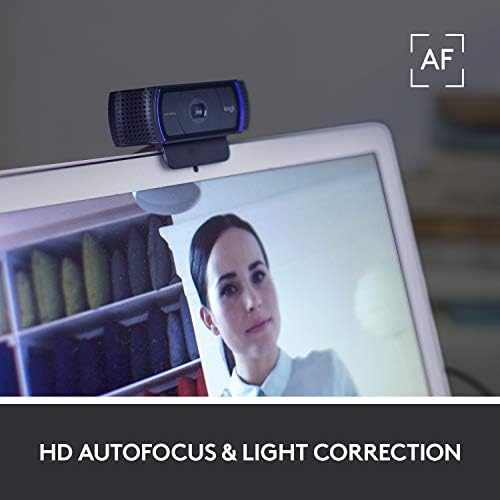
What we like
- Sharp, color-accurate 1080p/30fps video straight out of the box
- Built-in dual stereo mics that are good enough to skip a dedicated microphone
- Physical privacy shutter that slides shut with a satisfying click
- Works on literally everything — Mac, Windows, Chrome OS, Linux, Xbox
Could be better
- Capped at 30fps — no 60fps mode for smoother motion
- Autofocus can hunt in low light or when you shift position
- No HDR and light correction is only okay
Full Review
The C920s is the webcam everyone eventually ends up with. It has been the default recommendation on r/WorkFromHome, r/Zoom, and pretty much every IT helpdesk for years, and after spending real time with one on daily calls, it’s obvious why. Logitech nailed the fundamentals so hard in 2012 that the refresh — adding a privacy shutter and little else — was enough to keep it relevant into 2026.
Image Quality
The 1080p feed is clean, sharp, and color-accurate under typical office lighting. Skin tones look natural rather than the oversaturated or washed-out mess you get from most laptop cameras. The five-element glass lens holds its sharpness across the 78-degree field of view, which is wide enough to frame you and a coworker on a couch but narrow enough that your messy desk stays out of the shot.
Low light is the weak spot. The automatic light correction pulls exposure up reasonably well, but you’ll still see noise and color shift once the sun goes down. A desk lamp pointed at your face solves this instantly — and frankly, that’s true of every webcam in this price range.
Audio and Privacy
The dual stereo mics are the sleeper feature here. They won’t replace a Blue Yeti, but for a daily standup or a 1:1 they’re genuinely good — clear voice pickup, minimal hiss, and enough directional separation to sound present rather than boxy. Most people using a C920s can skip a dedicated microphone entirely.
The physical privacy shutter is the only meaningful upgrade over the original C920. It slides across the lens with a tactile click, which is reassuring in a way software indicator lights never quite are.
Build and Setup
Setup is plug-and-play on every platform I tested. No drivers, no login, no firmware update nagging you from the tray. The clip mounts on monitors up to about 1.5 inches thick, and the hinge holds position without drift. The cable is permanently attached, which is annoying if it ever fails, but at this price you just buy another one.
Who Should Buy This
Anyone who takes video calls and doesn’t want to think about their webcam. The C920s is the right pick if you want 1080p, decent built-in audio, and something that will work with whatever laptop or dock you plug it into five years from now. If you need 4K, 60fps for smoother motion, or AI framing, step up to the Logitech Brio or MX Brio instead — but for the vast majority of remote workers, this is the safest $70 you’ll spend on your desk.


