Logitech MX Vertical Ergonomic Mouse
The category-defining vertical mouse — a 57° handshake grip that genuinely fixes wrist pain once you push through the first week.
Price may vary. As an affiliate, we earn from qualifying purchases.
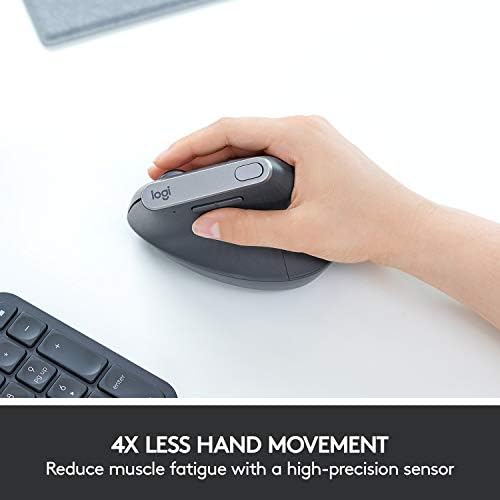
What we like
- 57° angle puts your wrist in a true neutral handshake position
- 4-month battery life and a 1-minute quick charge gets you 3 hours
- 4000 DPI sensor is precise enough for design and detail work
- Build quality is on par with the rest of the MX lineup
Could be better
- $100 is a lot if you're not sure vertical is for you
- Awkward learning curve — feels wrong for the first 3-7 days
- Too large for small hands (get the Lift instead)
Full Review
The MX Vertical is the mouse everyone else copies. Logitech wasn’t first to vertical, but they made the design that defined what a premium vertical mouse should feel like — and seven years after launch, it’s still the benchmark.
The Angle Is the Whole Point
Your wrist sits at 57°, almost like you’re shaking hands with the desk. Compared to a flat mouse, your forearm doesn’t pronate, your wrist isn’t bent, and the muscles along the top of your hand stop firing constantly to hold a grip. If you’ve had ulnar nerve pain, mouse-arm fatigue, or that dull ache that builds up by Friday afternoon, this is the position that fixes it.
The catch: it feels wrong for about a week. Cursor accuracy drops, you over-shoot icons, your thumb doesn’t know where to rest. Push through it. By day five you stop noticing the angle. By day ten you can’t go back to a flat mouse without your wrist complaining.
Daily Use and Build
Build is what you’d expect from MX-tier hardware. Soft-touch coating, no creaks, scroll wheel has a satisfying weight to it. The 4000 DPI sensor handles a 4K monitor without feeling twitchy, and Logi Options+ lets you remap the side buttons per app — I have mine set to swipe between desktops in macOS and back/forward in browsers.
Battery is genuinely a non-issue. Four months between charges, and if you forget, a one-minute USB-C top-up gives you three hours. Pairs to three devices and switches with the button on the underside.
How It Compares
If you’ve seen the $20 Anker vertical mouse and wondered if it’s the same thing — it isn’t. The Anker works, and it’s a fine way to test whether vertical is right for you, but the sensor stutters, the buttons feel hollow, and the angle is steeper and less comfortable. After a month with the Anker, you’ll either give up on vertical entirely or buy the MX.
The closer call is Logitech’s own MX Vertical vs. the smaller Lift. The Lift is shorter, lighter, and shaped for small-to-medium hands. If your hand is under about 7.5 inches from wrist crease to middle fingertip, get the Lift. Larger hands will find the MX Vertical more comfortable to grip.
Who Should Buy This
Buy the MX Vertical if you’ve tried a cheap vertical and want the real thing, if you have medium-to-large hands, or if you’re already feeling the early signs of mouse-related wrist strain and want to fix it before it becomes a problem. Skip it if you have small hands (Lift), if you do competitive gaming (vertical mice aren’t built for flick aim), or if you’re not actually sure vertical is for you — start with the $20 Anker and upgrade if it works.


