Razer Basilisk V3 Pro Wireless Mouse
A gaming mouse with a serious productivity wheel — the question is whether you can live with the RGB underglow at your day job.
Price may vary. As an affiliate, we earn from qualifying purchases.
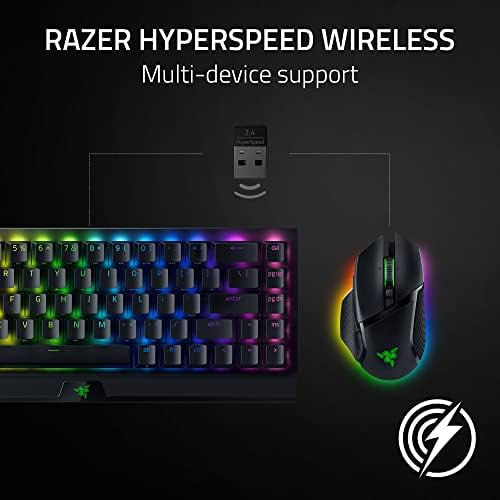
What we like
- HyperScroll Tilt Wheel matches the MX Master's free-spin scrolling for long documents
- Focus Pro 30K sensor is dramatically more accurate than any productivity mouse
- 11 programmable buttons handle real workflow shortcuts, not just gaming macros
- Optional wireless charging via Mouse Dock Pro means you never plug it in
Could be better
- Chroma RGB underglow is hard to disable cleanly and looks out of place in an office
- Weight distribution feels front-heavy compared to the MX Master 3S over long sessions
- Synapse software is bloated and pushes Razer account sign-ups
- Mouse Dock Pro charging puck is a $70+ add-on, not included
Full Review
The Basilisk V3 Pro is Razer’s flagship ergonomic mouse, and on paper it reads like a direct shot at the Logitech MX Master 3S. Same shape philosophy, same dual-mode scroll wheel, same wireless charging option. The catch is that it’s marketed entirely to gamers, and the question for productivity users is whether the gaming DNA is a feature or a tax.
The Scroll Wheel Carries the Mouse
Razer’s HyperScroll Tilt Wheel is the headline feature, and it absolutely earns it. Press the toggle button below the wheel and it switches from tactile clicks to a free-spin mode that lets you rip through 5,000-row spreadsheets in a single flick. It’s the same trick the MX Master 3S pulls, and Razer’s implementation feels nearly identical — a touch heavier, slightly louder on the tactile mode, but functionally a wash. If you’ve been holding off on a Razer because you assumed the wheel would be a gaming-first compromise, it’s not.
The Sensor Is Overkill, And That’s Fine
The 30K Focus Pro sensor is wildly more precise than anything you need for spreadsheets and Figma. But unlike a lot of overkill specs, this one has a real productivity payoff: tracking is flawless on every desk surface I tested, including a glass top where my MX Master 3S routinely stutters. Lift-off distance is also tunable, which matters if you palm-grip and reset often.
Where the Gamer DNA Hurts
Two things will annoy you in a work context. First, the Chroma RGB underglow. You can turn it off in Synapse, but the software will reset it after firmware updates and the lighting bleeds visibly even in dim states. Second, the balance. At 112g it’s technically lighter than the MX Master 3S, but the weight sits further forward, and after eight hours of design work my wrist noticed the difference. The MX Master’s heft is more centered, which sounds like nothing until you’re 200,000 movements deep into a workday.
Synapse is also a known annoyance — it nags for account sign-ups and runs a background service that some IT departments will flag.
Who Should Buy This
Buy the Basilisk V3 Pro if you game seriously after work and want one mouse that does both jobs well. The scroll wheel is genuinely competitive with the MX Master 3S, and the sensor is in another league. If you only work and never game, the MX Master 3S is still the smarter pick — quieter, lighter on the wrist, and free of the Synapse software baggage. If you want the wireless charging dock, budget another $70 for the Mouse Dock Pro.


