Razer Pro Click V2 Vertical Wireless Mouse
Razer's first true productivity vertical mouse — a genuine ergonomic angle, 6-month battery, 5-device switching, and a divisive dedicated AI-prompt button.
Price may vary. As an affiliate, we earn from qualifying purchases.
What we like
- Real ergonomic angle that puts your hand in a natural handshake position
- Up to 6 months of battery life on a single charge
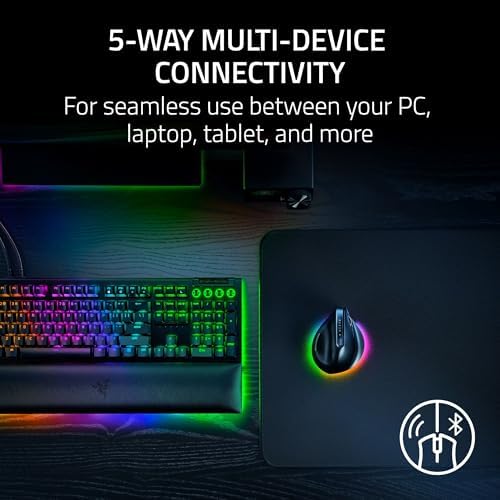
- 5-device switching across HyperSpeed 2.4GHz, Bluetooth (3 hosts), and USB-C wired
- Built-in wrist support base reduces friction during long work sessions
- Razer Synapse 4 customization works on both Windows and Mac
Could be better
- Dedicated AI-prompt button can't be remapped to something useful for many workflows
- Right-hand only — no left-handed version available
- Heavier than the Logitech Lift, which some users will notice over a long day
- Chroma RGB on a productivity mouse feels unnecessary and eats battery
Full Review
Razer is best known for gaming peripherals, so a dedicated productivity vertical mouse is a real departure. The Pro Click V2 Vertical is the company’s first proper vertical — not a tilted regular mouse, but an actual angled shape that puts your hand in a handshake grip. After years of Logitech and Anker owning this category, it’s a credible entry.
Build and Ergonomics
The angle is the headline. Your hand sits in a relaxed neutral position rather than the pronated palm-down posture a normal mouse forces. There’s a built-in base that supports your wrist and keeps your pinky from dragging on the desk, which is something the Logitech Lift gets wrong for larger hands.
Build quality is exactly what you’d expect at $100 — solid plastic, no creak, rubberized thumb rest. It’s noticeably heavier than the Lift, which is either a plus (planted feel) or a minus (fatigue on a long day) depending on your preference.
The AI Button (And Other Buttons)
There’s a dedicated button on top of the mouse that triggers an “AI Prompt Master” shortcut through Synapse 4. The idea is one-click access to summarize, rewrite, or draft text using your AI tool of choice. In practice, whether this is useful depends entirely on your workflow. If you live in ChatGPT or Claude, it’s handy. If you don’t, it’s a wasted button — and frustratingly, Razer doesn’t make it easy to remap to something more universally useful like a middle click or app switcher.
The other five buttons are well-placed and fully programmable in Synapse 4. The scroll wheel is tactile rather than free-spinning, which I prefer for productivity work.
Connectivity and Battery
This is where the Pro Click V2 Vertical pulls ahead. You get HyperSpeed 2.4GHz via the included USB-C dongle, three Bluetooth hosts, and USB-C wired mode — five devices total. The Logitech MX Vertical maxes out at three. If you bounce between a work laptop, personal laptop, iPad, and desktop, that extra headroom matters.
Battery life is rated at six months, and the 5-minute fast charge for three days of use means you’ll never actually be stuck without a working mouse.
Vs. Logitech Lift and MX Vertical
The Lift is lighter and cheaper but has a less aggressive angle and only three-device switching. The MX Vertical has been the category benchmark for years but is now showing its age — older sensor, USB-A charging on most units, and a softer click feel. The Pro Click V2 Vertical splits the difference: closer to the MX Vertical in shape and presence, closer to the Lift in modern wireless features, and ahead of both on device switching.
Who Should Buy This
Buy this if you’ve already decided you want a true vertical mouse and you juggle more than three devices — that combination is what makes this stand out. The AI button is a bonus if you use AI tools daily, neutral if you don’t. If you want a lighter vertical for smaller hands, the Logitech Lift is still the better pick. If you’re a Logitech ecosystem loyalist with Flow set up, stick with the MX Vertical. Everyone else considering a vertical mouse in 2026 should put this at the top of the list.


