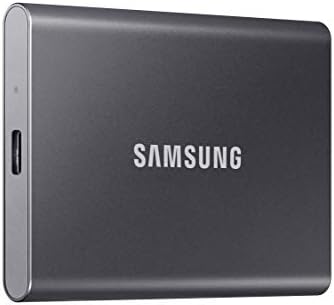
Samsung T7 Portable SSD 1TB
A pocket-sized SSD that hits 1,050 MB/s over USB 3.2 Gen 2 — the default portable drive for anyone moving real files around.
Price may vary. As an affiliate, we earn from qualifying purchases.
What we like
- Sustained 1,050 MB/s read speeds over USB 3.2 Gen 2
- Credit-card footprint, weighs under 2 ounces
- Shock-resistant aluminum shell rated for 6-foot drops
- Ships with both USB-C to C and USB-C to A cables
Could be better
- Gets warm under extended heavy writes
- No IP-rated water or dust resistance (that's the T7 Shield)
- Full 1,050 MB/s requires a USB 3.2 Gen 2 port
Full Review
The Samsung T7 has been the default recommendation for portable SSDs for years, and after living with one on my desk I understand why. It’s small enough to forget in a pocket, fast enough to edit video directly off of, and reliable enough that I stopped worrying about it months ago.
Speed That Actually Shows Up
Samsung quotes 1,050 MB/s read and 1,000 MB/s write, and on a USB 3.2 Gen 2 port you genuinely get close to those numbers. Moving a 40GB project folder takes under a minute. Scrubbing 4K footage off the drive in Premiere or Resolve works without proxies. The catch is the port — plug it into an older USB 3.0 connection and you’re capped around 450 MB/s, which is still quick but not what you paid for.
Sustained writes of hundreds of gigabytes will eventually slow down as the SLC cache fills, and the aluminum body gets noticeably warm. For everyday backups and transfers you’ll never see it.
Build and Design
The T7 is a slab of brushed aluminum about the size of a credit card and as thick as two stacked quarters. No moving parts, no rubber bumpers, no LED drama — just a single status light. Samsung rates it for 6-foot drops, and the lack of a spinning disk means the usual anxiety about bumping a drive mid-transfer goes away.
Two cables in the box is a nice touch: USB-C to C for modern laptops and phones, USB-C to A for older desktops and docks.
Daily Use at a Desk
This is where it earns its spot on a home-office recommendation list. Plug it into a USB-C hub or directly into a laptop, and it behaves like internal storage. I keep a Lightroom catalog on one, offload footage from a camera to another, and use a third as a Time Machine target. At 2 ounces it disappears into a bag for travel.
If you want rugged water and dust resistance for field work, the T7 Shield is the sibling to look at. For desk duty, the standard T7 is lighter, cheaper, and visually cleaner.
Who Should Buy This
Anyone who needs fast external storage at a desk — photographers offloading cards, video editors working off external scratch, developers running VMs, or remote workers who want a reliable backup target. If you’re still on a USB-A-only machine or need IP-rated protection, look at the T7 Shield or a rugged drive instead. For the other 90% of home-office use cases, the T7 is still the easy pick.


