Seagate One Touch 1TB External SSD
A pocket-sized 1TB SSD with 1030MB/s transfer speeds and both USB-C and USB-A cables — a solid backup drive for any home office desk.
Price may vary. As an affiliate, we earn from qualifying purchases.
What we like
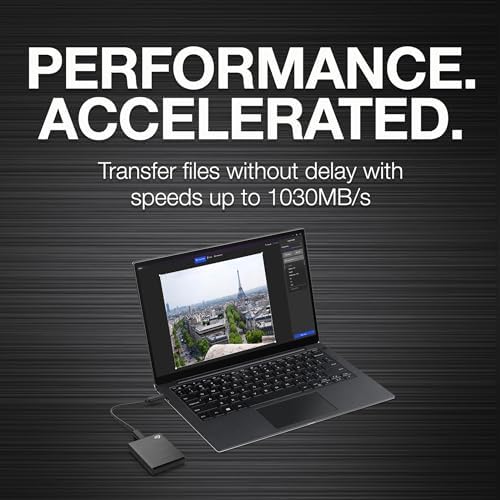
- Fast 1030MB/s read speeds handle large files and creative workflows
- Includes both USB-C and USB-A cables — works with any machine
- No moving parts means silent, vibration-free operation on your desk
- Compact enough to slip in a bag or drawer without thinking about it
Could be better
- Write speeds slow down noticeably on sustained large transfers
- Fabric finish picks up dust and is hard to wipe clean
- 1TB fills up faster than you'd expect if you back up video
Full Review
The Seagate One Touch SSD solves a problem most home office setups quietly have: where do you actually back up your stuff? Cloud backups are fine until your internet goes down or you need to grab a 40GB project folder in under a minute. This little drive sits next to your monitor, weighs almost nothing, and moves files fast enough that you stop avoiding backups.
Speed That Keeps Up
Seagate rates the One Touch at up to 1030MB/s, and in practice you’ll see roughly 900-950MB/s on reads over USB 3.2 Gen 2. That’s plenty for editing 4K footage directly off the drive, shuffling Lightroom catalogs, or restoring a full disk image without stepping away for coffee. Sustained writes will dip on very large transfers once the SLC cache fills, but for typical backup and project work it’s never been the bottleneck.
Built for a Desk, Not Just a Bag
The fabric-wrapped shell looks nicer than the usual rubbery external SSD, and there’s no fan, no click, no vibration — it just sits there. That matters more than you’d think when the drive lives permanently connected to your main machine. The included USB-C to USB-C and USB-C to USB-A cables mean it works with whatever laptop or dock you upgrade to next.
Backup Drive vs. Working Drive
This is a better backup drive than a primary working drive. For Time Machine, Windows File History, or a weekly rsync of your project folders, it’s ideal. If you want something to actually run a Lightroom library or video project off, the speed is there — just know that 1TB fills up fast once you’re editing RAW photos or 4K video.
Who Should Buy This
Remote workers, writers, and creatives who need a no-fuss local backup that lives on the desk. If you’ve been relying only on cloud sync and want a second copy of your work, the One Touch is the simplest path to getting one. If you need more than 1TB or plan to edit heavy video directly off the drive, step up to the 2TB version or look at a Samsung T7 Shield instead.


