Vissles V84 Wireless Mechanical Keyboard
A sub-$100 75% wireless mechanical with hot-swap sockets, RGB, included wrist rest, and 240-hour battery — the easiest on-ramp to a real mechanical board.
Price may vary. As an affiliate, we earn from qualifying purchases.
What we like
- Hot-swappable Gateron sockets work with most MX-style switches
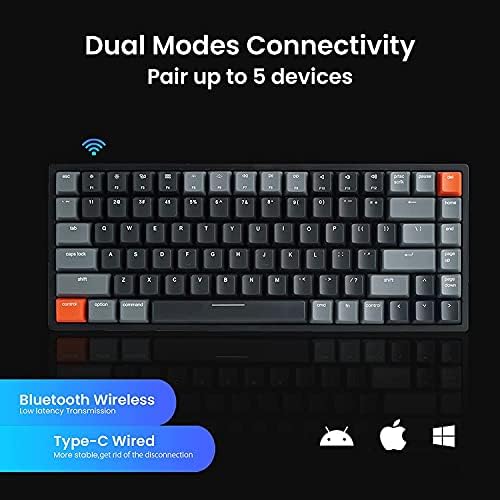
- Wired plus Bluetooth 5.1 with up to 5 paired devices
- Magnetic wrist rest included in the box
- Mac, Windows, iOS, and Android keycaps all bundled
Could be better
- ABS keycaps feel cheaper than PBT competitors
- Stabilizers are rattly out of the box
- No dedicated software on macOS — RGB and macros are Windows-only
Full Review
The Vissles V84 is the keyboard you buy when you want to find out whether you actually like mechanical boards before spending $200. It hits the price ceiling under $100 while including the things budget rivals usually skip — hot-swap sockets, a wrist rest, real RGB, and a battery that lasts the week.
Build and Feel
The V84 is a 75% layout with arrow keys and a top function row, which is the sweet spot for people moving up from a laptop keyboard. The plastic case has more flex than aluminum boards in the $150+ tier, but it sits flat on the desk and doesn’t creak. The included magnetic wrist rest is a nice touch and saves you the $30 you’d otherwise spend on a Glorious one.
ABS double-shot keycaps are the obvious cost-cutting decision. They’ll shine after six months of heavy use. Stabilizers are also rattly out of the box — a $5 lube job fixes them, but you shouldn’t have to.
Hot-Swap and Switches
This is where the V84 earns its keep. The Gateron-spec sockets accept almost any 3- or 5-pin MX switch, so you can start on the stock Browns and swap to Kailh Box Whites or boutique linears later without soldering. That’s a feature you’d otherwise jump to a Keychron K8 Pro or Royal Kludge R65 to get.
Wireless and Battery
Bluetooth 5.1 with five paired devices is more than most people need — laptop, desktop, tablet, phone, and one to spare. Vissles quotes 240 hours backlight-off; in practice, with RGB on a low-brightness static effect, expect closer to 180 hours. USB-C wired mode bypasses Bluetooth entirely if you want zero-latency gaming.
Where It Falls Short
The software story is rough. Vissles’ configurator is Windows-only, so Mac users are stuck with on-keyboard shortcuts for RGB and macros. Compare that to a Keychron K3 Pro, which is QMK/VIA — fully programmable on any OS but sparser on out-of-the-box extras like the wrist rest.
Who Should Buy This
Buy the V84 if you want a wireless mechanical with hot-swap under $100 and you don’t already own a wrist rest. If you live in macOS and need deep customization, step up to a Keychron K3 Pro instead. If you want hall-effect or low-profile, this isn’t the board — but for the entry-level “is mechanical for me?” purchase, the V84 is the safest pick in the budget tier.


