Wacom Intuos Small Wireless Graphic Tablet
A compact, Bluetooth-enabled drawing tablet that brings 4096-level pen input to any desk without taking it over.
Price may vary. As an affiliate, we earn from qualifying purchases.
What we like
- Wireless Bluetooth keeps your desk clean and portable
- 4096 pressure levels are plenty for sketching and photo retouching
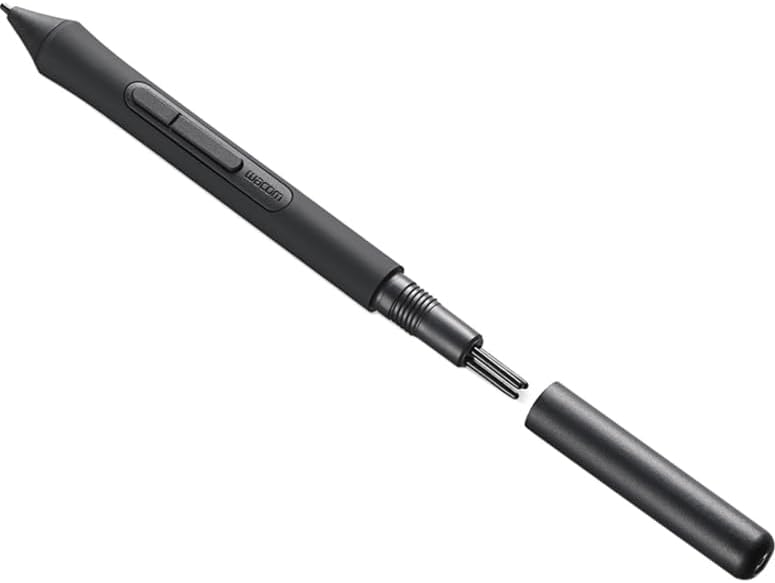
- Battery-free pen — no charging, no pairing, just pick it up and draw
- Small footprint fits next to a keyboard without a reshuffle
Could be better
- Active area is tight for full illustration work
- Only 4 ExpressKeys, and none on the pen itself
- Bundled software requires account registration to redeem
Full Review
The Wacom Intuos Small is the tablet most desk-bound creatives actually need. It’s not trying to replace a Cintiq or a Wacom One display — it’s a quiet, compact input device that sits next to your keyboard and waits for the five percent of your week when a mouse isn’t precise enough.
Build and Desk Footprint
The tablet is a slim matte slab, roughly the size of a slim hardcover novel. The 6.0 x 3.7-inch active area is small, but the overall footprint is what makes it work at a desk that already has a keyboard, mouse, and monitor arm fighting for space. The surface has a subtle tooth that gives the pen a paper-like drag without eating nibs. The four ExpressKeys sit on the top edge and are easy to hit without looking.
Pen and Pressure Performance
The battery-free EMR pen is the best thing about this tablet at this price. No charging, no pairing, no dead-pen panic mid-edit. 4096 pressure levels is half of what the Intuos Pro offers, but for masking in Photoshop, dodging and burning in Lightroom, or sketching thumbnails in Procreate-style apps on desktop, you will not notice the difference. Tracking is accurate to the edge of the active area, and jitter is a non-issue on straight lines.
Wireless and Daily Use
Bluetooth 4.2 pairing is a one-time setup and reliably wakes the tablet when the pen touches the surface. Latency over Bluetooth is imperceptible for photo editing and light illustration; if you’re doing fast gestural line work you’ll still want the USB cable, which is included. Battery life on the tablet itself is rated around 15 hours and matches that in practice.
Compromises to Know About
The active area is the main compromise — if you already know you draw large, size up to the Intuos Medium or go straight to the Intuos Pro. There’s no multi-touch, the pen has no eraser on the tail, and the bundled software (Clip Studio Paint trial, etc.) requires creating a Wacom ID to redeem.
Who Should Buy This
Buy the Intuos Small if you’re a photo editor, UI designer, or developer-illustrator who needs pen input occasionally and doesn’t want a tablet dominating your desk. If you draw for a living or want tilt and 8192 pressure levels, step up to the Intuos Pro Small instead — you’ll outgrow this one in a month.


