Best Ultrawide Monitors for Home Office in 2026
Ultrawide monitors dramatically expand your workspace without a second screen. Here are the best 34-inch and 49-inch options for every budget in 2026.
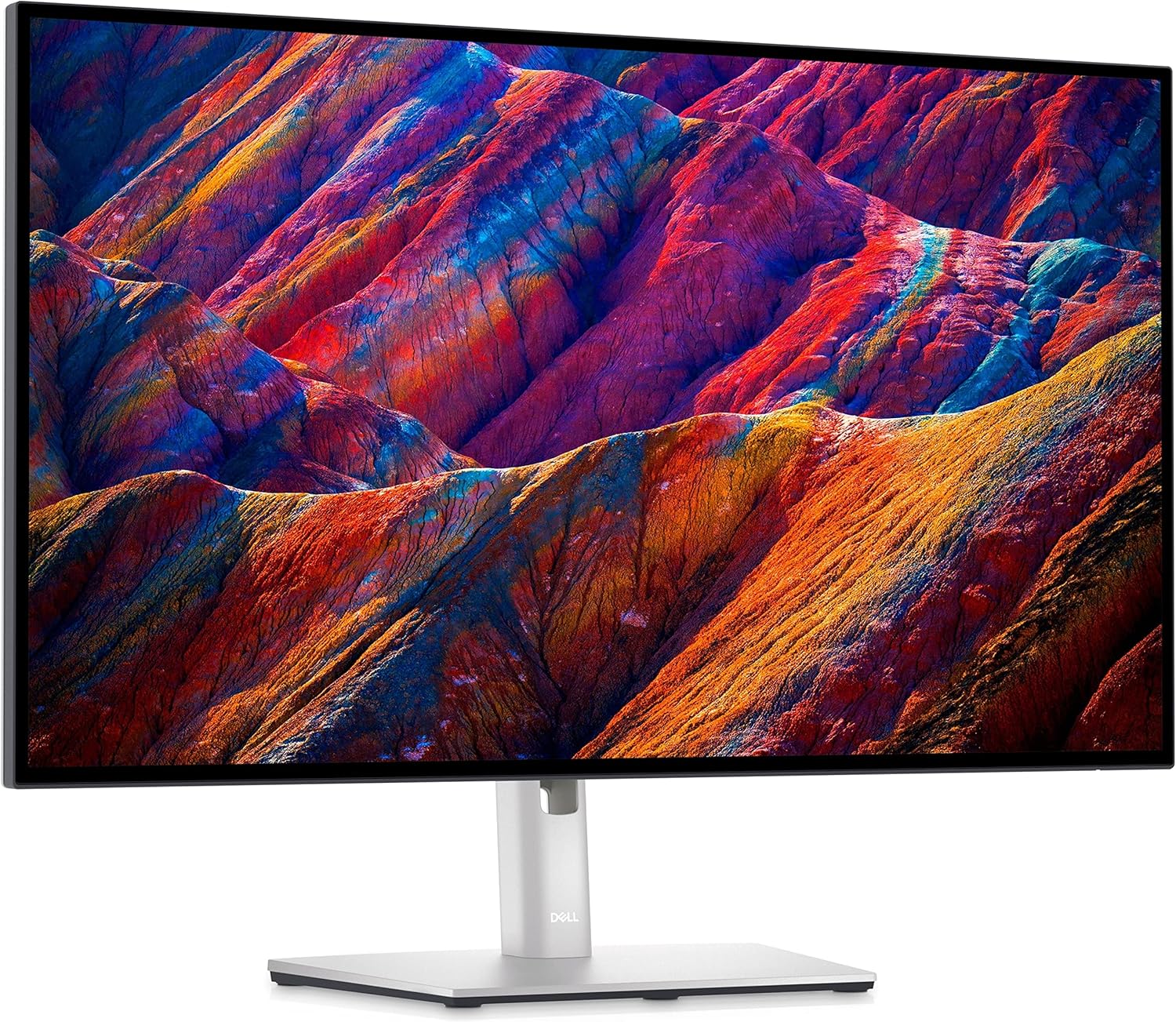
Ultrawide monitors are the single biggest productivity upgrade most home office setups are missing. One screen, no bezel gap in the middle, and enough horizontal real estate to run a code editor, browser, and Slack side-by-side without Alt-Tab gymnastics. Once you go ultrawide, a standard 16:9 monitor feels like working through a mail slot.
This guide covers who actually benefits from ultrawide, the key specs that matter, and the best options at each price point.
The Productivity Case for Ultrawide
The main argument is simple: context switching is expensive. Every time you flip between windows, you lose momentum. A wide screen lets you keep your primary work in front of you while reference material stays visible in your peripheral vision.
For developers, writers, and designers this is especially valuable. A 34-inch ultrawide at 3440x1440 gives you roughly the same vertical resolution as a 27-inch 1440p monitor — but with an extra 880 horizontal pixels. That’s enough for a full-width terminal alongside your editor, or a design canvas with your layers panel open without feeling cramped.
Video editors and spreadsheet-heavy workflows see the biggest gains. A timeline that stretches across your full view, or a financial model with 40 visible columns, changes how you work.
3440x1440 vs 2560x1080: Which Resolution to Choose
This is the most important spec decision.
3440x1440 (UWQHD) is the sweet spot. Text is sharp, icons aren’t tiny, and you have genuine working space. If you’re spending 8 hours a day looking at this screen, 1440p vertical resolution is worth the price premium.
2560x1080 (UWFHD) is wider than a standard 1080p monitor but the pixel density on a 34-inch panel is noticeably soft. Text rendering at 1080p vertical on a large screen is fine for gaming or casual use, but tiring for all-day productivity work. Budget buyers often regret this choice within a month.
The verdict: pay for 3440x1440 if this is a work monitor. 2560x1080 makes sense only if you’re primarily gaming on a tight budget.
Curved vs Flat: Does It Matter?
At 34 inches, a gentle curve (1800R or 1900R) is genuinely useful — it keeps both ends of the screen equidistant from your eyes, reducing neck movement. The effect is subtle but noticeable after a long session.
At 21:9 aspect ratio, flat ultrawides are perfectly workable. The curve becomes more important on super-ultrawide 32:9 panels (49 inches), where the screen edges are far enough from center that a flat panel creates real viewing angle problems.
Don’t let curved vs flat be a dealbreaker at 34 inches. Resolution, panel type, and brightness matter more.
Panel Types: IPS vs VA
IPS panels offer wide viewing angles and accurate colors. Best choice if you do any color-sensitive work — design, photo editing, video production.
VA panels have higher contrast ratios (typically 3000:1 vs 1000:1 for IPS), which makes blacks look richer. Better for dimly lit offices and mixed work/entertainment use. The tradeoff is slightly slower response times and more visible ghosting in fast-moving content.
For most home office workers who aren’t doing color-critical work, a good VA ultrawide is excellent value. If color accuracy matters, spend up for an IPS panel.
Best Ultrawide Monitors by Budget
Under $300 — Best Value: Samsung Odyssey G5 Ultrawide
The Samsung Odyssey G5 Ultrawide is the strongest value at this price. It’s a 34-inch 1000R curved VA panel at 3440x1440 with a 165Hz refresh rate — specs you’d expect to pay significantly more for. The high refresh rate is a bonus for anyone who also games after hours.
Color accuracy is adequate for productivity work though not calibration-grade. Build quality is solid with a clean, minimal stand. For a primary work-from-home monitor where budget is the constraint, this is the recommendation.
$300–$600 — Mid-Range IPS Options
In this range you’re looking at 34-inch IPS panels from LG and Dell. The LG 34WN80C-B is a popular choice — nano IPS panel, USB-C with 60W power delivery (charges a laptop through the cable), and a USB hub built in. The USB-C connectivity alone is worth the premium for MacBook users who want a one-cable desk setup.
Dell’s UltraSharp ultrawide lineup offers factory color calibration and a premium stand with full ergonomic adjustment. Worth the price if color accuracy matters or you want rock-solid build quality.
$600+ — Large Format and Super-Ultrawide
Above $600, the main upgrade paths are 38-inch panels (3840x1600) or super-ultrawide 49-inch panels (5120x1440 at 32:9 aspect ratio).
The 49-inch super-ultrawide is essentially two 27-inch 1440p monitors side by side with no gap. It’s transformative for multi-window workflows but requires a large desk (at least 55 inches wide) and a monitor arm rated for the weight. Not everyone’s workspace can accommodate it.
The 38-inch is the sweet spot for maximum screen real estate without going full ultrawide-within-an-ultrawide. Sharper pixel density than a 49-inch at comparable prices.
What to Look for Beyond Screen Size
- USB-C with Power Delivery: Lets you power a laptop and transmit video through a single cable. Essential for a clean desk.
- Refresh rate: 75Hz is the minimum for comfortable scrolling. 144Hz+ matters for gaming; for office work, 100Hz is plenty.
- Brightness: 300 nits minimum. 400+ nits if your desk gets direct sunlight.
- Height adjustment: A fixed-height stand is a dealbreaker for all-day use. Make sure the stand adjusts, or plan to use a monitor arm.
Conclusion
For most home office setups, a 34-inch 3440x1440 ultrawide is the upgrade that has the highest impact per dollar. Start with IPS if you do color work, VA if you want richer blacks or primarily work in dim conditions.
The Samsung Odyssey G5 Ultrawide covers the majority of use cases at a price that doesn’t require justification. If you need USB-C passthrough or better color accuracy, step up to the LG or Dell mid-range options. Only go super-ultrawide if you have the desk space and the workflow to fill it.